4. AIS OPERATION
4-2
4.1 Controls for AIS
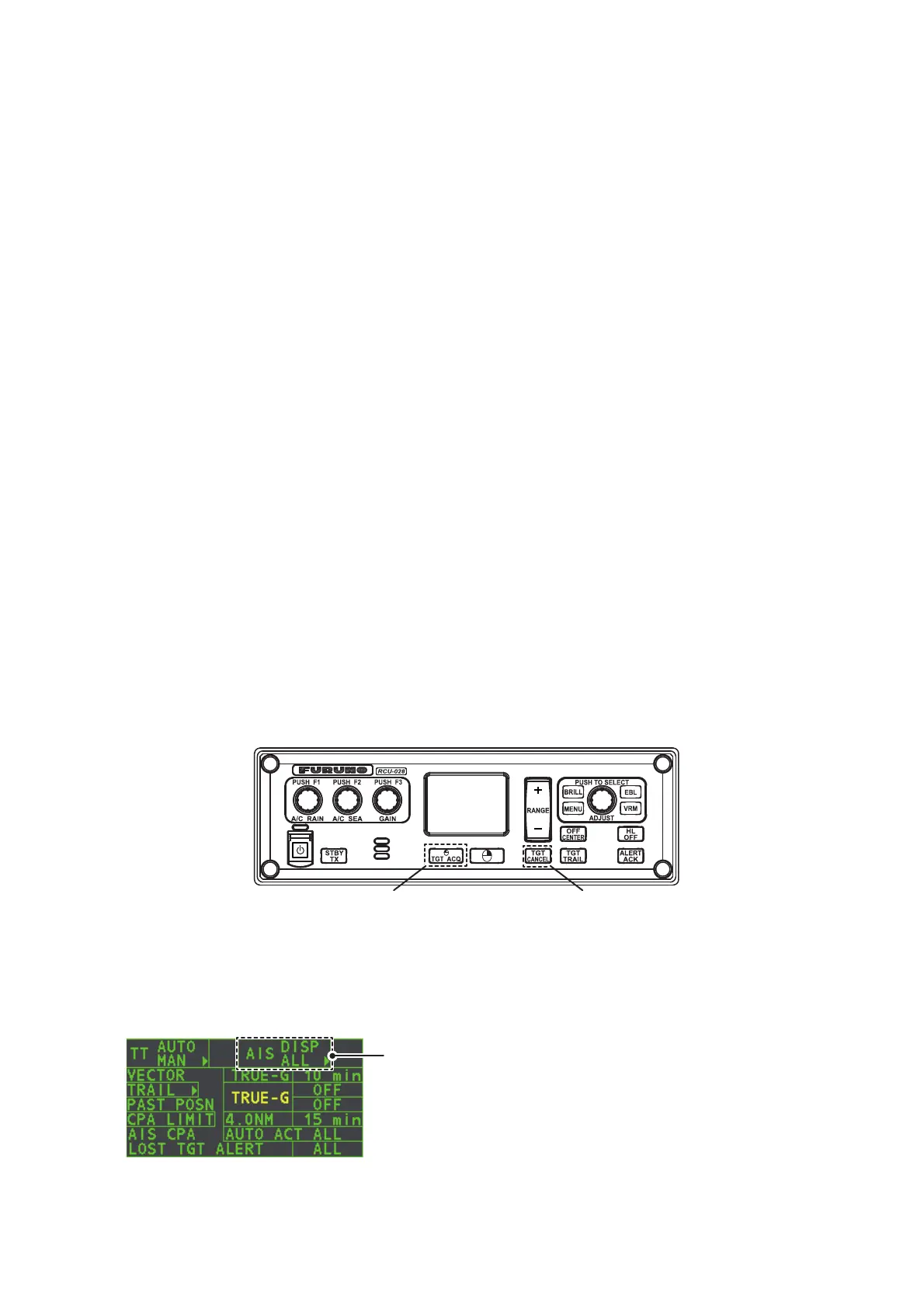
• TGT ACQ: Displays the selected target’s data.
• TGT CANCEL: Sleeps the cursor-selected target.
These functions, along with other AIS functions, can also be accessed from the [CUR-
SOR] menu (See section 1.7).
There can be several hundreds or several thousands of AIS targets, and of those only
a few will be significant for your ship. To remove unnecessary AIS targets from the radar
display, the feature “activated and sleeping AIS targets” is available. Initially any new
AIS target received by an AIS transponder is not activated (=“sleeping”). Such sleeping
targets are shown with a small triangle. The operator can pick any AIS target and
change it from sleeping to activated. Activated AIS targets are shown with a large trian-
gle with speed vector, headline, ROT indicator, etc. Further, the operator can pick acti-
vated AIS targets and change their status to sleeping.
An indication of AIS target activated capacity limit is given well before it is reached.
When 95% of 40 targets are activated, the Alert 190 "TARGET CAPACITY (AIS ACIT-
VATE 95%)" appears. When 40 targets are activated, the Alert 190 "TARGET CAPAC-
ITY (AIS ACTIVATE FULL)" appears.
An indication of AIS target display capacity limit is given well before it is reached. When
95% of 300 targets are displayed, the Alert 190 "TARGET CAPACITY (AIS DISPLAY
95%)" appears. When 300 targets are displayed, the Alert 190 "TARGET CAPACITY
(AIS DISPLAY FULL)" appears.
An indication of AIS target processing capacity limit is given well before it is reached.
The Alert 190 "TARGET CAPACITY (AIS CAPACITY FULL)" appears when 1,000 tar-
gets are in the storage buffer.
This radar generates AIS-related alerts. These are Alert 191 "CPA/TCPA (AIS COL-
LISION" and Alert 193 "LOST TARGET (AIS LOST)". Only activated AIS targets gen-
erate alerts. The operator can activate or sleep AIS target alerts as desired. The
feature “activated and sleeping AIS targets” is very effective for focusing on only
those AIS targets that need supervision. This radar further eases the task of the op-
erator by automatically changing non-activated targets to activated targets, if their
CPA and TCPA are within a preset limit.
Displays AIS target data Cancel target
Select the AIS box, then press the left button to cycle
through AIS display modes.
DISP OFF: Hides AIS targets
DISP FILT: Displays a filtered selection of AIS targets
DISP ALL: Displays all AIS targets
FUNC OFF: Deactivates the AIS function










 To Next Page