1. OPERATIONAL OVERVIEW
1-9
1.8 Cursor Data
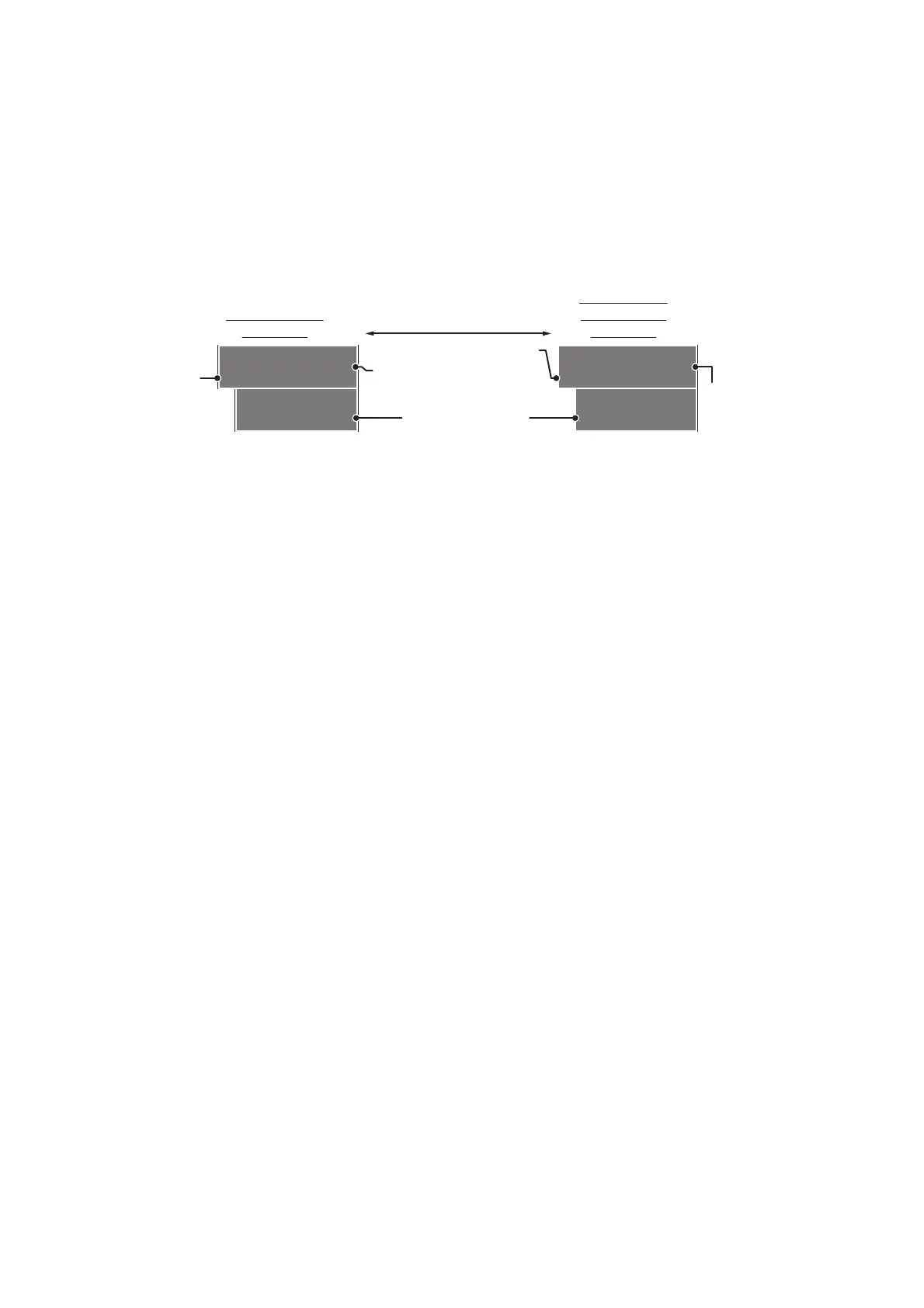
Cursor data can be shown in latitude and longitude position or the cursor’s X-Y co-
ordinates.
Place cursor on the [CURSOR DATA] box at the right side of the display then press
the left button. The data box shows the cursor information in the upper half and cur-
sor location (latitude/longitude) is shown in the lower half.
Note 1: For the X-Y co-ordinates display, the Y-axis is the heading line, the upper half
of the screen is “plus” and the lower part of the screen is “minus”. The X-axis is the
port/starboard direction, starboard is “plus”, port is “minus”.
Note 2: When displaying latitude and longitude position and the cursor has been
aligned (on the [CURSOR] menu), the indication "MAP ALIGN" appears at the right
side of the screen (in yellow).
Note 3: Cursor data reads "- - -.-" when the cursor is placed outside the operational
display area.
CURS 099 . 1°T
00:32 5.317NM
33°59.156N
135°06.328E
CURS 6.087km
01:08 3.997km
33°59.156N
135°06.328E
Bearing/range
displayed
Cursor’s X-Y
co-ordinates
displayed
Press the left button
to switch between
display formats
TTG to cursor position
Bearing/range to
cursor position.
TTG to
cursor
position
Cursor positon’s
latitude/longitude
Range to
cursor’s X-Y
location.










 To Next Page