1. OPERATIONAL OVERVIEW
1-4
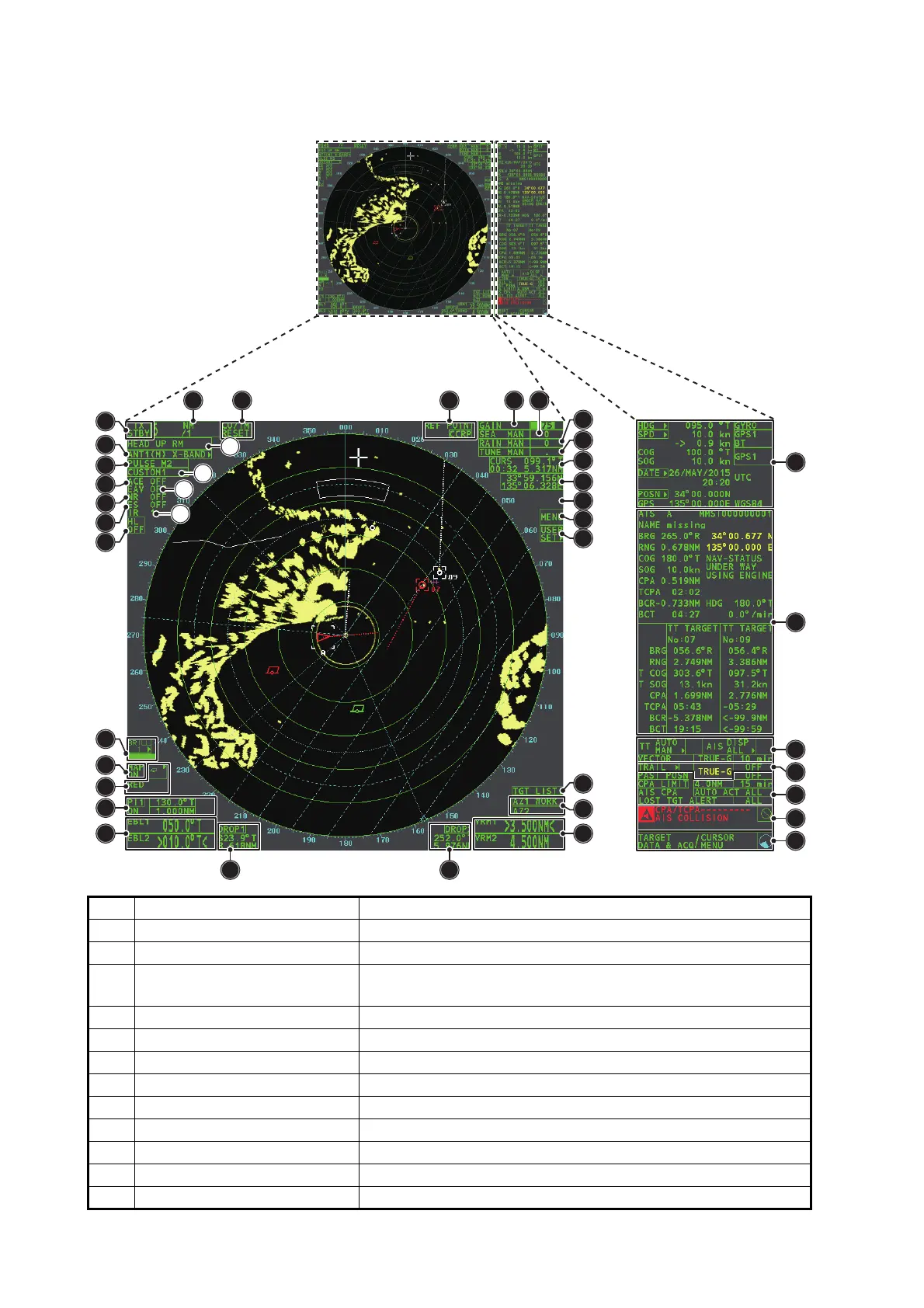
1.4 Display Indications
No. Name Description
1 STBY/TX box Switches between standby and transmit mode.
2 Range box Changes the radar range.
3 CU/TM Reset box Resets display when using Course Up/True Motion presenta-
tion mode.
4 REF POINT box Changes the reference point.
5 GAIN box Adjusts the GAIN level.
6 SEA box Adjusts the A/C SEA settings.
7 RAIN box Adjusts the A/C RAIN settings.
8 TUNE box Adjusts the tuning for the receiver.
9 Cursor information box Displays the range, bearing and TTG to cursor position.
10 Cursor position box Displays the cursor’s current co-ordinates.
11 MAP ALIGN box Enables/disables radar map alignment.
12 MENU box Opens the [MAIN MENU].
7
6
33
34
35
36
35
38
37
543
17
17
14
15
16
18
19
20
21
22
27
24
32
29
26
23
25
30
28
31
1
2
8
9
10
11
12
13










 To Next Page