1. OPERATIONAL OVERVIEW
1-42
How to reset the EBL origin to the center of the screen
1. Place the cursor on the EBL1 box, then press the left button. EBL1 is now active.
2. Place the cursor inside the operational display area, then press the right button.
The [CURSOR] context menu appears.
3. Select [EBL OFFSET], then push the ADJUST knob. The cursor is displayed with
a red surround.
4. Press the left button. The EBL returns to the center of the display.
5. Press the right button to deactivate the [EBL OFFSET] mode. The red surround
on the cursor disappears.
How to link EBL and VRM OFFSET
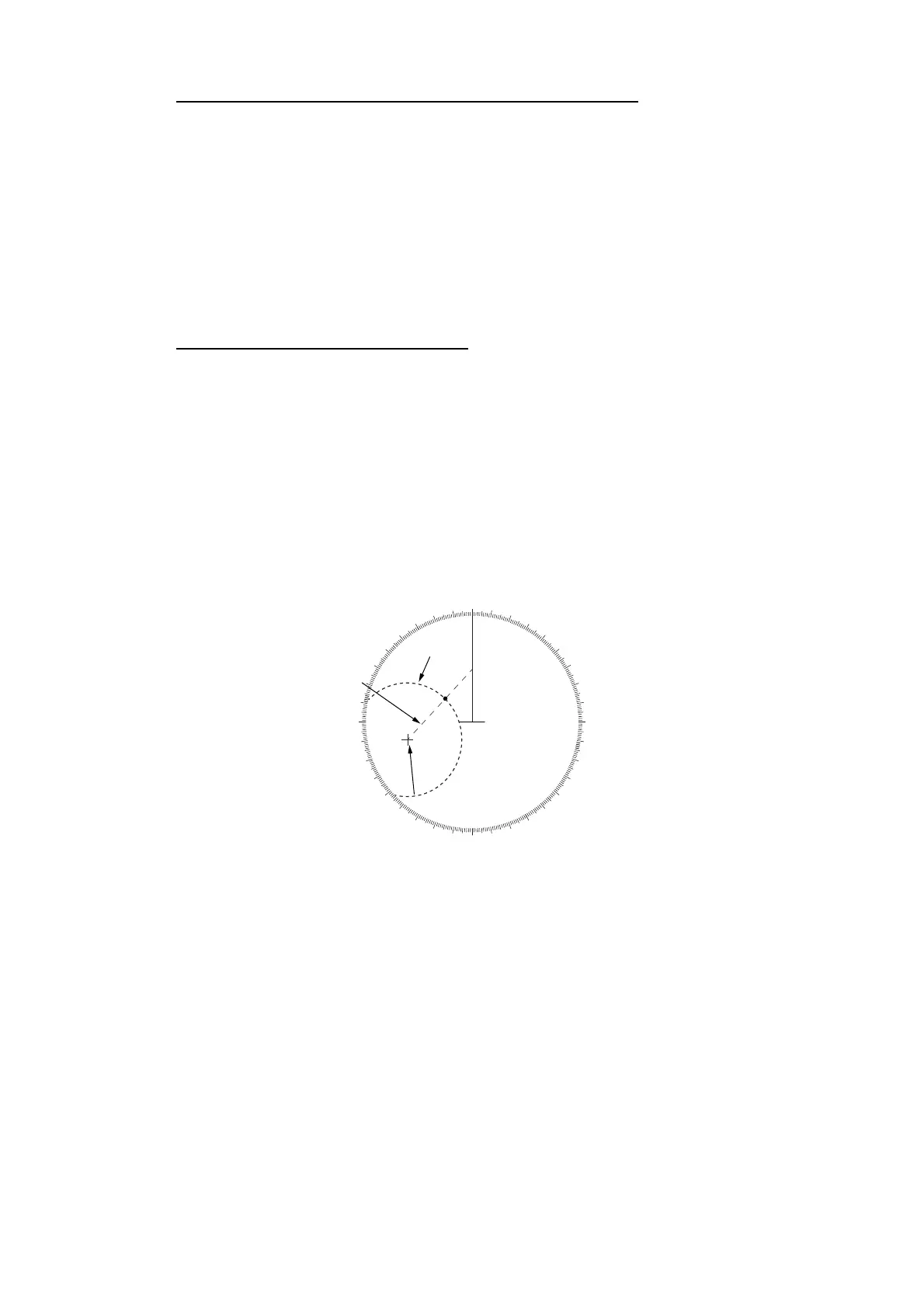
You can link the EBL and VRM offset to show the VRM range ring with one target as
the center-point. This may helpful if the range marker on the EBL is difficult to see.
1. Open the [MAIN MENU].
2. Select NAVTOOL, then push the ADJUST knob.
3. Select [EBL•VRM•CURSOR], then push the ADJUST knob.
4. Select [VRM OFFSET], then push the ADJUST knob.
5. Select [LINK EBL], the push the ADJUST knob. The offset EBL is now displayed
with the linked VRM range ring, as indicated in the figure below.
000
010
020
030
040
050
060
070
080
090
100
110
120
130
140
150
160
170
180
190
200
210
220
230
240
250
260
270
280
290
300
310
320
330
340
350
Target 2
EBL1
EBL origin
Linked VRM1
Target 1










 To Next Page