Operators and Technicians Manual
2011 – 2014 FutureLogic, Incorporated. All Rights Reserved. MNL Page 10 04/10/2014
MNL-000067 REV.X03
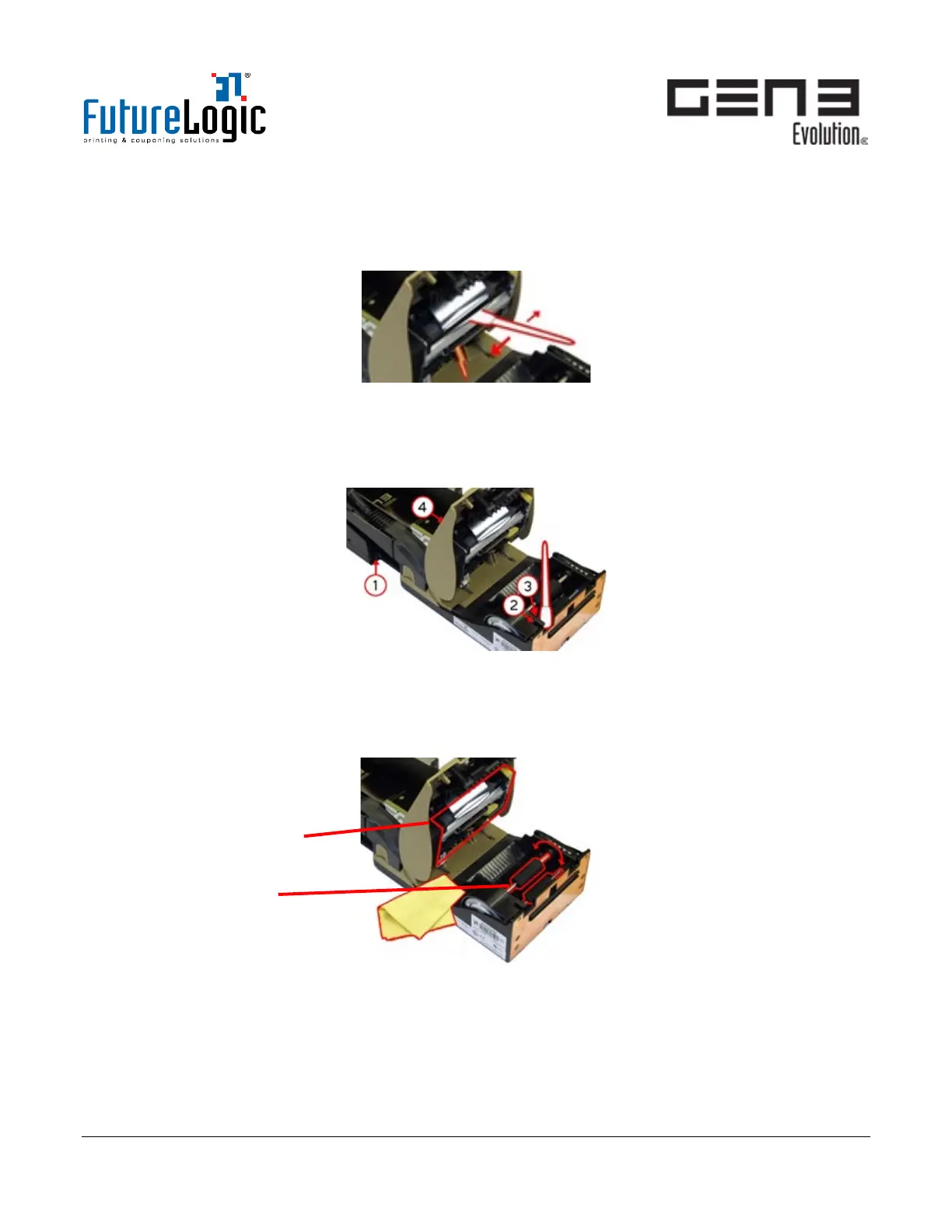
6. Clean inside the Print Head.
a. Push down and hold the Print Head Release Lever.
b. Use the cleaning swab to wipe gently along and inside the Print Head.
c. Release the Print Head Release Lever.
Figure 4-7 Clean Print Head
7. Clean the sensors.
a. Dampen the cleaning swab or cloth.
b. Clean the sensors – in particular the Printer Open (2) and Ticket Taken Sensors (3).
Figure 4-8 Clean Sensors
8. Clean the Feed and Print Head Rollers.
a. Use a damp cleaning cloth to wipe the Rollers.
b. Turn the Rollers by hand.
Figure 4-9 Clean Rollers
9. After cleaning is complete:
a. Push in the Print Head Release Lever to close the Print Head.
b. Close the Printer Lid.
c. Push the printer back into its position on the Sliding Base.
d. Reload tickets.
Feed Rollers



 To Next Page