Operators and Technicians Manual
2011 – 2014 FutureLogic, Incorporated. All Rights Reserved. MNL Page 30 04/10/2014
MNL-000067 REV.X03
Option 2: Serial Connection
To connect the printer and a PC or laptop using a serial connection, you need the following:
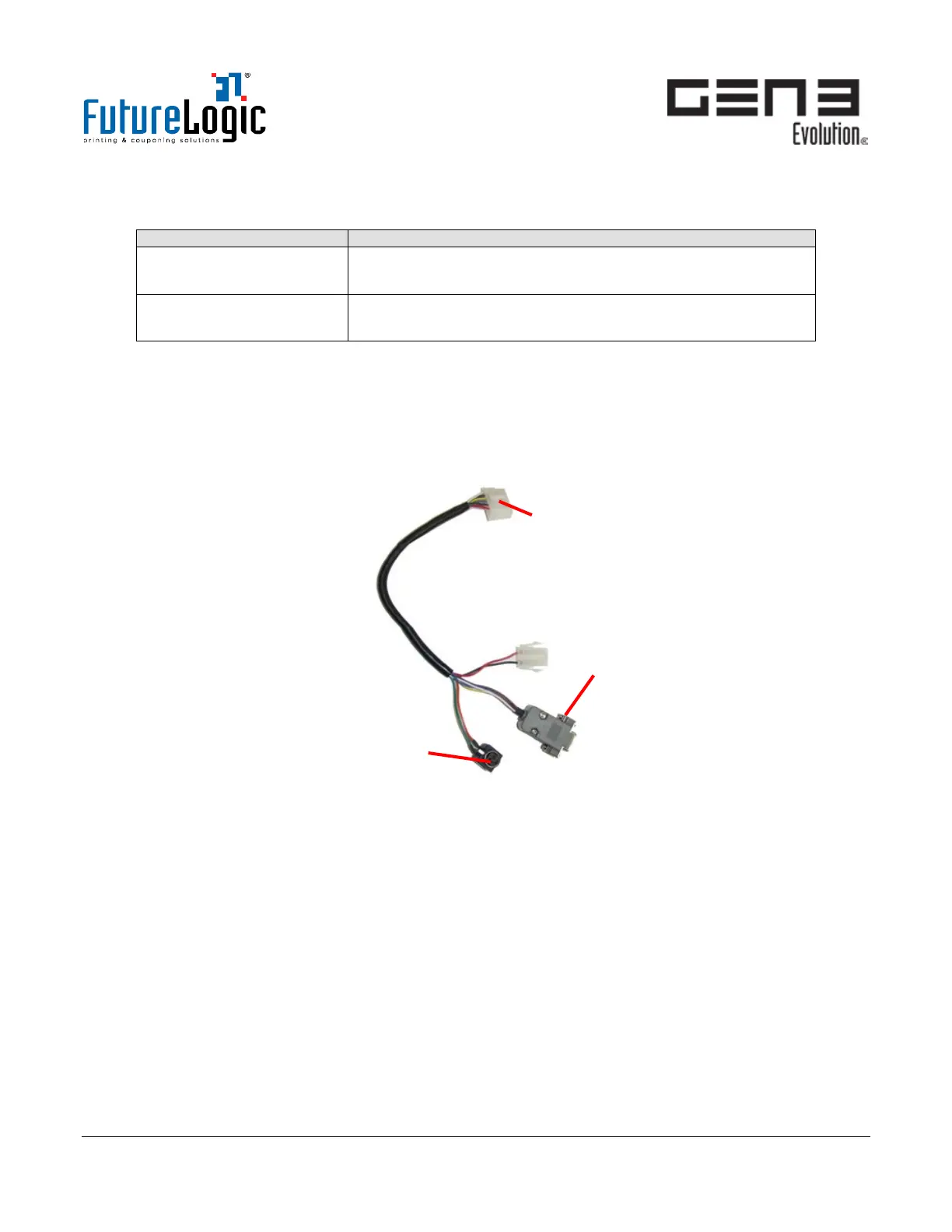
RS232 Evaluation Cable
(P/N 150-00013-100)
This cable powers the printer from a 24Vdc source and
provides a connection to a standard DB9 RS232 COM port.
24Vdc Power Supply
(P/N 350-00199-100)
Recommended
1. Disconnect and remove the printer from the machine.
2. Connect the 14-pin connector to the printer Interface Cable.
3. Connect the DB9 connector to the PC COM port.
4. Connect the power connector to a 24Vdc power source.
Figure 9-4 RS232 Evaluation Cable Connections



 To Next Page