Operators and Technicians Manual
2011 – 2014 FutureLogic, Incorporated. All Rights Reserved. MNL Page 4 04/10/2014
MNL-000067 REV.X03
LEDs/Status Lights
The LEDs report the printer status whenever power is present. For troubleshooting, see page 34.
No Power
Ready ON
*Flashing*
No Ticket Detected ON
Paper Jam Detected ON ON
*Flashing*
Printer Lid Open ON
Firmware Problem (Flushed) ON ON ON ON
Hardware Fault Detected ON
Ticket and Print Head Release Levers
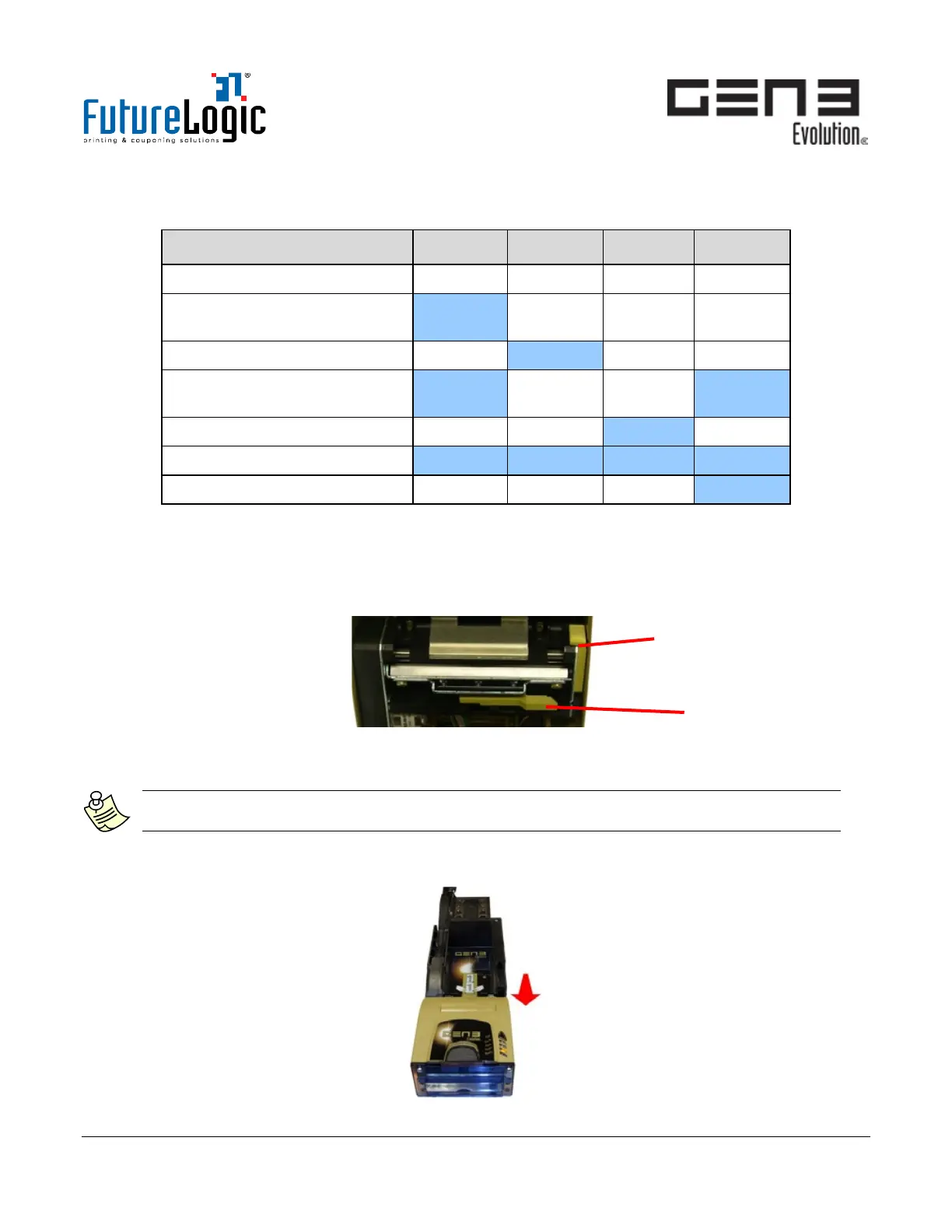
The GEN3 Evolution printer includes two Release Levers, accessible by opening the Printer Lid:
• Ticket Release Lever. Use to release or remove tickets.
• Print Head Release Lever. Use during cleaning and maintenance.
Figure 3-2 Ticket and Print Head Release Levers
Load Tickets
Note:
If the printer detects it has no tickets or a ticket-low condition, the Bezel Light will flash.
1. Open the game door.
2. Pull the printer forward on its Sliding Base. The Yellow Status Light (Paper) will be lit on the printer.
Figure 3-3 Pull Printer Forward



 To Next Page