Operators and Technicians Manual
2011 – 2014 FutureLogic, Incorporated. All Rights Reserved. MNL Page 33 04/10/2014
MNL-000067 REV.X03
10 Troubleshooting
Introduction
This chapter describes solutions to the most common ticket printing problems.
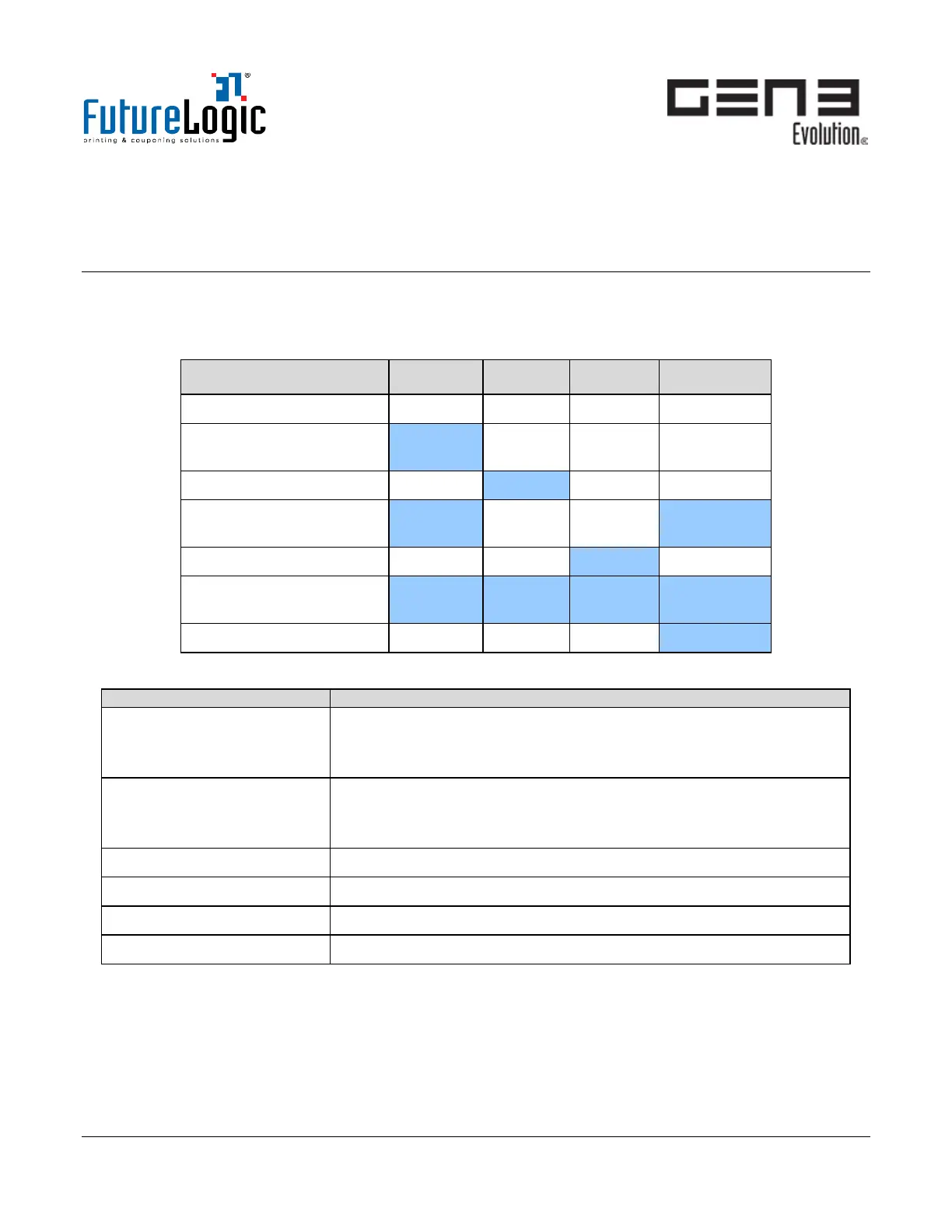
Use the LED Status Lights to determine the printer status.
No Power
Ready
ON
*Flashing*
No Ticket Detected ON
Paper Jam Detected ON
ON
*Flashing*
Printer Lid Open ON
Firmware Problem
(Flushed)
ON ON ON ON
Hardware Fault Detected ON
Printer Troubleshooting
No Power / No LEDs lit. Check the power from the host. The printer requires 24Vdc.
Press the FEED button, does the ticket advance? Check the LED
module. See page 19 for details how to exchange the LED module.
No Ticket Detected Remove and reload the tickets (see page 4). The printer must detect
the white-color tickets and black index mark.
Check the Index Mark Sensor (see page 7 for details).
Paper Jam Detected Perform the ticket jam procedures on page 6.
Printer Lid Open Close the Lid.
Firmware Problem (Flushed)
Hardware Fault Detected



 To Next Page