Operators and Technicians Manual
2011 – 2014 FutureLogic, Incorporated. All Rights Reserved. MNL Page 20 04/10/2014
MNL-000067 REV.X03
8 Firmware Upgrade
Introduction
There are two methods to upgrade the printer firmware:
• (Recommended) Method 1: USB plug-in firmware upgrade. Use a USB plug-in (thumb) drive
formatted with the FAT-32 filesystem. Most firmware versions are upgradeable this way.
• Method 2: FLDFU™ upgrade program. Use the printer’s USB cable and the FLDFU program to
upgrade the printer firmware from a PC or laptop.
Either method allows the printer to remain in the machine, or use the following on a test bench:
RS232 Evaluation Cable
(P/N 150-00013-100)
This cable powers the printer from a 24Vdc source and provides a
connection to a standard DB9 RS232 COM port.
24Vdc Power Supply
(P/N 350-00199-100)
Recommended
Note: Printer firmware and the FLDFU program are available for download:
http://www.futurelogic-inc.com/support/firmwareRequest/
Additionally, you can request manufacturer-specific firmware from the game manufacturer.
Method 1: Firmware Upgrade using USB Plug-in (Recommended)
Overview
To use this method, you will need:
USB A-socket to mini
adapter cable
Connects to Firmware Upload Port.
USB drive Format this drive to the FAT-32 filesystem. This drive contains the
firmware and control file that the printer uses to detect if an
upgrade is necessary. The USB drive plugged into the Firmware
Upload Port automatically upgrades the firmware.
FutureLogic firmware file The firmware file has a file extension of .DFU / .SHA / .BIN (for
example, 3RXXX123.DFU)
Firmware Control File
(FWUpgradeCtrl)
The printer uses the control file to identify and control the firmware
upgrade. This required file is necessary for the upgrade procedure.
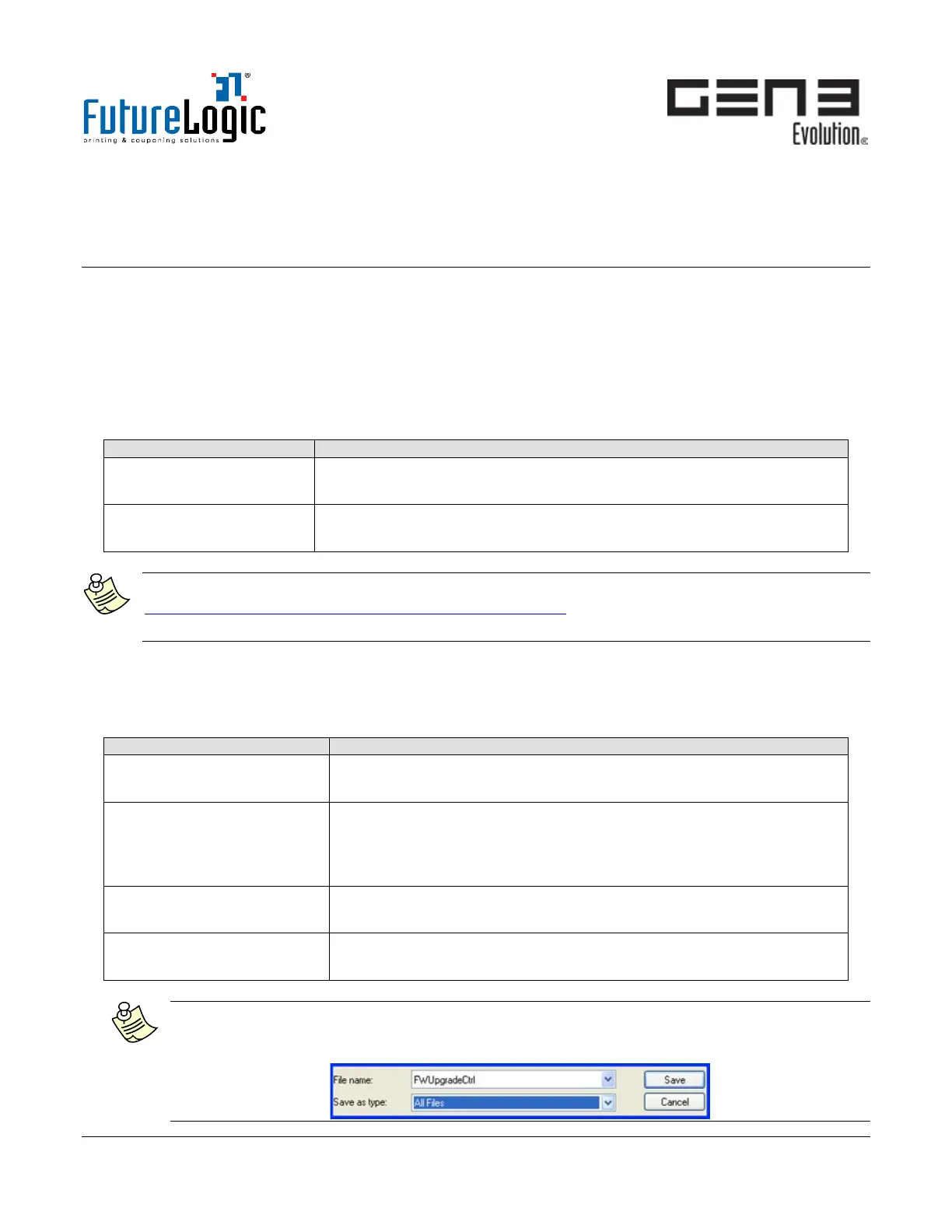
Note: FWUpgradeCtrl does not have a file extension such as .TXT. To save in Windows, set
Save as type to All Files. It may also be necessary to switch off the Hide extensions for known
file types in Windows Folder Options.



 To Next Page