Operators and Technicians Manual
2011 – 2014 FutureLogic, Incorporated. All Rights Reserved. MNL Page 32 04/10/2014
MNL-000067 REV.X03
Procedure: Print Test Tickets
The installation process copies a set of test tickets into the CommWrangler program folder.
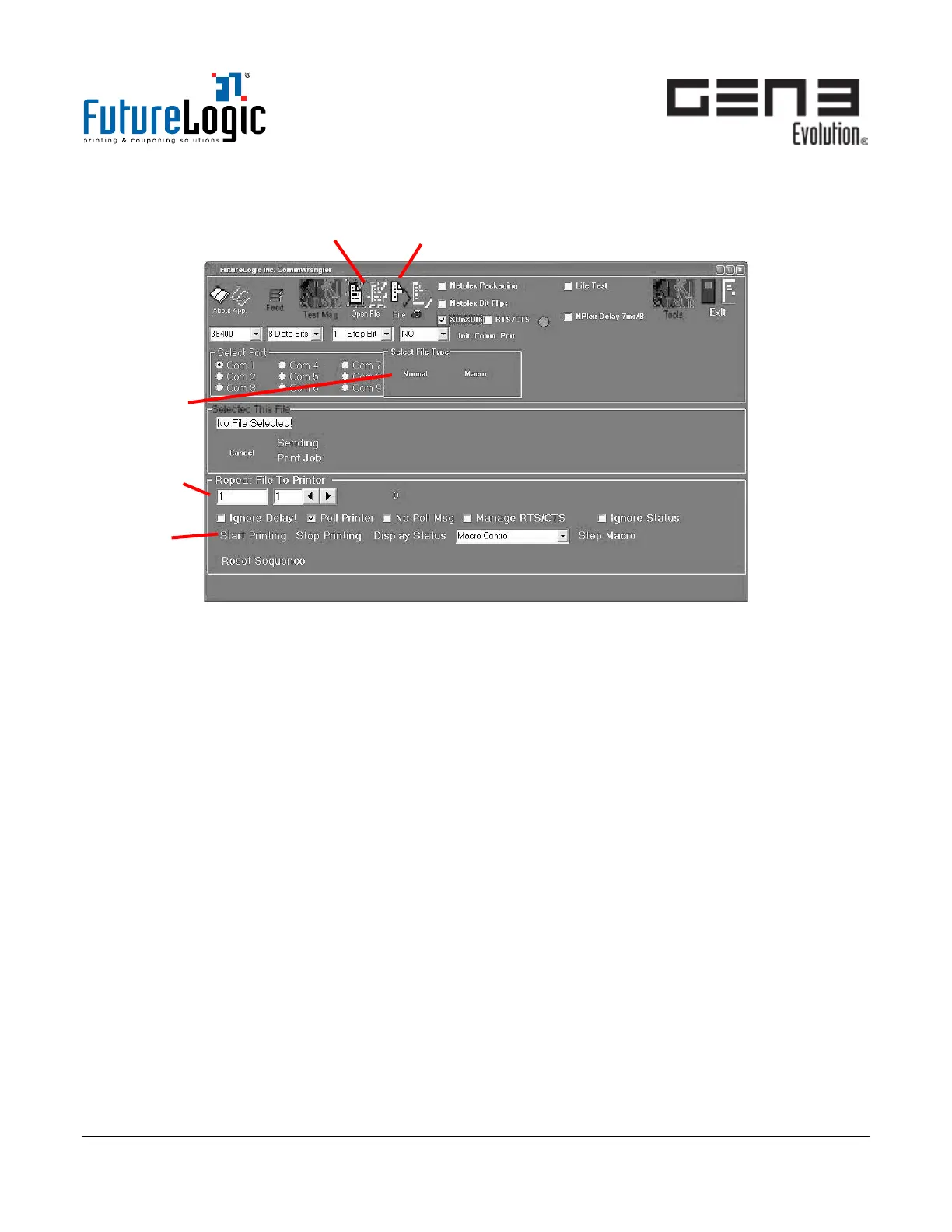
Figure 9-7 CommWrangler – Print Test Tickets
1. Click Open File.
The Select File Type area displays.
2. Select Normal.
a. From the window that displays, browse to the CommWrangler program folder.
b. Select one of the .TKT ticket files (for example, ticket0.tkt).
3. Click File.
The printer prints a standard TITO ticket.
4. For test bench soak-testing, enter the following in the Repeat File To Printer fields:
• First text box: enter the number of times to repeat the print on the left.
• Second text box: enter the time in seconds to pause between prints on the right.
5. Click Start Printing to begin the sequence.



 To Next Page