Operators and Technicians Manual
2011 – 2014 FutureLogic, Incorporated. All Rights Reserved. MNL Page 11 04/10/2014
MNL-000067 REV.X03
5 Ports and Cables
Introduction
This chapter describes the port pin-outs and cables for the printer.
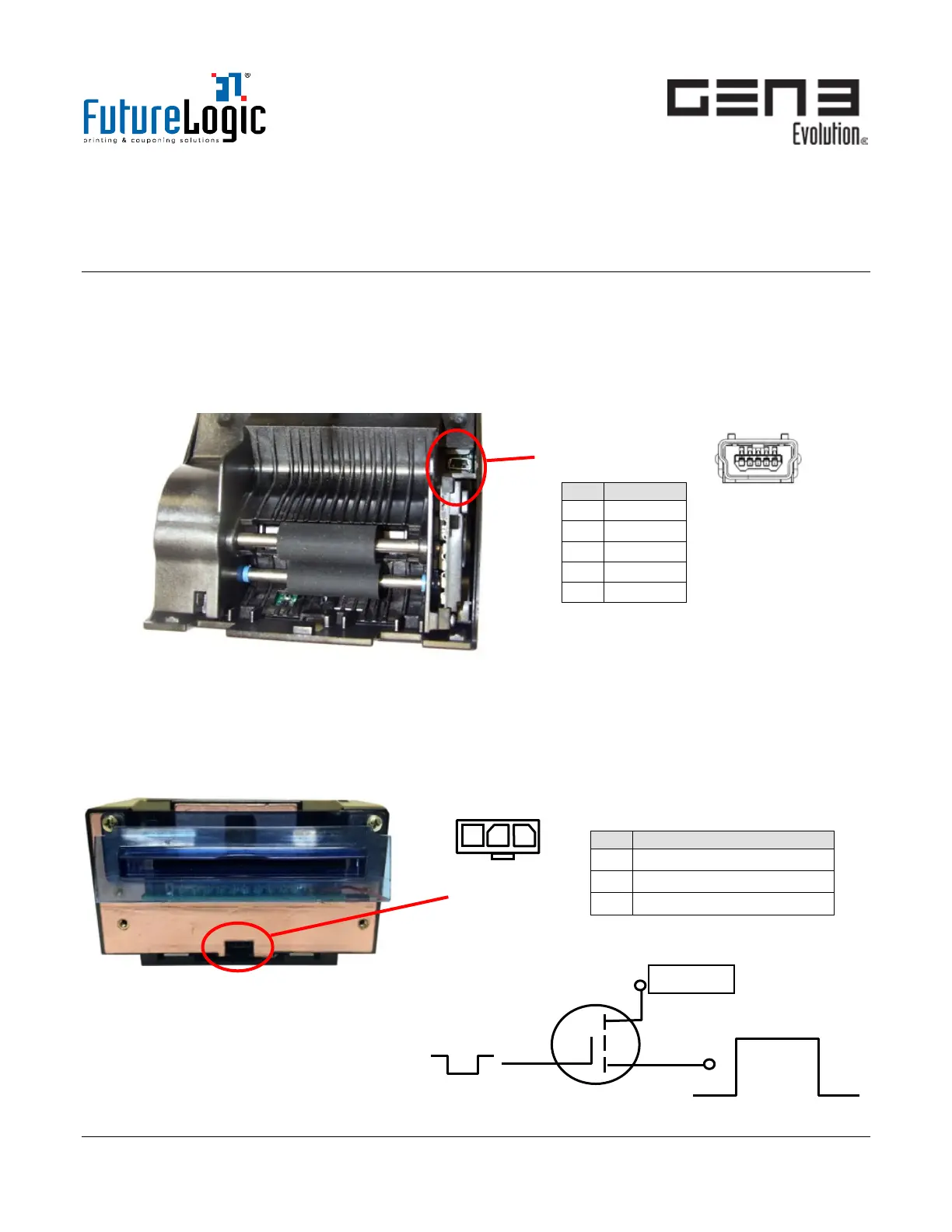
Firmware Upload Port
The Firmware Upload Port is a mini USB port inside the Printer Lid. This port upgrades the printer firmware
using the USB Plug-In feature while the printer is in and receiving power by the game.
Figure 5-1 Firmware Upload Port
To upload firmware to the printer, see page 20.
Front Bezel Port
The Front Bezel Port provides power for illumination of a Bezel attached to the front of the printer.
Alternatively, door-mounted Bezels connect to the Interface Cable to draw power for illumination.
Figure 5-2 Front Bezel Port
1 V Bus
2 D-
3 D+
4 GND
5 GND
Switched 24VDC, 1.5A Max.



 To Next Page