Operators and Technicians Manual
2011 – 2014 FutureLogic, Incorporated. All Rights Reserved. MNL Page 31 04/10/2014
MNL-000067 REV.X03
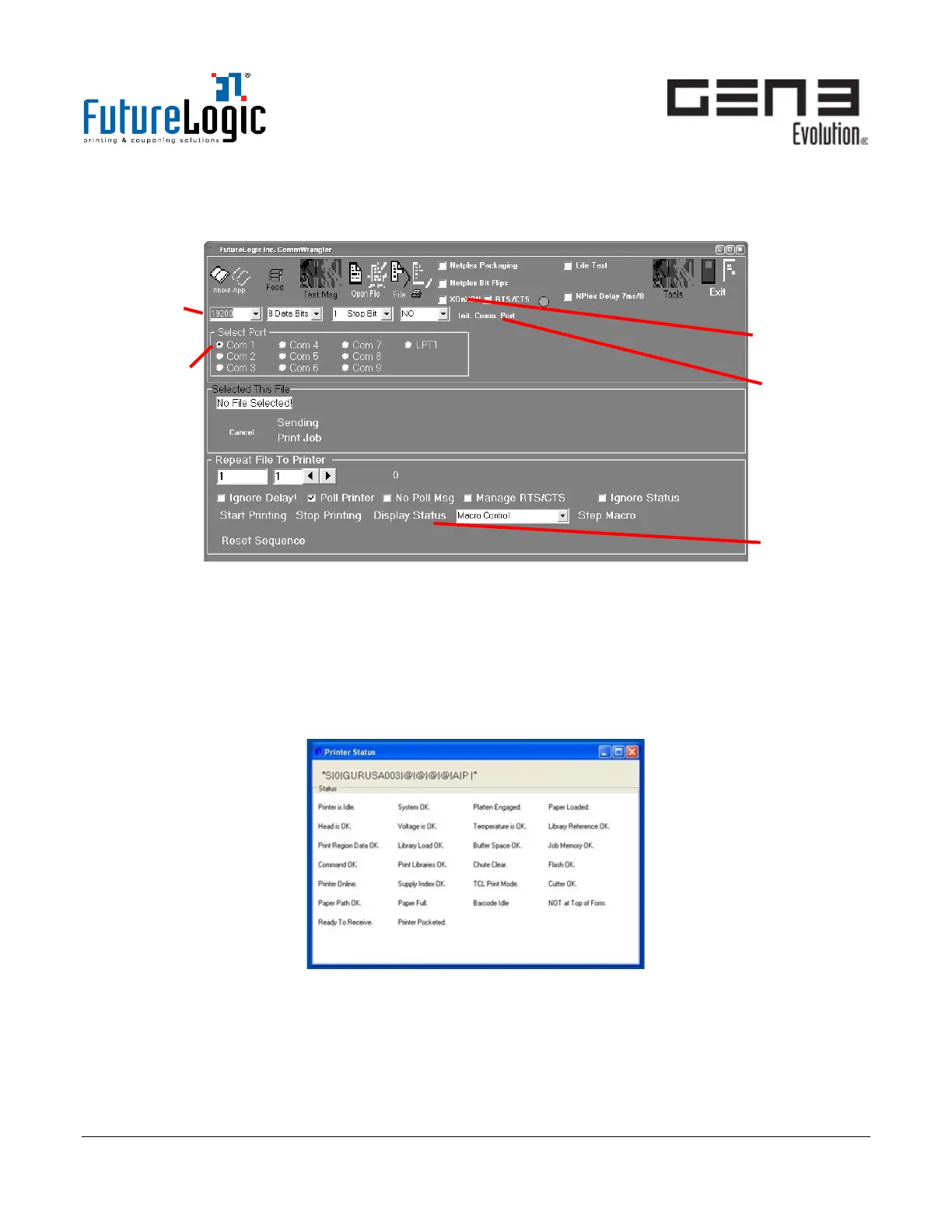
CommWrangler
Procedure: Initialize Communications
Figure 9-5 CommWrangler Main Window
1. Select the printer baud rate.
2. Select the COM Port.
3. Select Xon/Xoff.
4. Click Init Comm Port.
5. Click Display Status.
The Printer Status window displays.
Figure 9-6 Printer Status Window



 To Next Page