Operators and Technicians Manual
2011 – 2014 FutureLogic, Incorporated. All Rights Reserved. MNL Page 24 04/10/2014
MNL-000067 REV.X03
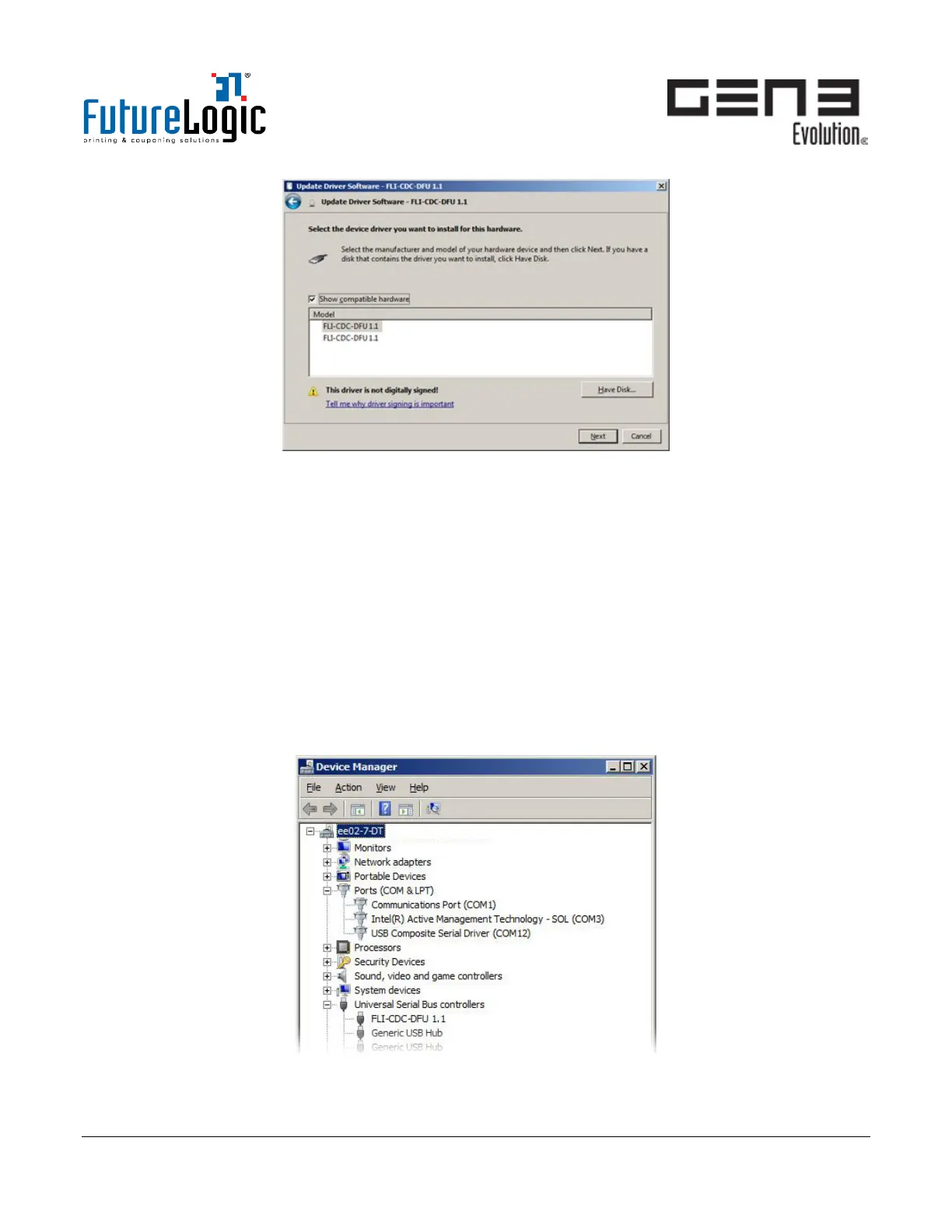
Figure 8-4 Update Driver Software Window
2. Click Have Disk to manually browse for driver selection in either of the following locations:
• C:\Program Files\FutureLogic\FLI DFU Downloader\dfuPrinterFL
• C:\Program Files (x86)\FutureLogic\FLI DFU Downloader\dfuPrinterFL.
3. Using the dfuPrinterFL.inf file, select either FLI-CDC-DFU 1.1 in the Model list; click Next.
The DFU drivers install.
4. (Optional; if required for CommWrangler functional testing) Install the virtual COM port drivers. (Refer
to Chapter 9 on page 28.)
a. Request and obtain the required CDC driver package from FutureLogic.
b. Right-click FL GEN3 USB PRINTER; use the CDC driver package to install manually the virtual
COM port.
5. After driver installation, the Windows Device Manager updates. The printer is ready for firmware
upgrade. Continue with the procedure on page 25.
Figure 8-5 Device Manager



 To Next Page