Operators and Technicians Manual
2011 – 2014 FutureLogic, Incorporated. All Rights Reserved. MNL Page 21 04/10/2014
MNL-000067 REV.X03
An example of the content of this file is as follows:
#
# FWUpgradeCtrl
#
# Number of firmware files
FileCount=1
EraseVolume=11
# Firmware bundle file
Filepath_1=3RXXX123.DFU
Filedesc_1=None
Reboot_1=1
Note:
The line, Filepath_1, identifies the firmware version in use. To edit this line to change the
firmware version, open this file in any text editor program.
Procedure
1. Copy these files to the USB drive:
• FWUpgradeCtrl
• Firmware DFU
If the firmware is in .BIN or .SHA format, re-save or rename the file with .DFU extension.
2. (If in a game) Pull out the printer.
3. Power-off the printer and open the Lid.
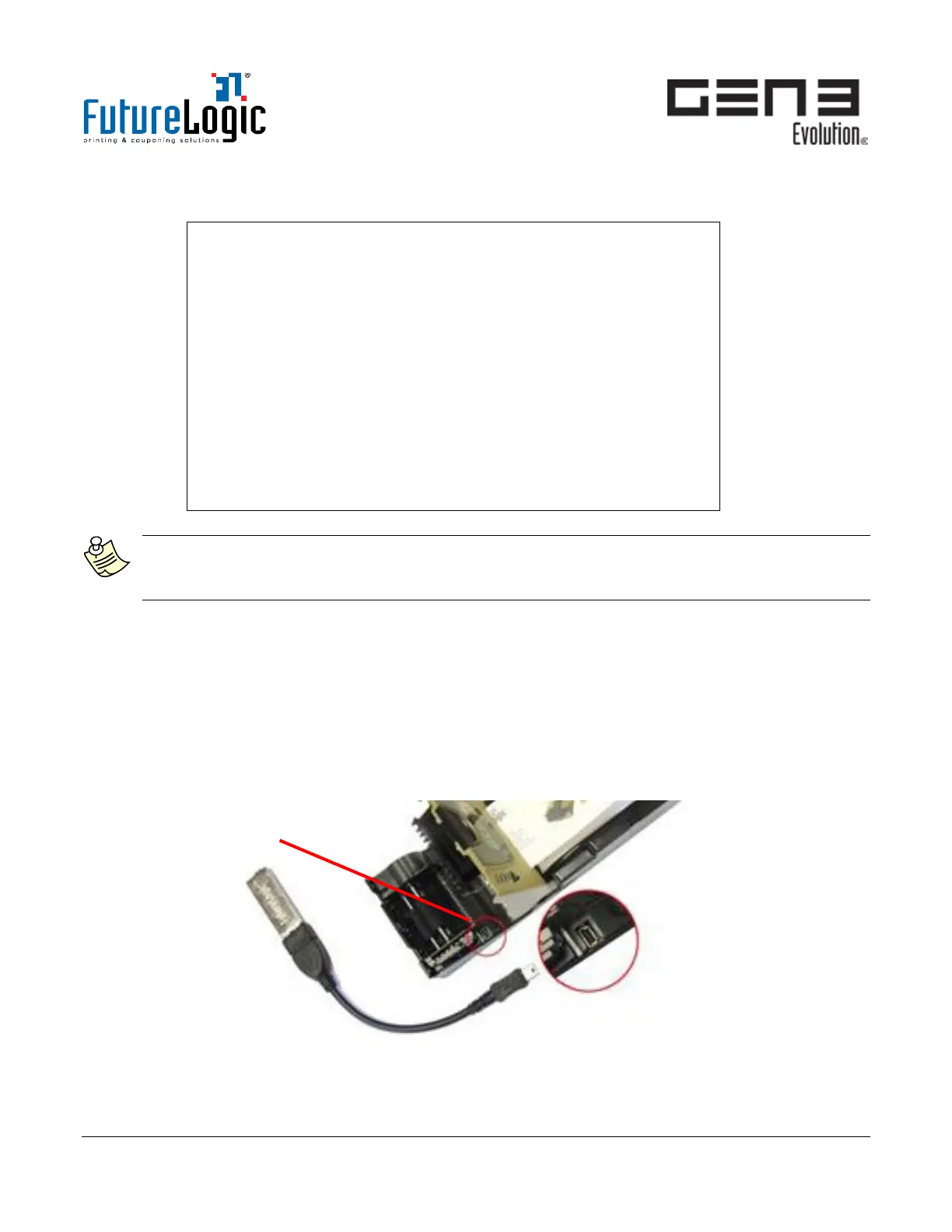
4. Use the adapter cable to plug the USB drive into the Firmware Upload Port.
Figure 8-1 Plug Adapter Cable into Firmware Upload Port



 To Next Page