Operators and Technicians Manual
2011 – 2014 FutureLogic, Incorporated. All Rights Reserved. MNL Page 26 04/10/2014
MNL-000067 REV.X03
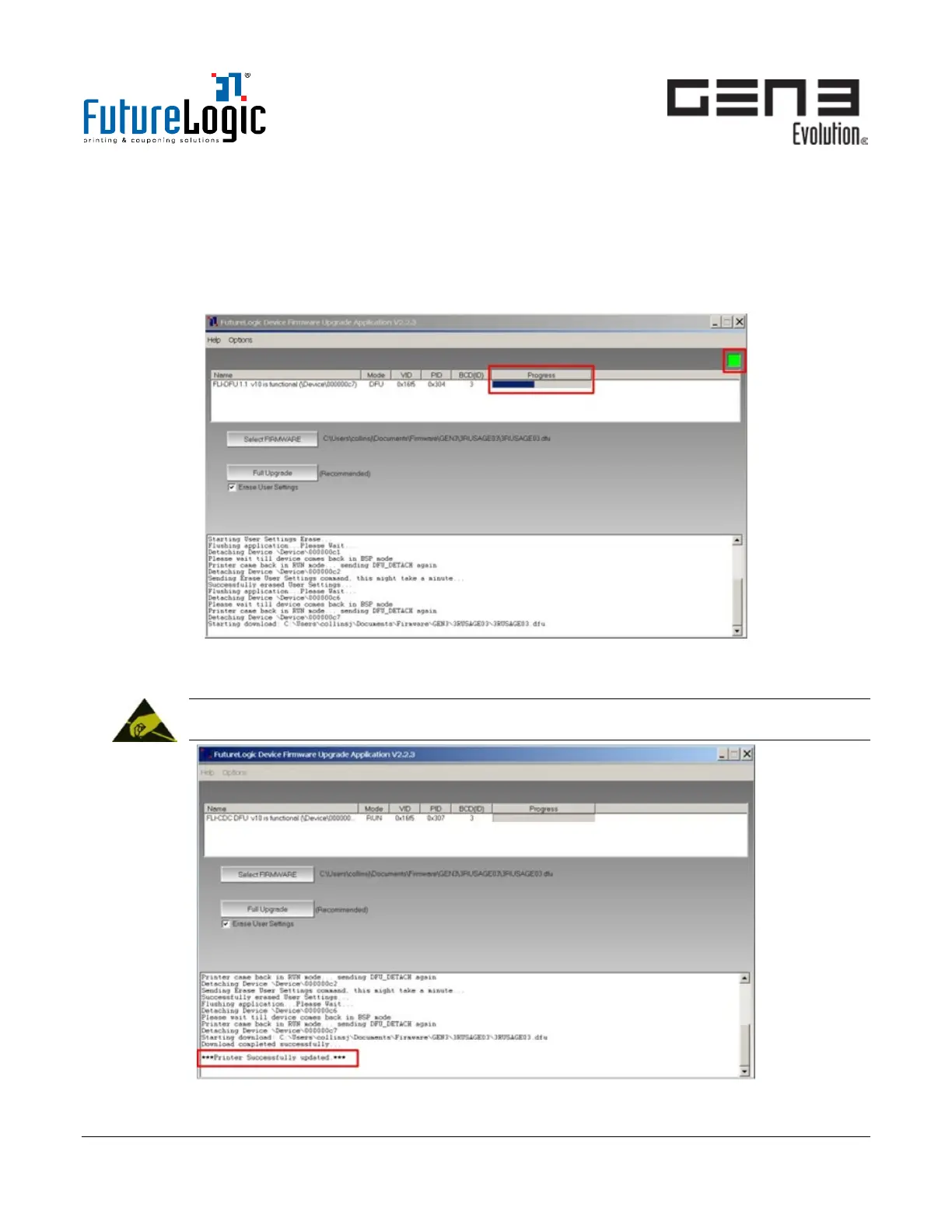
6. (Recommended for most firmware versions) Select Erase User Settings.
This will reset the previous communication parameters (baud rate and handshaking) to the new
firmware default settings.
7. Click Full Upgrade.
The upgrade cycle may repeat depending on the firmware and if you select Erase User Settings.
The green status icon on the top right of the screen will flash continuously until the process is complete.
Figure 8-8 FLDFU Main Window – Progress Area
8. Wait for the “Printer Successfully Updated” message to display in the status area.
WARNING!
Do not stop the process or unplug the printer.
Figure 8-9 FLDFU Main Window – Status Area



 To Next Page