8 GPSMAP 4000 Series Owner’s Manual
uSInG chartS
USinG
ChartS
Accessing Additional Object Information
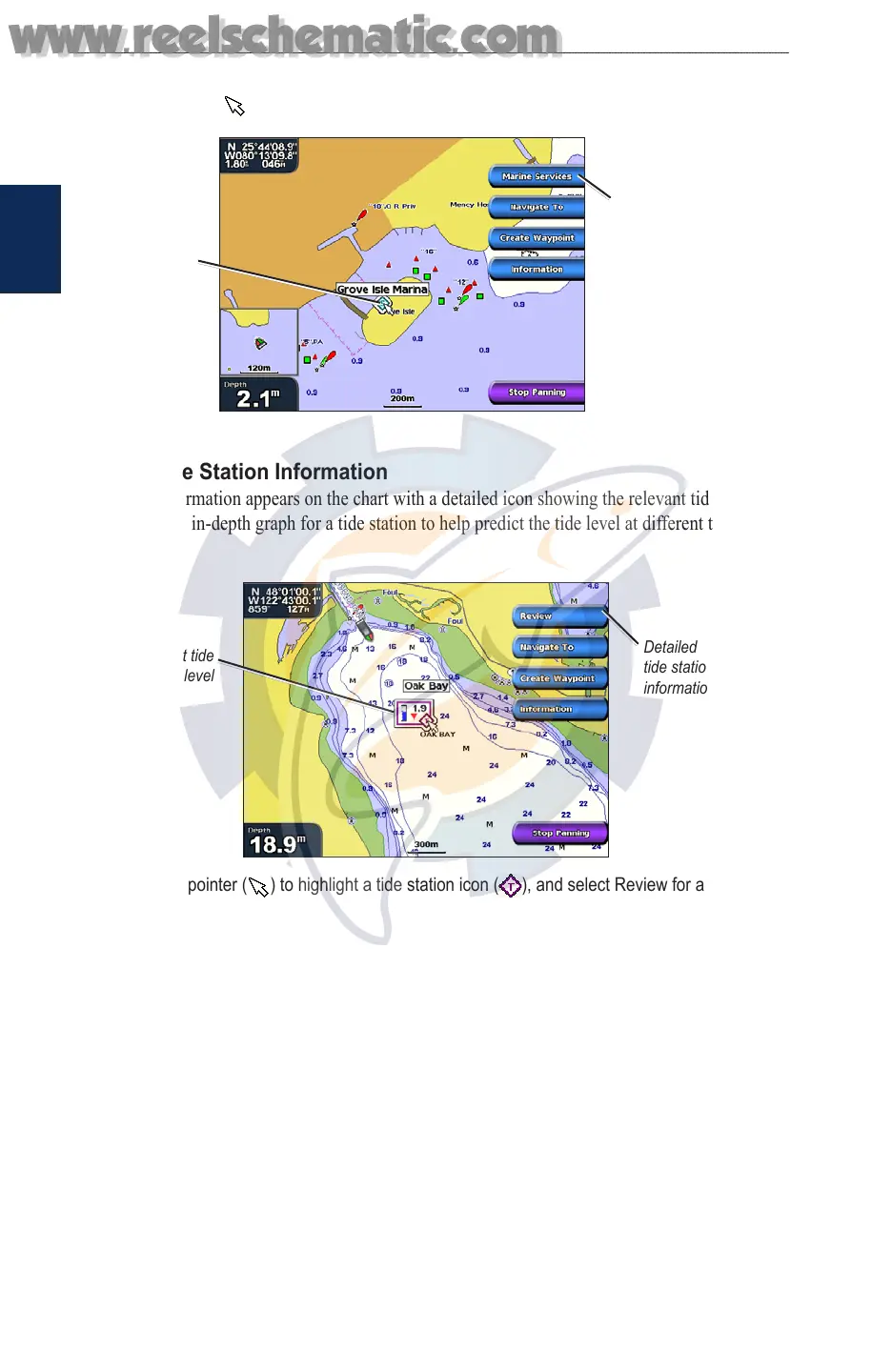
Use the map pointer ( ) to view information about on-screen map items, waypoints, and charts.
Selected
item
Additional item
information
Viewing Tide Station Information
Tide station information appears on the chart with a detailed icon showing the relevant tide level.
You can view an in-depth graph for a tide station to help predict the tide level at different times or
different days.
Relevant tide
level
Detailed
tide station
information
Use the map pointer ( ) to highlight a tide station icon ( ), and select Review for a detailed
tide graph.
Using Mariner’s Eye
Mariner’s Eye provides a view from above and behind the boat (according to your course), and
provides a visual navigation aid. This view is helpful when navigating tricky shoals, reefs, bridges,
or channels, and is benecial when trying to identify entry and exit routes in unfamiliar harbors or
anchorages.
www.reelschematic.com
www.reelschematic.com













 To Next Page