GPSMAP 4000 Series Owner’s Manual 15
uSInG chartS
USinG
ChartS
Using Fishing Charts
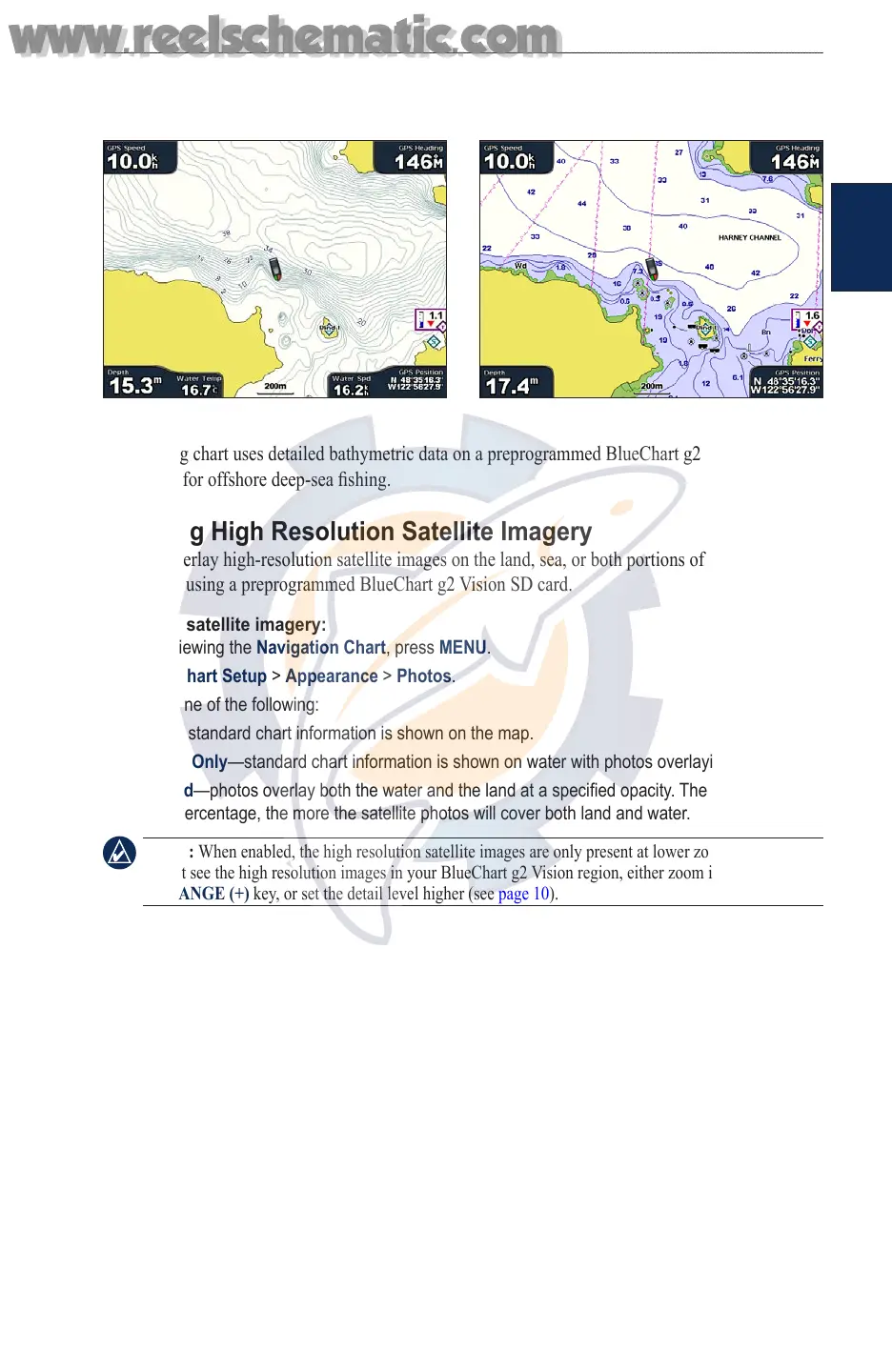
Use the shing chart for a detailed view of the bottom contours and depth soundings on the chart.
Fishing Chart Navigation Chart
The Fishing chart uses detailed bathymetric data on a preprogrammed BlueChart g2 Vision SD card,
and is best for offshore deep-sea shing.
Enabling High Resolution Satellite Imagery
You can overlay high-resolution satellite images on the land, sea, or both portions of the Navigation
chart when using a preprogrammed BlueChart g2 Vision SD card.
To enable satellite imagery:
1. While viewing the Navigation Chart, press MENU.
2. Select Chart Setup > Appearance > Photos.
3. Select one of the following:
Off—standard chart information is shown on the map.
Land Only—standard chart information is shown on water with photos overlaying the land.
Blend—photos overlay both the water and the land at a specied opacity. The higher you set
the percentage, the more the satellite photos will cover both land and water.
NOTE: When enabled, the high resolution satellite images are only present at lower zoom levels. If you
cannot see the high resolution images in your BlueChart g2 Vision region, either zoom in further using
the RANGE (+) key, or set the detail level higher (see page 10).
•
•
•
www.reelschematic.com
www.reelschematic.com













 To Next Page