GPSMAP 4000 Series Owner’s Manual 9
uSInG chartS
USinG
ChartS
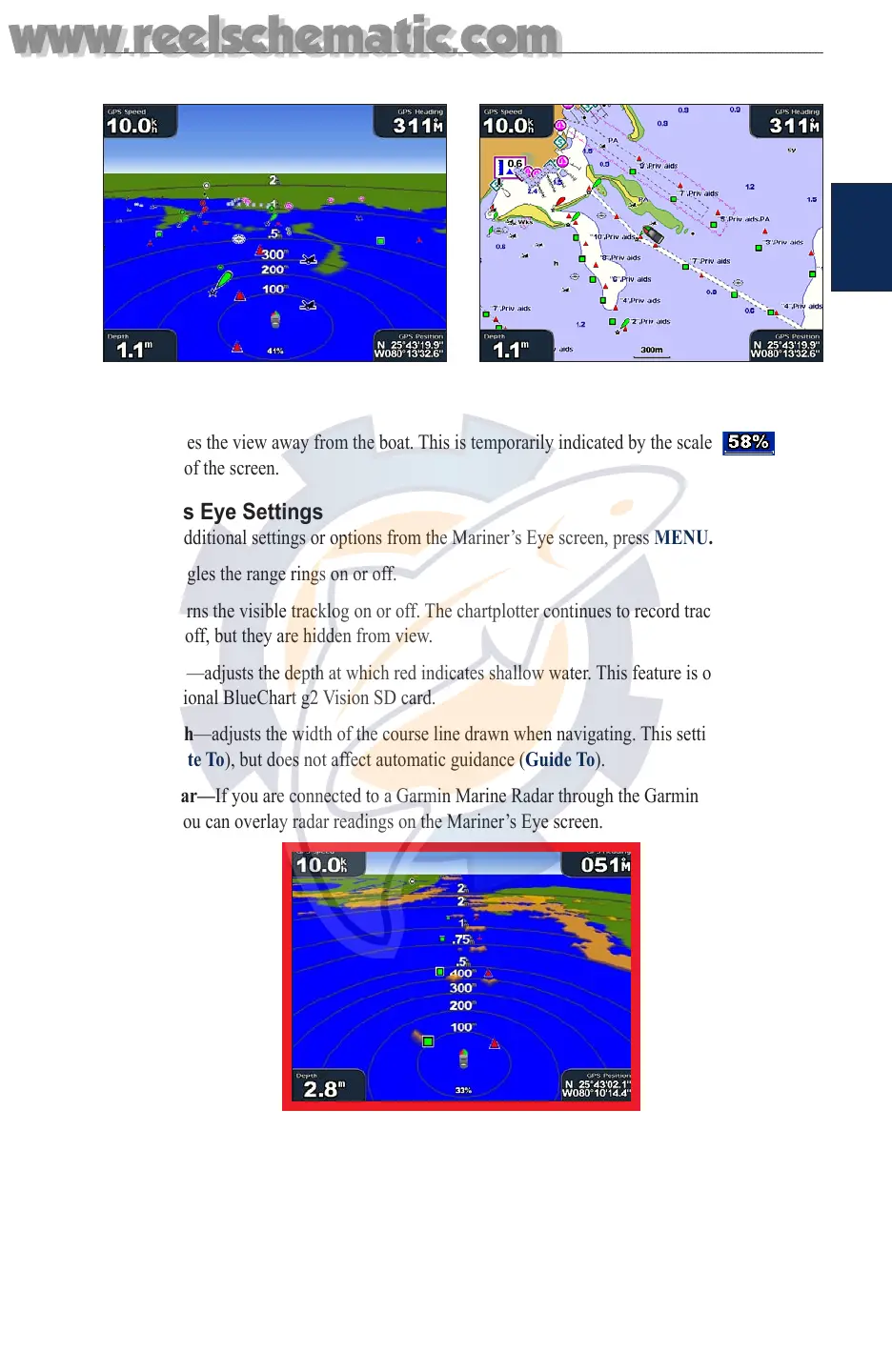
To access the Mariner’s Eye screen, from the Home screen, select Charts > Mariner’s Eye.
Mariner’s Eye Navigation Chart
The RANGE (+) key moves the view closer to your boat and lower to the water, while the RANGE
(-) key moves the view away from the boat. This is temporarily indicated by the scale ( ) at
the bottom of the screen.
Mariner’s Eye Settings
To access additional settings or options from the Mariner’s Eye screen, press MENU.
Rings—toggles the range rings on or off.
Tracks—turns the visible tracklog on or off. The chartplotter continues to record tracks if you turn
this setting off, but they are hidden from view.
Safe Depth—adjusts the depth at which red indicates shallow water. This feature is only available
with an optional BlueChart g2 Vision SD card.
Lane Width—adjusts the width of the course line drawn when navigating. This setting also affects
routes (Route To), but does not affect automatic guidance (Guide To).
Show Radar—
If you are connected to a Garmin Marine Radar through the Garmin Marine
Network, you can overlay radar readings on the Mariner’s Eye screen.
Mariner’s Eye With Radar Information
Overlay Numbers—shows or hides cruising, navigation, shing, and sailing numbers.
Changing the Chart Settings
To change chart settings, from the Home screen, select Charts > Chart Setup, or press MENU
while viewing the navigation chart and select Chart Setup.
www.reelschematic.com
www.reelschematic.com













 To Next Page