24 GPSMAP 4000 Series Owner’s Manual
Where to?
Where
to?
6. If entering coordinates, use the ROCKER or NUMERIC KEYPAD (4210/4212 only) to enter the
new coordinates for the waypoint. If using the chart, highlight the new location with the map
pointer ( ), and select Move Waypoint. The waypoint moves to the new location.
To view a list of all waypoints:
From the Home screen, select Information > User Data > Waypoints.
To delete a waypoint or MOB:
1. From the Navigation chart, press the ROCKER and use the map pointer ( ) to highlight the
waypoint on the navigation chart.
OR
From the Home screen, select Information > User Data > Waypoints.
2. Select the waypoint or MOB you want to delete.
3. Select Delete.
Creating and Using Routes
You can create and store up to 20 routes with up to 250 waypoints each.
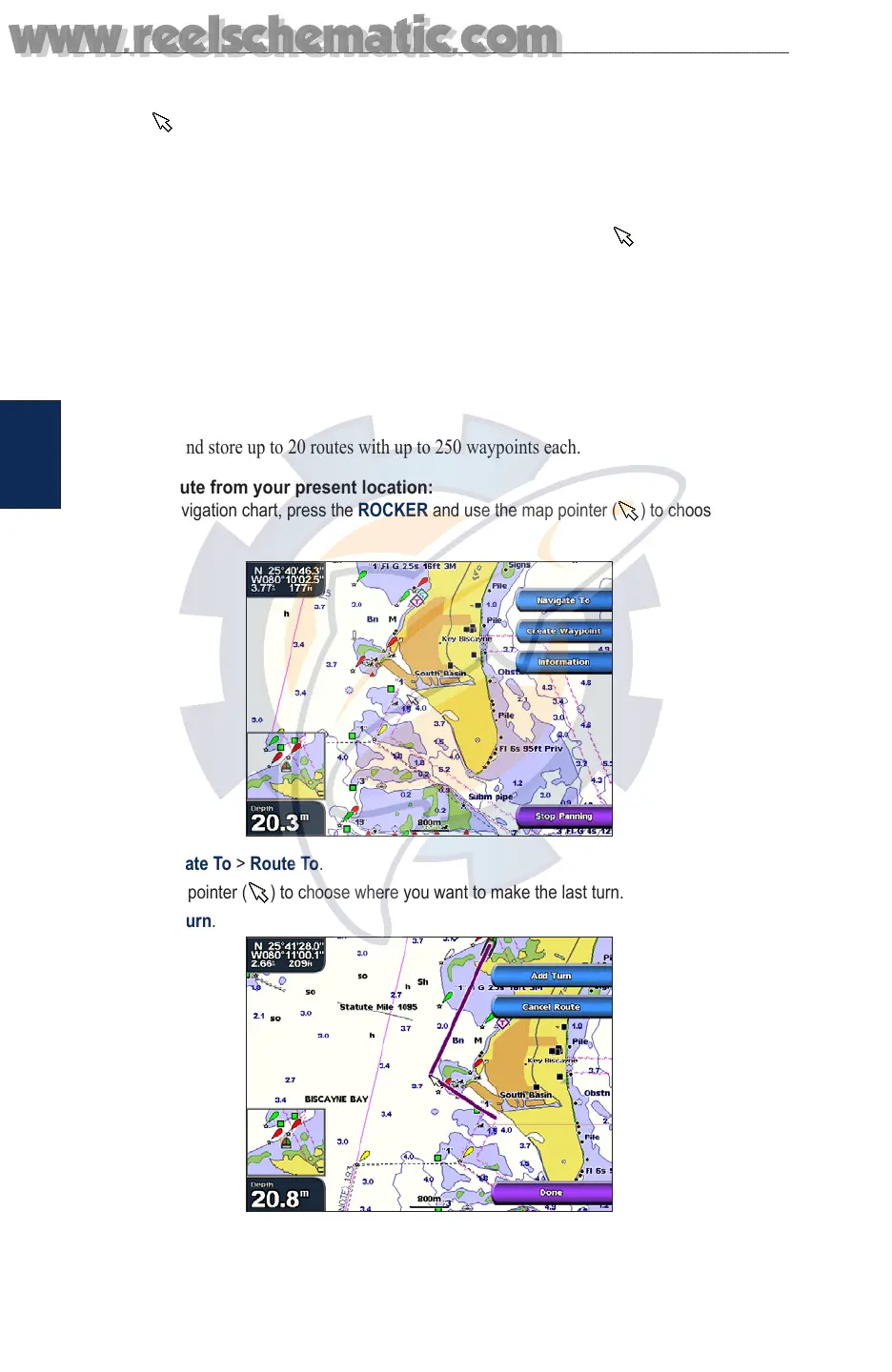
To create a route from your present location:
1. From the Navigation chart, press the ROCKER and use the map pointer ( ) to choose your
destination.
2. Select Navigate To > Route To.
3. Use the map pointer ( ) to choose where you want to make the last turn.
4. Select Add Turn.
5. To add additional turns, choose where you want to make the turn (working backward from the
destination) and select Add Turn.
www.reelschematic.com
www.reelschematic.com













 To Next Page