GPSMAP 4000 Series Owner’s Manual 35
confIGurInG the unIt
ConfiGUrinG
the Unit
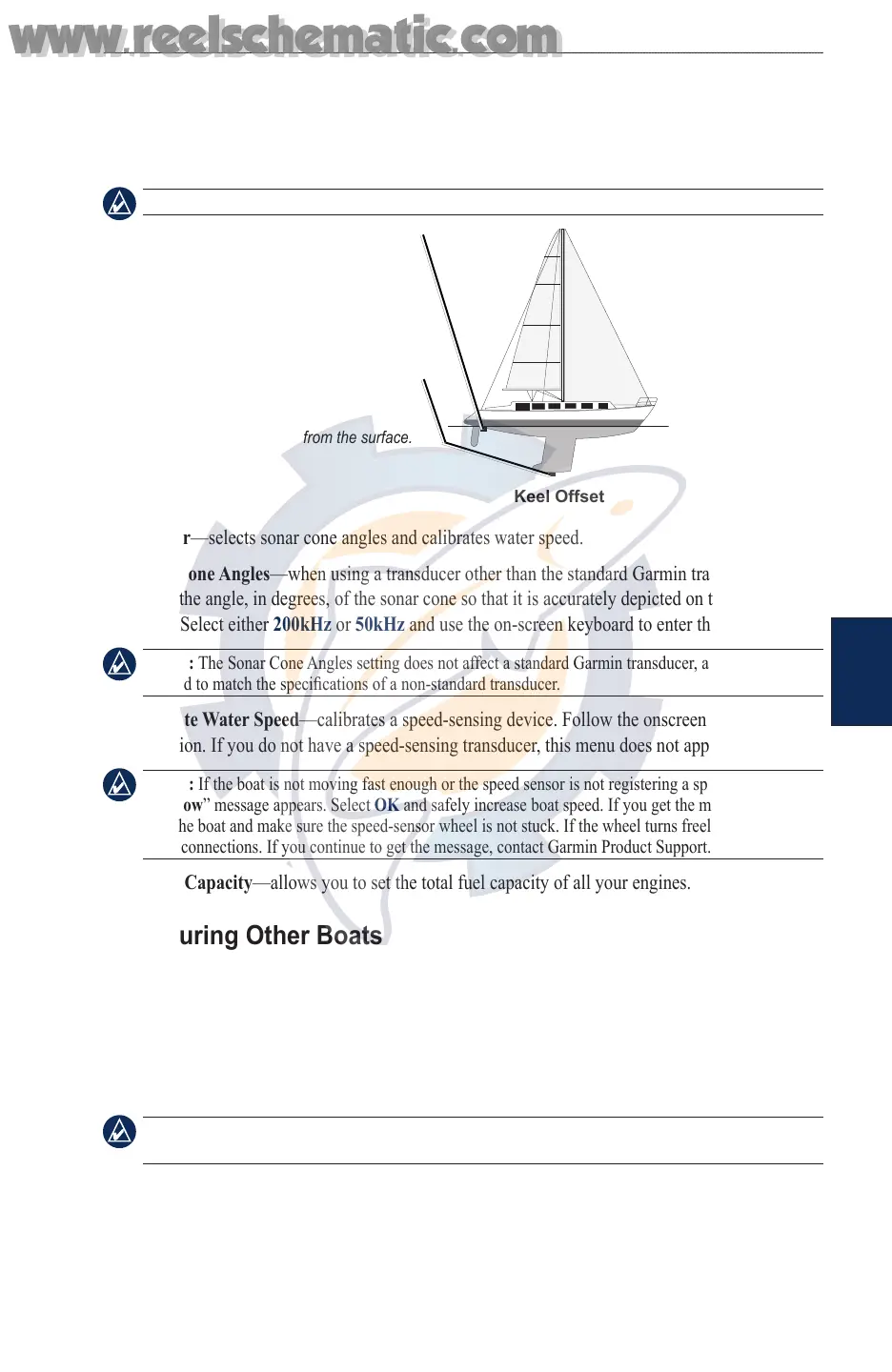
To adjust the Keel Offset:
1. From the Home screen, select Congure > My Boat > Keel Offset.
2. Use the select screen keyboard to specify the offset.
3. Select Done to accept the number.
NOTE: Select Cancel to cancel your changes and return to the My Boat screen.
Enter a (+) positive number
to show depth from the
bottom of the keel.
Transducer at Surface
Enter a (-) negative
number to show depth
from the surface.
Transducer at Bottom of Keel
Keel Offset
Transducer—selects sonar cone angles and calibrates water speed.
Sonar Cone Angles—when using a transducer other than the standard Garmin transducer, you
can set the angle, in degrees, of the sonar cone so that it is accurately depicted on the Fish Eye 3D
screen. Select either 200kHz or 50kHz and use the on-screen keyboard to enter the angle.
NOTE: The Sonar Cone Angles setting does not affect a standard Garmin transducer, and should only
be used to match the specications of a non-standard transducer.
Calibrate Water Speed—calibrates a speed-sensing device. Follow the onscreen directions for
calibration. If you do not have a speed-sensing transducer, this menu does not appear.
NOTE: If the boat is not moving fast enough or the speed sensor is not registering a speed, a “Speed
Too Low” message appears. Select OK and safely increase boat speed. If you get the message again,
stop the boat and make sure the speed-sensor wheel is not stuck. If the wheel turns freely, check the
cable connections. If you continue to get the message, contact Garmin Product Support.
Total Fuel Capacity—allows you to set the total fuel capacity of all your engines.
Conguring Other Boats
To congure settings for boats other than your own - from the Home screen, select Congure >
Other Boats.
AIS—turn AIS (Automatic Identication System) on or off. AIS alerts you to area trafc by
providing boat IDs, position, course, and speed for boats equipped with a transponder.
DSC—turn DSC (Digital Selective Calling) on or off.
NOTE: To congure AIS or DSC information for other boats, your unit must be connected to an
external AIS or DSC device.
•
•
www.reelschematic.com
www.reelschematic.com













 To Next Page