22 GPSMAP 4000 Series Owner’s Manual
Where to?
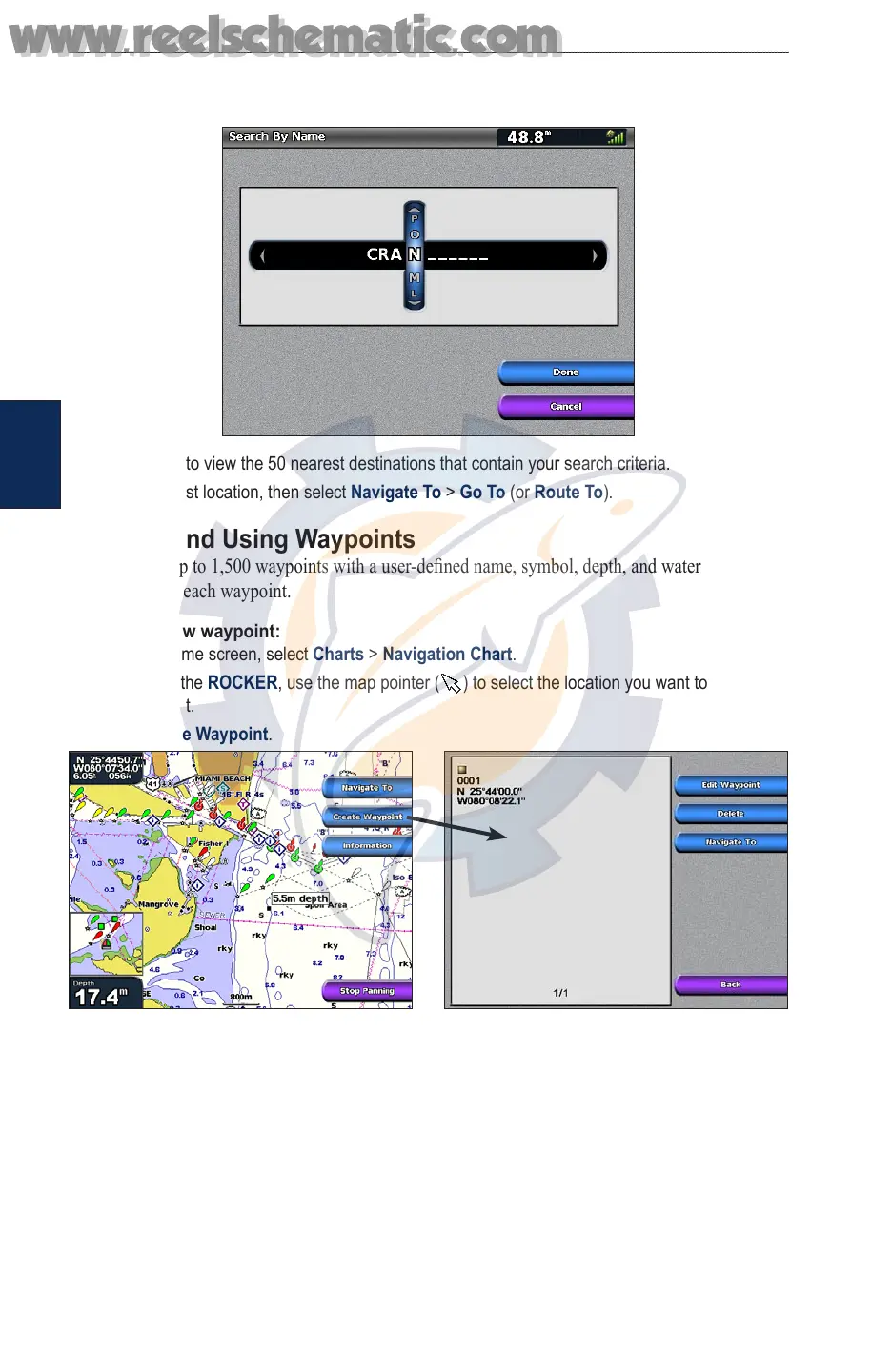
Where
to?
2. Use the ROCKER or NUMERIC KEYPAD (4210/4212 only) to select characters and spell at least
a portion of the name of your destination.
3. Select Done to view the 50 nearest destinations that contain your search criteria.
4. Select the best location, then select Navigate To > Go To (or Route To).
Creating and Using Waypoints
You can store up to 1,500 waypoints with a user-dened name, symbol, depth, and water
temperature for each waypoint.
To create a new waypoint:
1. From the Home screen, select Charts > Navigation Chart.
2. By pressing the ROCKER, use the map pointer ( ) to select the location you want to designate
as a waypoint.
3. Select Create Waypoint.
4. Select one of the following:
Edit Waypoint—designate a specic name, symbol, water depth, water temperature, or
position.
Delete—delete the waypoint.
Navigate To—go to the waypoint.
Back—return to the navigation chart.
•
•
•
•
www.reelschematic.com
www.reelschematic.com













 To Next Page