44 GPSMAP 4000 Series Owner’s Manual
uSInG Sonar
USinG
Sonar
Using Sonar
When connected to an optional Garmin GSD 22 sounder and a transducer, your chartplotter can be
used as a shnder. The sounder module connects through the Garmin Marine Network and shares
sonar data with every chartplotter connected to the network.
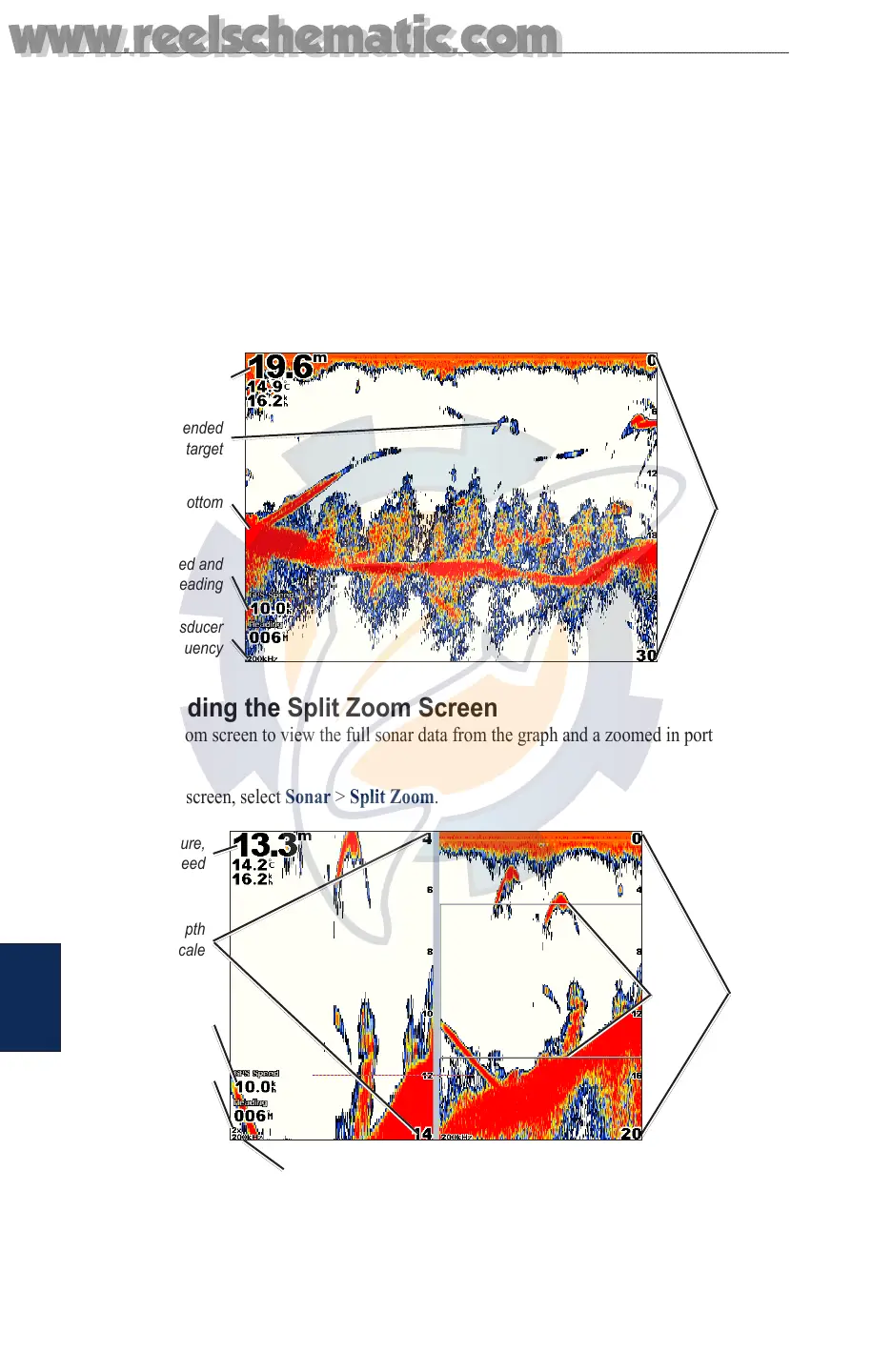
Understanding the Full Screen
From the Home screen, select Sonar > Full Screen to view a full-screen graph of the transducer’s
sonar readings. The range scale along the right side of the screen shows the depth of detected objects
as the screen scrolls from the right to the left.
From the Home screen, select Sonar > Full Screen.
Suspended
target
Bottom
Depth, temperature,
and water speed
GPS speed and
GPS heading
Transducer
frequency
Range
Understanding the Split Zoom Screen
Use the Split Zoom screen to view the full sonar data from the graph and a zoomed in portion on the
same screen.
From the Home screen, select Sonar > Split Zoom.
Range
Depth, temperature,
and water speed
GPS speed and
GPS heading
Transducer frequency
Zoom level
Zoom
window
Zoomed depth
scale
www.reelschematic.com
www.reelschematic.com













 To Next Page