System (SYS) Function
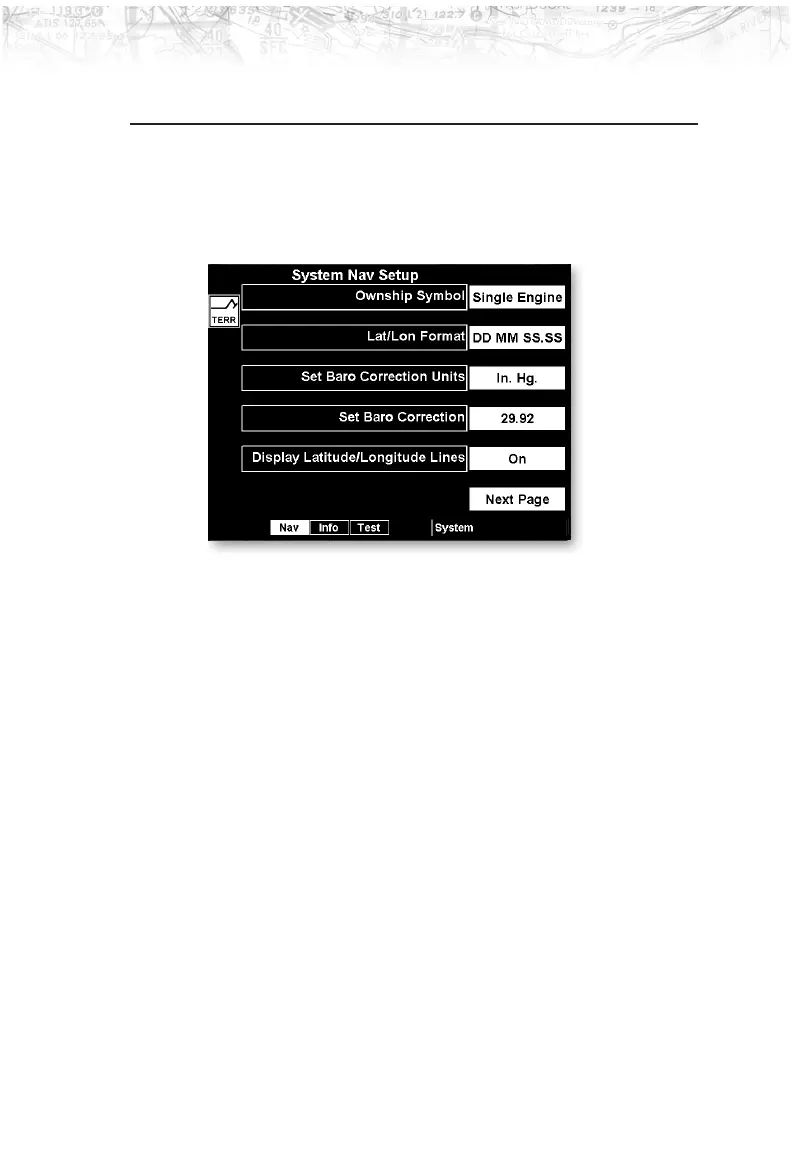
The System function allows you to set general Nav
preferences, obtain version information, and perform tests
on the operation of your MX20.
System Nav Pages
Ownship Symbol
The Ownship Symbol option allows you to choose the
type of icon that will represent your aircraft on the display.
You can make selections of Single, Twin, Jet, or
Helicopter .
Lat/Lon Format
The Lat/Lon format option allows you to select between
two choices for the display of Lat/Lon coordinates.
Choose between degrees-minutes-seconds-seconds
decimals (DD MM SS.SS) or degrees-minutes-minutes
decimals (DD MM.MM).
Set Baro CorrectionUnits
Baro-Correction (QNH) can now be entered in Millibars
in addition to Hg. This preference is set under the SYS
function.
105
Detailed Operation













 To Next Page