will be highlighted in green on the display. Surface
targets cannot be selected.
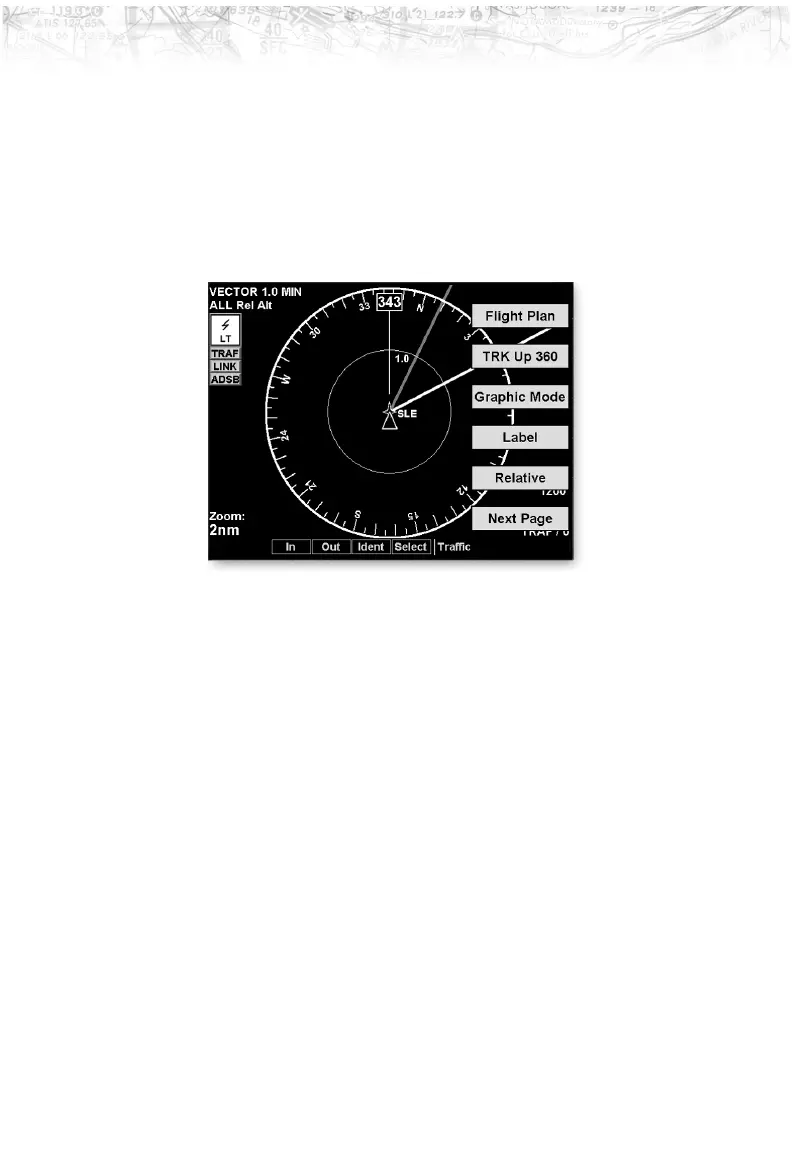
Traffic Option Page 1
The first option page of the Traffic function lets you select
options for the choices of Flight Plan, Traffic Map
Orientation, Display mode, Labeling, and Altitude. The
last option selection takes you to the next page of options.
Flight Plan
The Flight Plan option controls the display of the Flight
Plan course line. Pressing the
LINE SELECT key next to
the Flight Plan option toggles between showing and not
showing the Flight Plan route line.
Traffic Map Orientation
The Traffic Map Orientation option lets you choose
between a 360-degree compass rose or an arc that covers
about 90 degrees over the top of the display. Your aircraft
position is shown by an empty white triangle near the
center of the display. The Traffic function display is
always in the Track Up mode.
53
Detailed Operation













 To Next Page