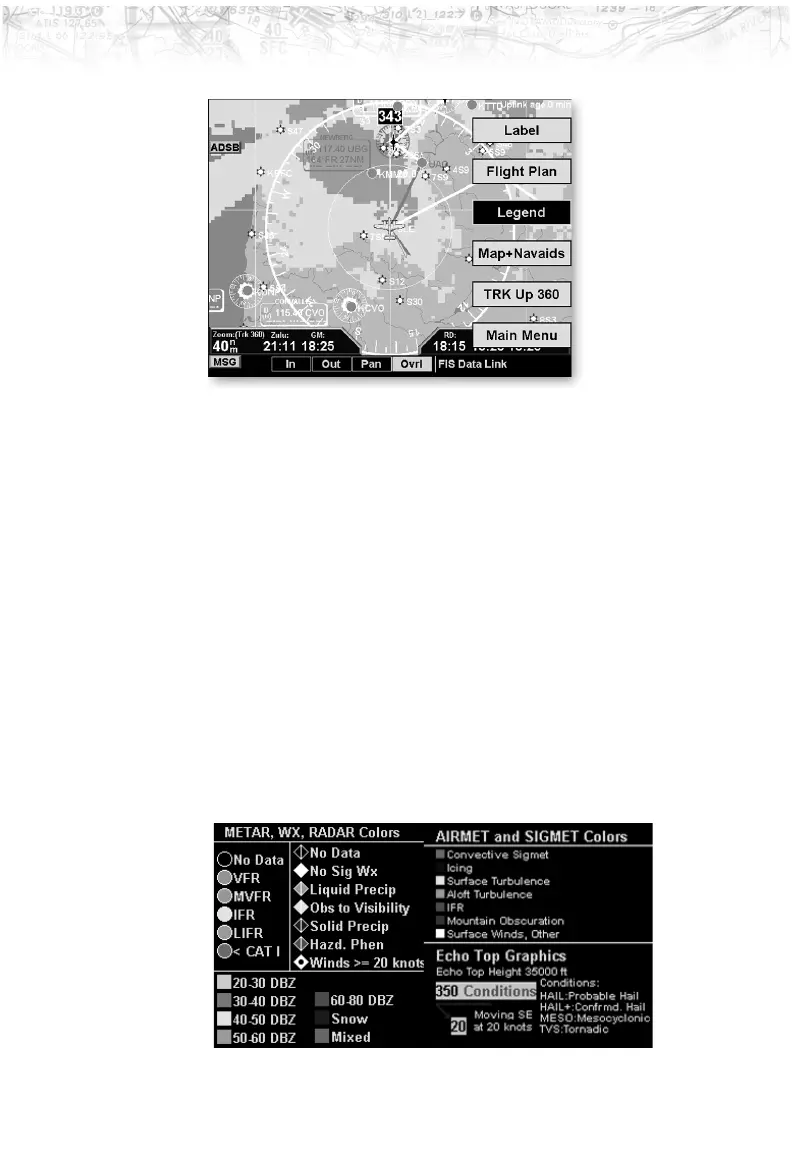
Label
Press MENU/ENTER key and then press the LABEL Line
Selection key to toggle the station labels on and off.
Flight Plan
Press MENU/ENTER key and then press the FLIGHT PLAN
Line Selection key to toggle the Flight Plan course line on
and off. The magenta line is the active leg.
Legend
Press MENU/ENTER key and then press the LEGEND Line
Selection key to display the legends describing the graphic
display colors. Press the
LEGEND Line Selection key once
to display a legend for the Metar, Weather, and Radar
colors. Press the
LEGEND key a second time to display a
legend for AIRMET and SIGMET colors and EchoTop
graphics.
75
Detailed Operation













 To Next Page