Home
GCC Technologies
Printer
RX Series
Page 117
GCC Technologies RX Series - Page 117
178 pages
Manual
Save Page as PDF
To Next Page
To Next Page
To Previous Page
To Previous Page
Loading...
R
X Series
User Manual
SignPal 10.5 Instr
uction
A-4
10
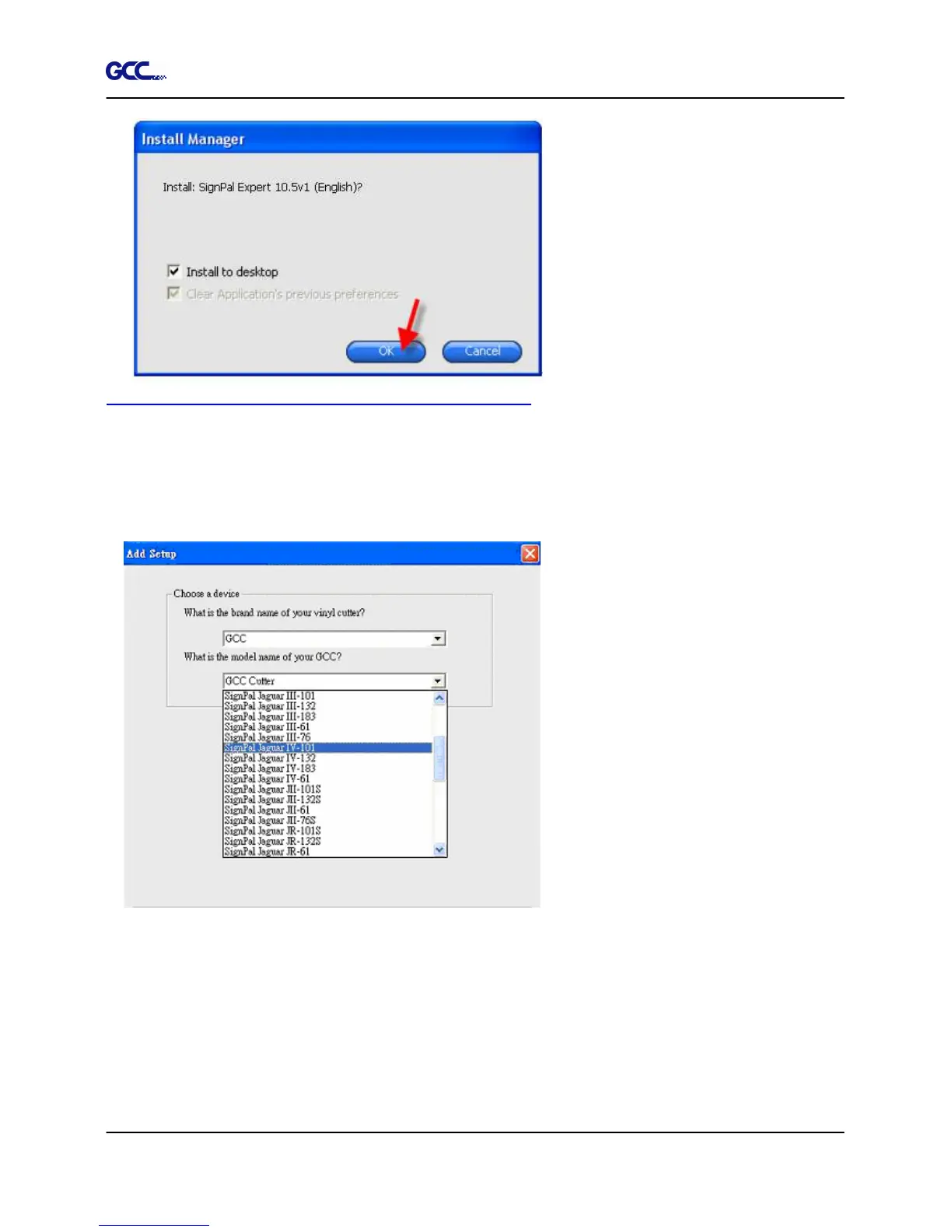
[2] Set up your GCC Cutter on Production Manage
r
1. Open Production Manager 10.5
v1
2. Choose and set up your GCC cutte
r.
(Note that
AAS II
S
ystem
only w
orks on RX,
Jaguar IV,
Puma
III, Expert
2
4 LX
, and
Expert 52
LX.)
116
118
Table of Contents
Main Page
Default Chapter
1
User Manual
1
Important Information
3
Table of Contents
5
1 General Information
7
Introduction
7
Package Items
7
Product Features
8
Appearance of RX Series
9
The Front View
9
The Back View
10
The Whole View
11
The Left-Hand Side
12
The Right-Hand Side
12
The Pinch Roller
13
2 Installation
14
Precaution
14
Installation 2.1 Precaution
14
Stand & Flexible Media Support System
15
Desktop Flexible Media Support System
21
Instruction of Damper Roller
23
Blade Installation
24
Automatic Blade Length Detection
26
Cable Connections
28
USB Interface
28
Interface
34
Data Transmitting
35
Printer Sever Shared Setting
35
Auto Cut-Off System Installation
38
3 The Control Panel
46
Menu in On-Line Mode
48
Menu in Off-Line Mode
49
Menu Items
52
4 Operation
57
Media Loading
57
Loading the Sheet Media
57
Loading the Roll Media
59
Tracking Performance
62
Cutting Force and Offset Adjustment
63
How to Cut 3Mm Letter
64
How to Make a Long Plot
64
When Completing the Cutting Job
65
RX Series Print Driver Setting
66
RX Series Print Driver Setting > Option Page
66
RX Series Print Driver Setting > Pen Page
69
RX Series Print Driver Setting > Paper Page
72
Reference Parameter Setting for Different Materials
74
5 Automatic-Aligning System
75
Introduction
75
Media Calibration
76
AAS Calibration
76
AAS II on RX Series
77
Printer Test
78
Registration Mark Offset Range
80
Contour Cutting
80
Tips for AAS
82
6 Maintenance
83
Cleaning the Cutting Plotter
83
Cleaning the Grid Drum
84
Cleaning the Pinch Rollers
84
7 Trouble Shooting
85
Non-Operational Problems
85
Operational Problems
86
Communication Problems
87
Software Problems
88
Cutting Quality Problem
89
Appendix
90
RX Series Specification
90
Blade Specification
92
Coreldraw Plug-In Instruction
94
User Instructions
95
Signpal 10.5 Instruction
108
Greatcut Instruction
130
Advanced Settings
139
Illustrator Instruction
157
Printer Setting
158
Directcut
173
Related product manuals
GCC Technologies RX II Series
229 pages
GCC Technologies puma iii series
151 pages
LaserPro X500 III-80Y
127 pages
LaserPro Spirit SI-25
201 pages
LaserPro Spirit SI-40V
201 pages
LaserPro Spirit Series
241 pages
LaserPro Spirit LS SLS-25
201 pages
LaserPro Spirit LS SLS-30V
201 pages
LaserPro Spirit LS SLS-60TI
201 pages
LaserPro Spirit LS SLS-80TI
201 pages
LaserPro Spirit GLS GLS-60TI
201 pages
LaserPro Spirit GLS Hybrid GLS Hybrid-60TI
201 pages







 To Next Page