RX Series User Manual
Installation 2-26
Figure 2-37
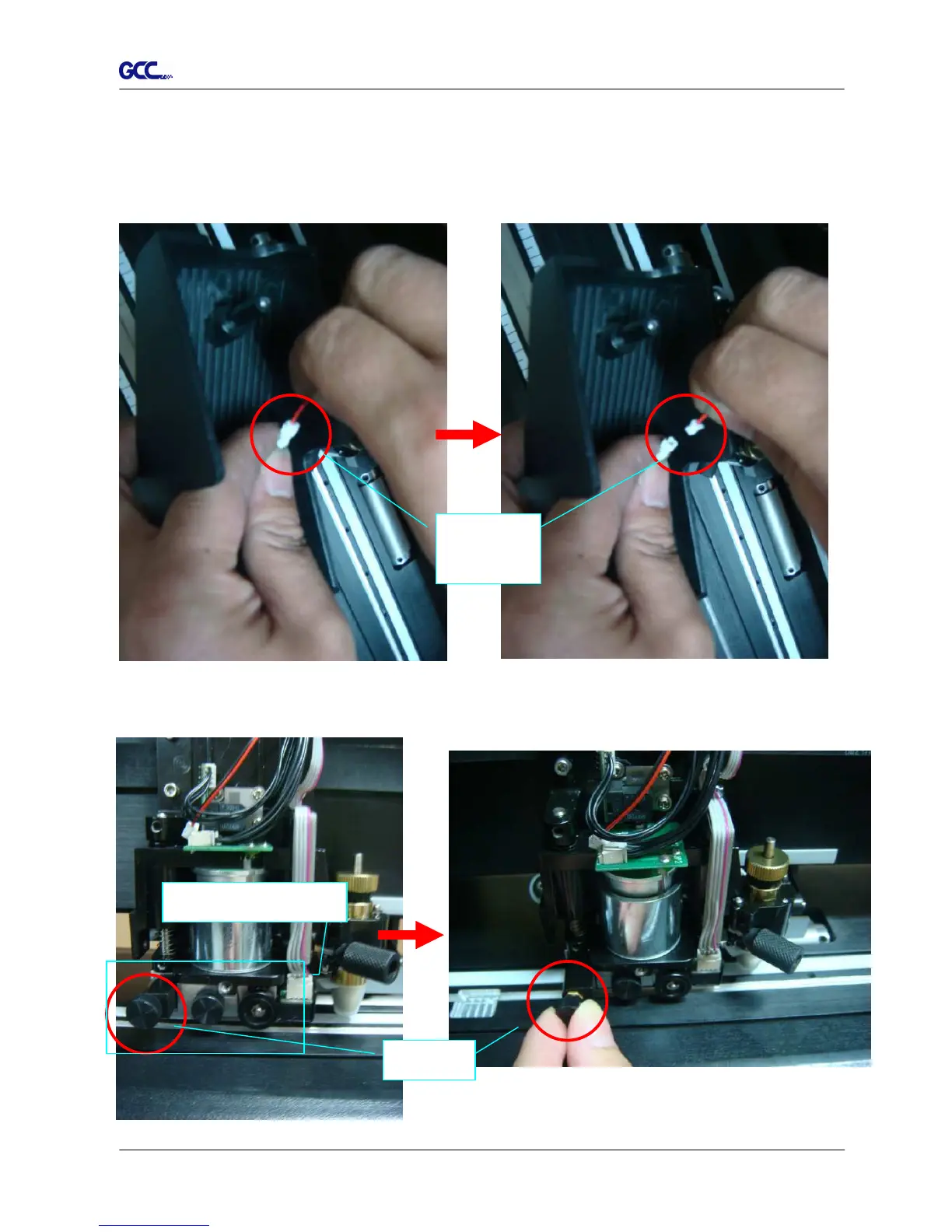
Step 3 Disconnect the black and red wires between the Cover and the Tool Carriage from the
white Wire Joint and the Cover will be removed completely (Figure 2-35 and 2-36).
Note: Please disconnect the wires at the white Wire Joint with care as the fans will not
be working if these wires are split elsewhere.
Figure 2-35 Figure 2-36
Step 4 Remove the screw on the left of the Cut-off Unit manually (Figure 2-37 and 2-38).
Wire
Joint
Cut-off Blade Fixer







 To Next Page