GEK-113032A W650 Wind Generator Protection System 10-3
10 BOOTCODE AND FIRMWARE UPGRADE 10.1 INTRODUCTION
10
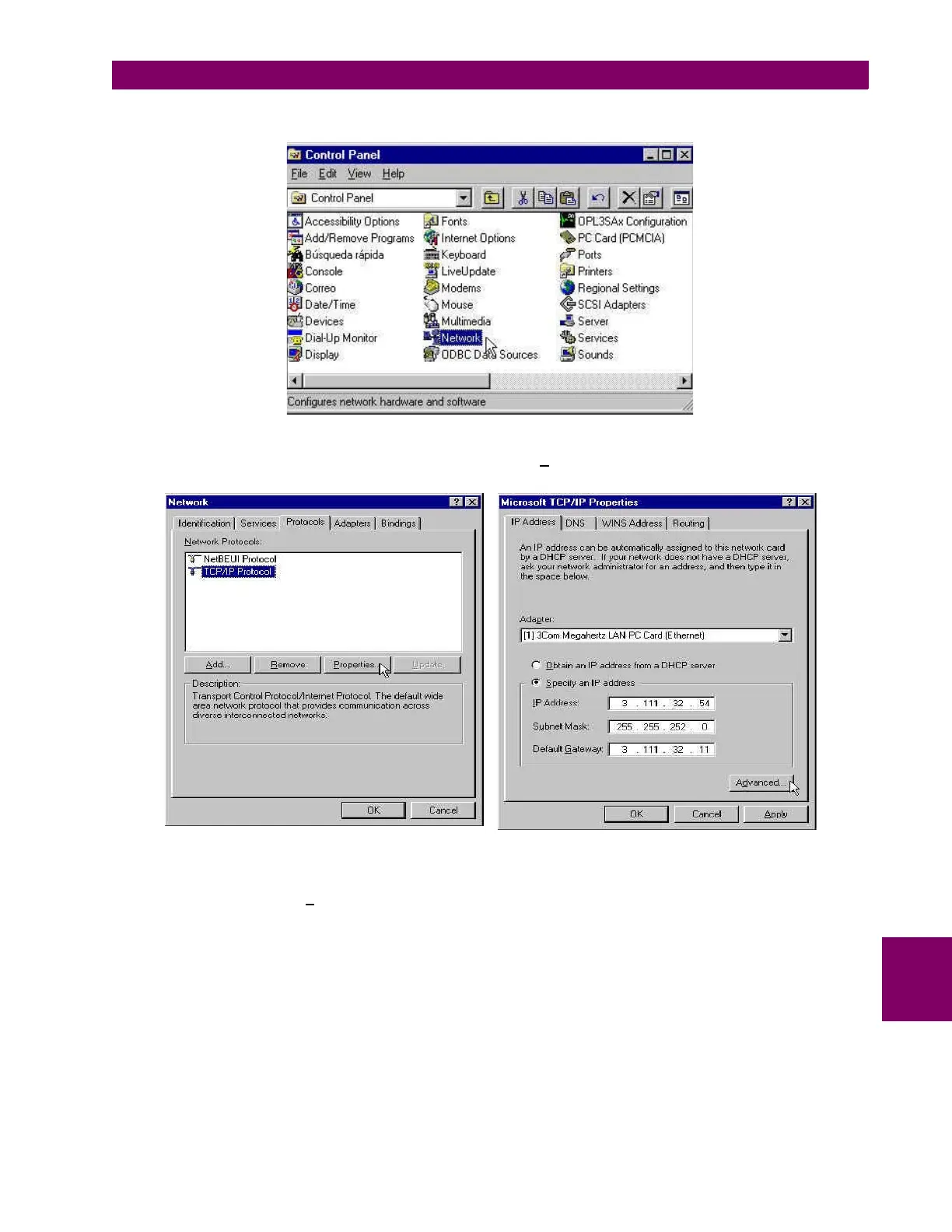
Go to the Control Panel of the computer and select the Network option (the name of this option may depend on the PC
boot code).
Figure 10–2: NETWORK IN CONTROL PANEL
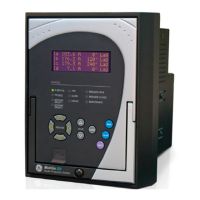
In Network, enter in Protocols, select TCP/IP protocol and click on P
roperties.
Figure 10–3: TCP/IP PROPERTIES
In the IP address tab, select Ad
vanced... (Figure 10–3:) and add a new address in the PC that corresponds to the same
LAN pattern that the relay has (in the example bellow 192.168.37.54).


 To Next Page