SHENZHEN GETECH TECHNOLOGY CO,.LTD
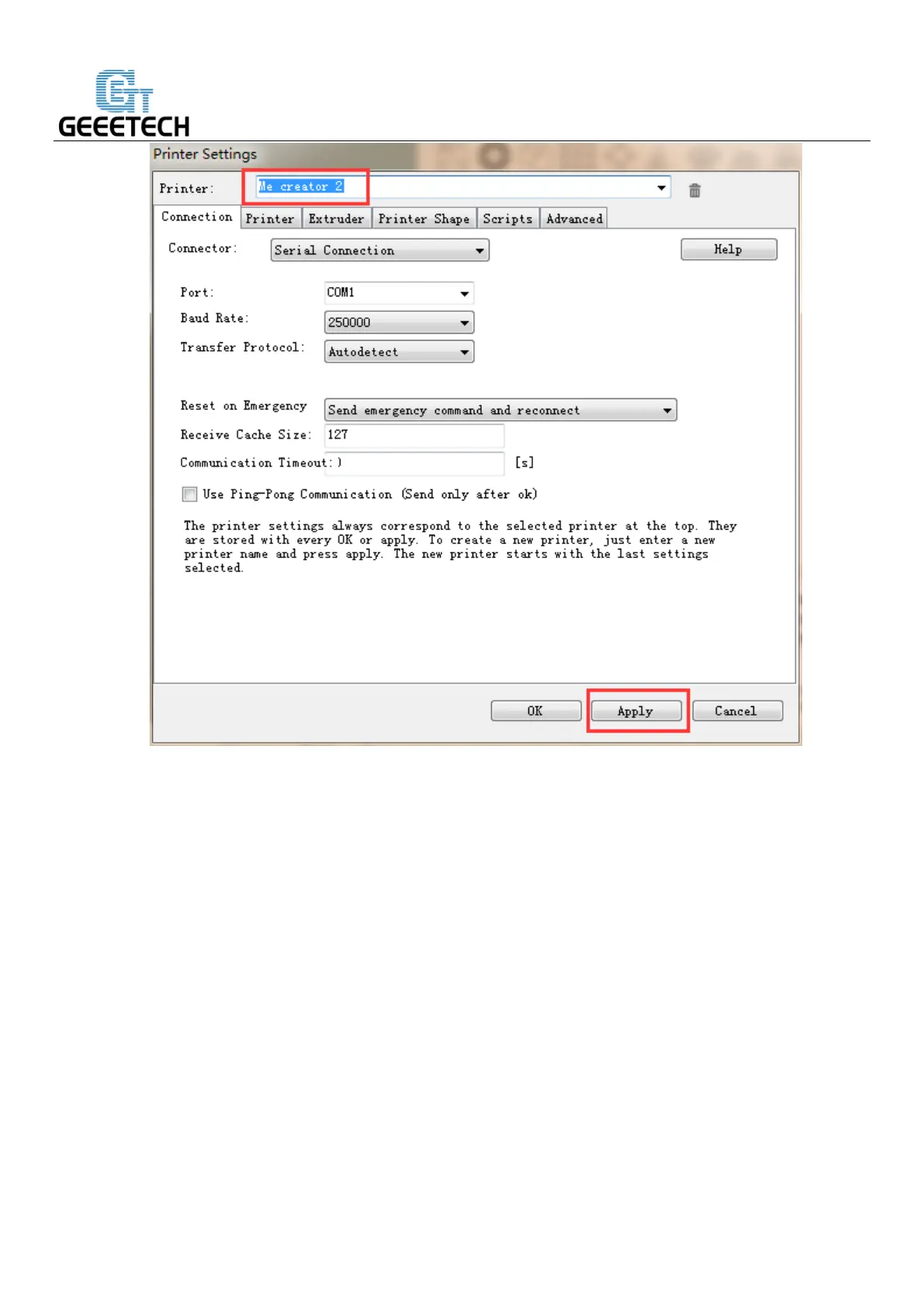
There are six tags in Printer settings in total. Detailed configurations of the 4 relevant tags are as follow.
4.2 Connection
In this first tab, you set how to connect with your printer. In “Port” you select the port, where your
printer is connected. At the opening of the window, all available ports were scanned and added to the list.
If you connect your printer when this menu is already open, click “Refresh Ports” to detect the new
port. Select the right one. Then select the baud rate entered into the firmware
Choose right Port and Baud Rate. For other parameters please leave them as default, and click Apply.


 To Next Page