EasyManua.ls Logo

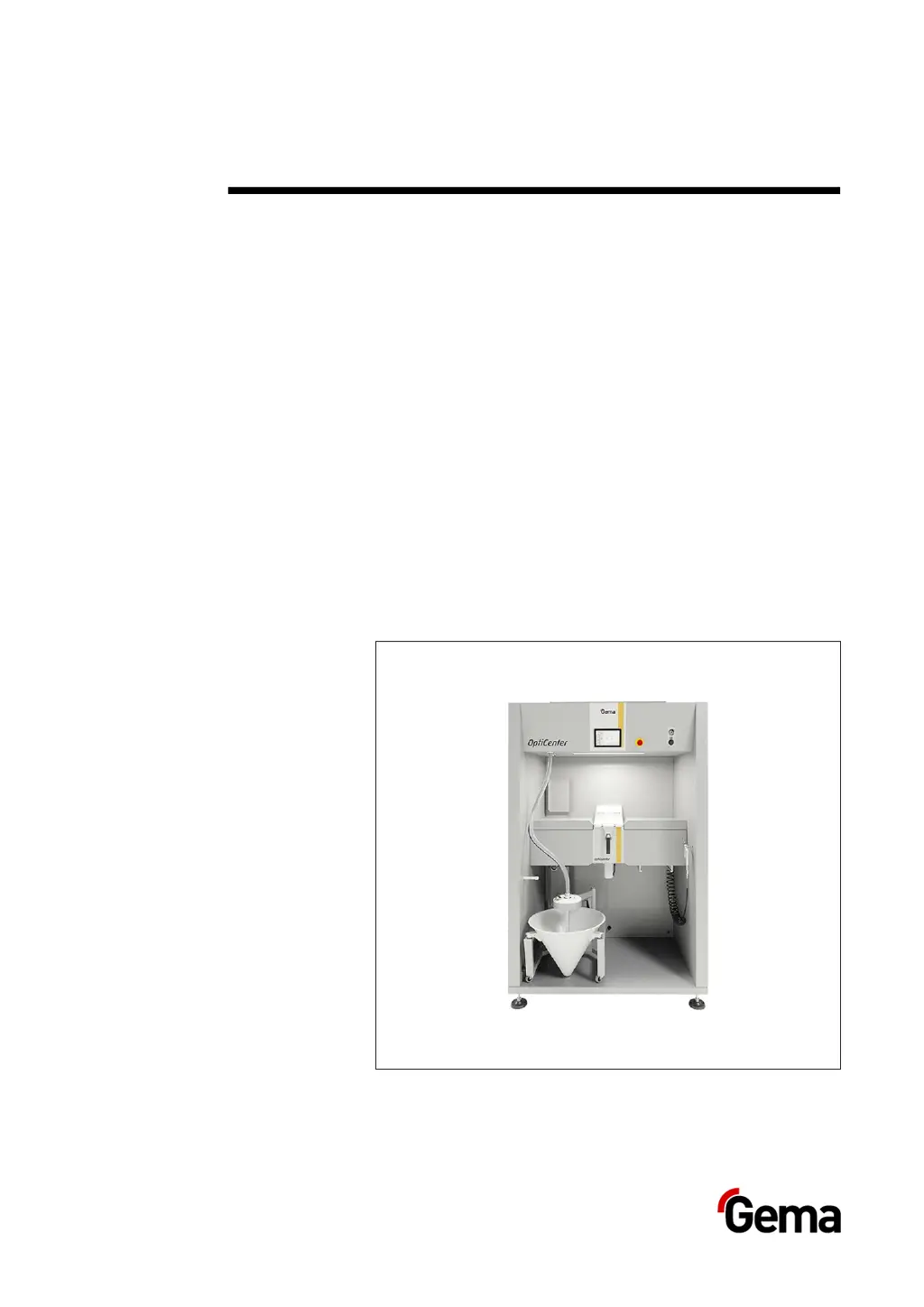
Gema OptiCenter OC06 - User Manual

Gema OptiCenter OC06
126 pages
Print Icon
To Next Page IconTo Next Page
Loading...
Rev. 00 1011 544 EN
Operating instructions and Spare parts list
Powder management
system
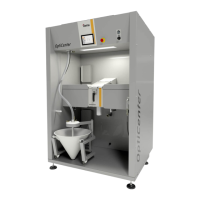
OptiCenter OC06
Translation of the original operating instructions

Table of Contents

Questions and Answers

  • S
    Sheila PattersonSep 2, 2025
    How to fix no AirMover function in the OptiSpeeder Gema Industrial Equipment?
    • H
      Heidi PerezSep 2, 2025
      If there's no AirMover function in the OptiSpeeder of your Gema Industrial Equipment, the ring injector might be clogged or dirty, requiring cleaning. Additionally, the corresponding valve in the valve pool could be defective or dirty; check its function at the corresponding output and replace if necessary.
  • F
    Frederick HerreraAug 31, 2025
    What to do if there are powder residues in the fresh powder pump after cleaning Gema OptiCenter OC06 Industrial Equipment?
    • L
      Linda JonesAug 31, 2025
      If you have powder residues in the fresh powder pump after cleaning your Gema Industrial Equipment, the corresponding valve in the valve pool may be defective or dirty. Check its function at the corresponding output and replace it if necessary. Also, inspect the pinch valves at the rear of the OC; if they are defective, replace the pinch hose.
  • C
    Corey BlackAug 29, 2025
    Why AirMover function in OptiSpeeder in cleaning mode is too low in Gema Industrial Equipment?
    • B
      Brittany MooreAug 30, 2025
      If the AirMover function is too low in cleaning mode on your Gema Industrial Equipment's OptiSpeeder, the corresponding valve in the valve pool may not be switching over because it is defective or dirty. Check its function at the corresponding output and replace it if necessary.
  • B
    Bethany StevensAug 28, 2025
    What to do if the vibrator is defective in Gema Industrial Equipment?
    • L
      Laura MartinAug 28, 2025
      If your Gema Industrial Equipment experiences a vibrator malfunction, and the motor protection switch Q6 has tripped, remove the small maintenance panel and switch the motor protection switch back on. If the alarms persist, contact a Gema service center. Also, the vibrator or cable may be defective and require replacement.
  • T
    Tammy SellersAug 27, 2025
    How to fix no extraction in the OptiCenter Gema Industrial Equipment?
    • K
      Kevin BlackAug 27, 2025
      If your Gema Industrial Equipment's OptiCenter has no extraction, ensure the correct operating mode is selected. If the issue persists, the corresponding valve in the valve pool may be defective or dirty, so check its function at the corresponding output and replace it if necessary. Also, check the exhaust air flap for movement and replace it if needed.
  • H
    hmendozaAug 25, 2025
    What to do if there is no powder feed from the OptiSpeeder Gema Industrial Equipment?
    • M
      Michael GarciaAug 25, 2025
      If there is no powder feed from the OptiSpeeder of your Gema Industrial Equipment, first check if the OptiSpeeder is empty. If not, the issue might be powder accumulation on the level sensor. To resolve this, open the OptiSpeeder service cover and front panel, clean the sensor, readjust the sensor sensitivity, and check the fluidizing of the sensor, increasing the fluidizing air pressure if necessary. Remove the fluidizing air hose and check it. If the problem persists, the level sensor or cable might be defective and require replacement.
  • D
    drobinsonAug 22, 2025
    Why powder escapes from the OptiSpeeder during cleaning of Gema OptiCenter OC06 Industrial Equipment?
    • B
      Brian MyersAug 22, 2025
      If your Gema Industrial Equipment's OptiSpeeder is experiencing powder escaping during cleaning, make sure the cover seal is present and not defective; replace it if necessary. If the seal surface is damaged, smooth or repair it using liquid metal adhesive. Also, check the AirMover function.

Summary

About these instructions

General information

Provides essential operating information and guidance for the OptiCenter OC06.

Safety symbols and notes

Explains safety pictograms and the structure of safety notes for hazard communication.

Software version

Specifies the software version compatibility for this document's content.

Safety

Basic safety instructions

Outlines fundamental safety principles and compliance with recognized technical regulations.

Product-specific security regulations

Details safety regulations specific to the product and its system integration.

Transport

Transport Introduction and Rules

Covers precautions for internal transport, safety rules, and personnel requirements.

Transport Procedures

Details the mode of transportation and loading/unloading procedures for the unit.

Product description

Intended Use and Application

Describes the powder management center's design, intended use, and role in coating plants.

Technical Data Overview

Presents technical specifications including electrical, pneumatic, powder transport, and air consumption.

Design and Function Overview

Describes the overall structure of the OptiCenter and its main components.

Component Details

Describes compressed air indicators, OptiSpeeder, cleaning hose, and powder bag cone.

Specific Component Descriptions

Describes ultrasonic sieve, vibrating trolley, powder hopper, and powder recovery system.

Touch panel; operating panel

Typical Characteristics

Lists key features and capabilities of the touch panel and operating interface.

System and Electrical Data

Provides technical data for the system and electrical specifications of the control unit.

Connections and Environmental Conditions

Outlines available connections and environmental operating conditions for the unit.

Operating Modes

Describes different operational modes: coating with/without recovery and manual coating.

User Levels and Access

Explains user levels, access rights, and available functions per level.

Login Procedures

Step-by-step guide on how to log into the system using user selection or input.

Assembly; Connection

Set-up and Grounding

Covers initial setup and essential grounding procedures for unit safety.

Compressed Air Supply

Details the requirements and connection for compressed air supply to the OptiCenter.

Start-up

Preparation for Start-up

Outlines basic conditions and information necessary for successful product start-up.

SD Card Insertion and Handling

Instructions for inserting, removing, and handling the system's SD card to prevent data loss.

Parameter Description

Provides a detailed list and explanation of various system parameters for configuration.

Operation

Starting the OptiCenter

Step-by-step guide for powering on and initiating the OptiCenter system.

Coating Modes Overview

Describes available coating modes: with powder recovery and without powder recovery.

Coating with Powder Recovery

Details the procedure for operating the system in coating mode with powder recovery.

Replacing the Powder Bag

Step-by-step instructions for safely replacing the powder bag.

Maintenance; Repairs

Maintenance Schedule and Checks

Outlines the regular maintenance schedule for components and checks for unusual noises.

Cleaning Procedures

Provides detailed instructions for cleaning the OptiCenter, including safety precautions.

Repair Work and Support

Information on handling malfunctions and the process for authorized repairs.

Fault clearance

Error Messages and Troubleshooting

Lists common error messages and provides a guide for troubleshooting faults.

Specific Fault Resolutions

Details corrective actions for various faults like low fluidization, powder residues, and output failures.

Decommissioning; Storage

Decommissioning Procedures

Steps for safely shutting down and preparing the unit for storage or disposal.

Storage Conditions and Requirements

Outlines necessary conditions for storing the unit, including duration and space.

Operating Panel Storage and Transport

Precautions for storing and transporting the operating panel, considering environmental factors.

Disposal

Disposal Requirements and Regulations

Covers personnel responsibilities, regulations, and material sorting for product disposal.

Disassembly and Safety

Instructions for disassembling component groups, with warnings about live components.

Spare parts list

Ordering Spare Parts

Guidelines for ordering spare parts, including required information and item specifics.

OptiCenter OC06 Parts

Lists spare parts for the OptiCenter OC06 unit, including Touch Panel and OptiSpeeder.

OptiSpeeder Complete Parts

Lists all spare parts for the complete OptiSpeeder assembly.

OptiCenter Pneumatics Parts

Lists spare parts related to the pneumatic systems of the OptiCenter.

Gema OptiCenter OC06 Specifications

General IconGeneral
BrandGema
ModelOptiCenter OC06
CategoryIndustrial Equipment
LanguageEnglish

Related product manuals