Sharp and SharpX CAT5E cables
tip.genetec.com | AutoVu Hardware Guide for SharpX Mobile Installation
EN.410.018-XS(6) | Last updated: October 6, 2016 94
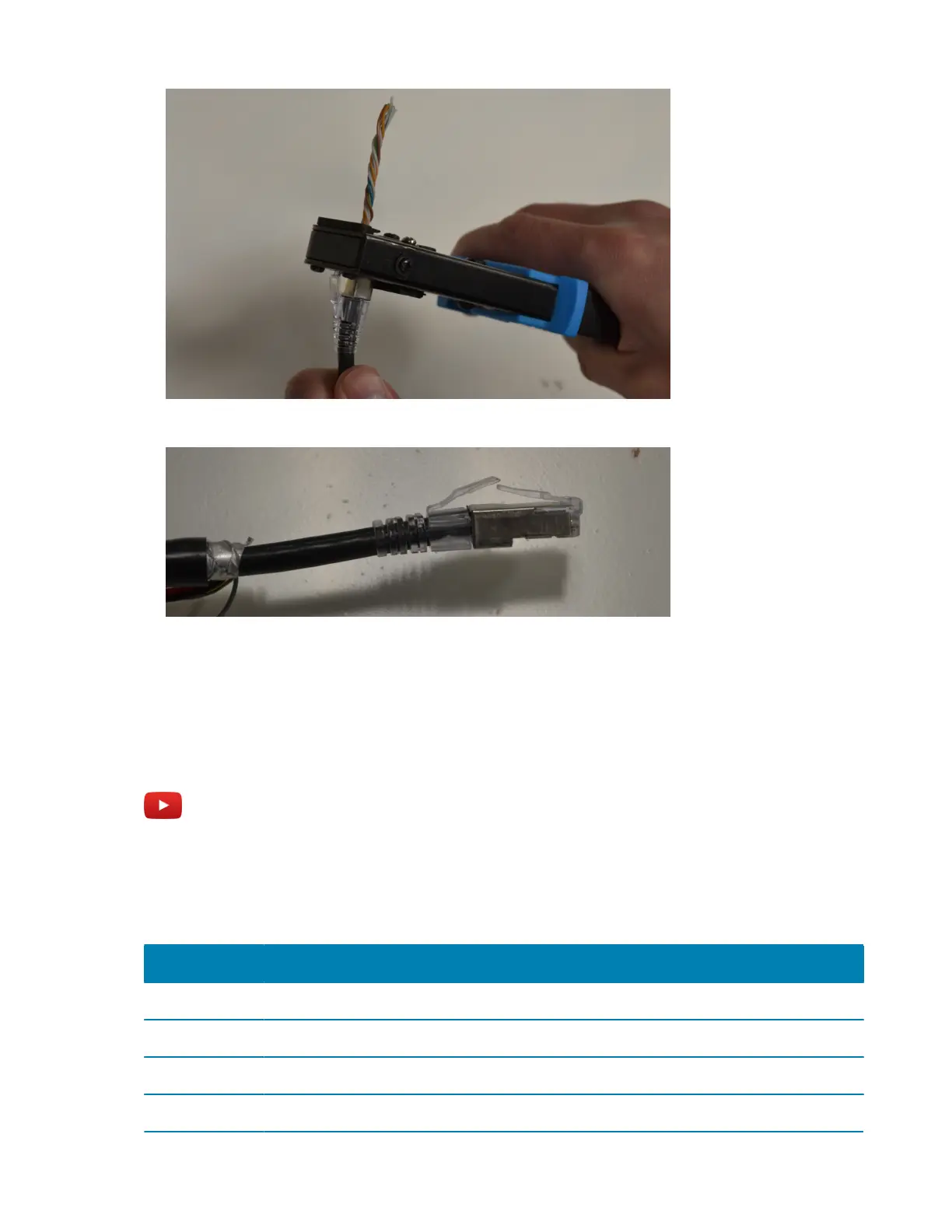
After you have crimped the connector, your CAT5e cable should look like this:
NOTE: Because the CAT5e cable was shortened when it was crimped, you will need to shorten the
camera cable by about 5 cm (2 in.) so that the camera cable and CAT5e cable are the same length.
Example
Watch this video to learn more. Click the Captions icon (CC) to turn on video captions in one of the
available languages.
Conductor arrangements for Sharp and SharpX
The following table lists the conductor arrangements for Sharp (T568A) and SharpX (T568B).
Pin # Sharp (T568A) Pin # SharpX (T568B)
1 White/Green 1 White/Orange
2 Green 2 Orange
3 White/Orange 3 White/Green
4 Blue 4 Blue



 To Next Page