AutoVu SharpX mobile installation
tip.genetec.com | AutoVu Hardware Guide for SharpX Mobile Installation
EN.410.018-XS(6) | Last updated: October 6, 2016 28
Selecting the camera ports for the LPR Processing Unit
To ensure that your SharpX cameras achieve the highest frame rate, you must connect them to the
correct camera ports on the LPR Processing Unit.
What you should know
The best camera ports to use depends on the model of the cameras and the LPR Processing Unit
used in the installation.
To select the correct LPR Processing Unit camera ports:
1 Identify the camera and LPR Processing Unit model information.
2 Choose the correct X1S LPR Processing Unit ports or X2S LPR Processing Unit ports for the camera
connections.
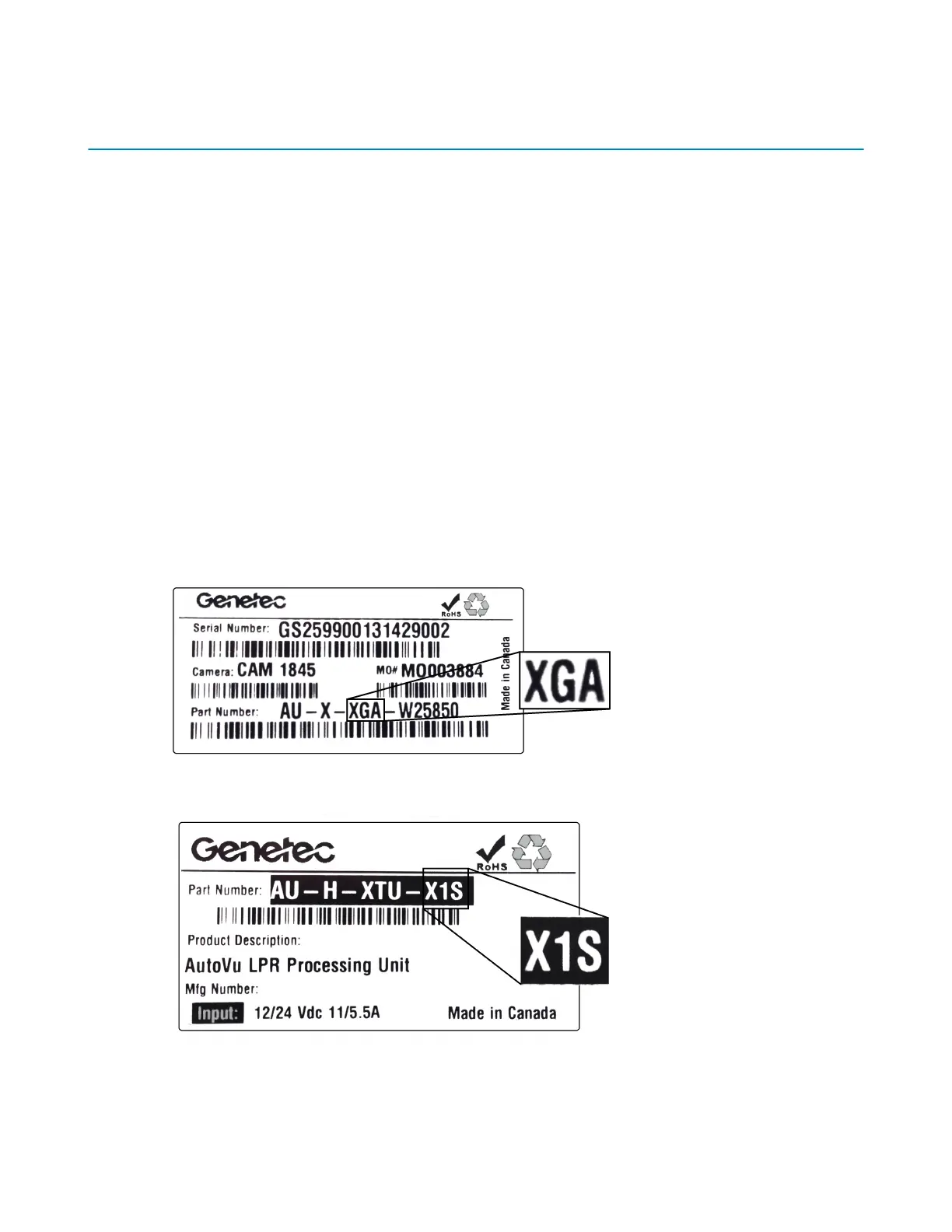
SharpX hardware identification
You can find hardware model information for SharpX cameras and the LPR Processing Unit on the
product label.
• The SharpX model number is on the product label on the unit. The following sticker example
shows a SharpX XGA model:
• The LPR Processing Unit model number is on the product label on the unit. The following sticker
example shows a LPR Processing Unit X1S model:



 To Next Page