AutoVu SharpX mobile installation
tip.genetec.com | AutoVu Hardware Guide for SharpX Mobile Installation
EN.410.018-XS(6) | Last updated: October 6, 2016 32
Related Topics
Installing the external Navigator box on page 62
Connecting SharpX cameras for a mobile installation on page 33
Attaching strain relief clips
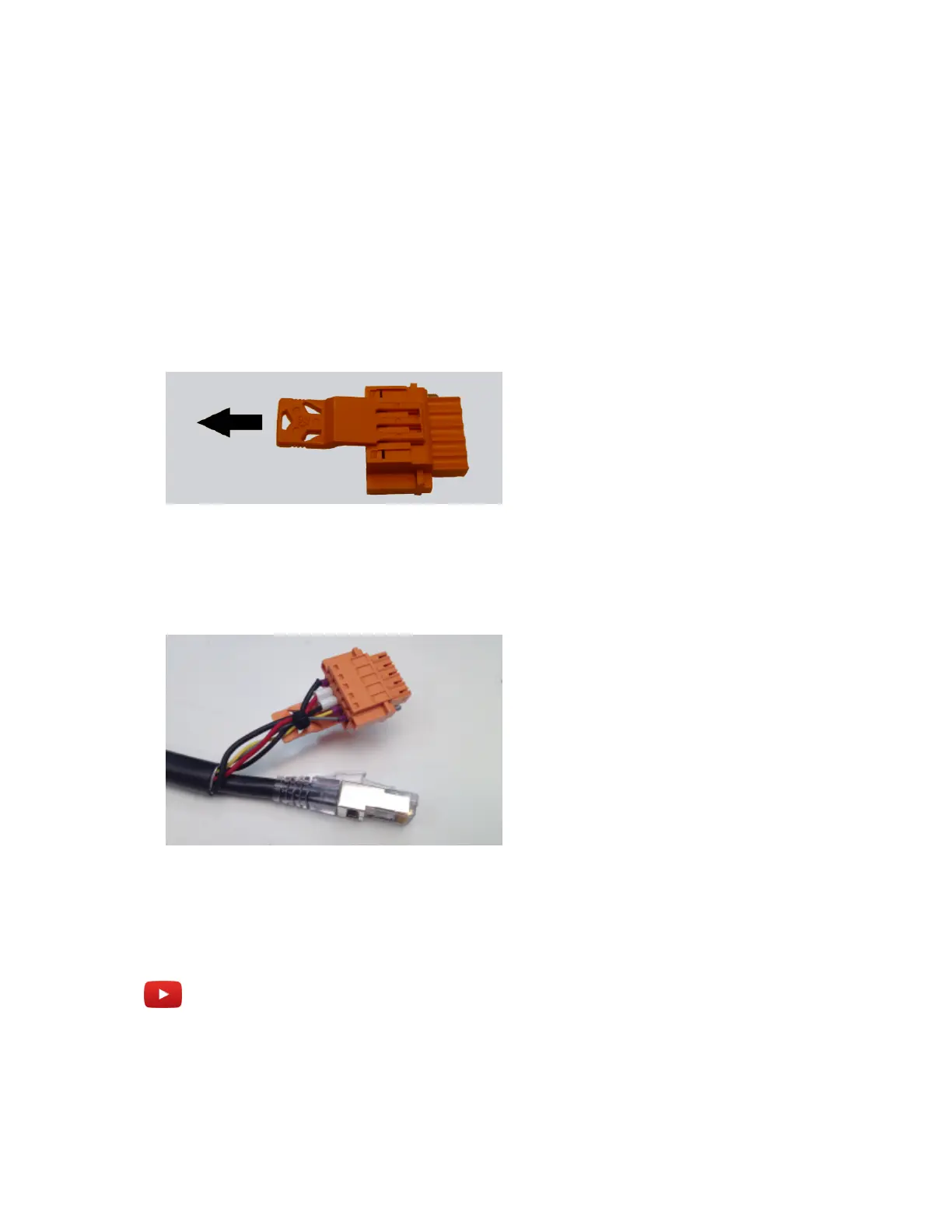
Use the provided strain relief clips to give extra support to the wires connected to the LPR Processing
Unit's wire plugs.
To attach the strain relief clip:
1 Hook a strain relief clip (included) in the middle of the wire plug.
2 Slide the connector backwards until it clicks into position on the wire plug.
3 After you have connected the wire plug to the LPR Processing Unit and pushed the wire ferrules
into the wire plug, insert a small cable tie through two of the holes in the strain relief clip and
secure the wires.
TIP: Depending on which of the three available holes you use for the cable tie, you can direct the
wires to the left, right, or center when they leave the wire plug.
Example
Watch this video to learn more. Click the Captions icon (CC) to turn on video captions in one of the
available languages.



 To Next Page