Sharp and SharpX CAT5E cables
tip.genetec.com | AutoVu Hardware Guide for SharpX Mobile Installation
EN.410.018-XS(6) | Last updated: October 6, 2016 91
Shortening CAT5e cables using the EZ-RJPRO™ HD crimp
tool
Depending on the installation type, you may need to terminate the Sharp and SharpX CAT5e cables
or shorten an existing terminated cable with the EZ-RJPRO
™
HD crimp tool.
What you should know
• The Sharp “all-in-one” cable includes 1x CAT5e, 4x 20AWG for power, micro-coax for video, 1x
24AWG drain wire.
• The SharpX “all-in-one” cable includes 1x CAT5e, 2x 20AWG for power, 2x 24AWG for video, 1x
24AWG drain wire.
• You cannot reuse the same RJ45 connector you cut off the Sharp cable. New RJ45 connectors are
included with the hardware in every AutoVu system.
To terminate or shorten the CAT5e cables:
1 If needed, expose the wires in the all-in-one cable.
2 Create the CAT5e connection for the exposed CAT5e cable using the EZ-RJPRO
™
HD.
Exposing the wires of the CAT5e cable
If you need to terminate or shorten an existing terminated CAT5e camera cable, you may first need
to expose the CAT5e cable from the "all-in-one" cable by removing the cable jacket and exposing all
wires.
What you should know
One end of the “all-in-one” cable is terminated with a camera connector for either a Sharp or a
SharpX camera. The other end of the cable is either cut clean or ends with a pigtail, depending on the
system you are installing.
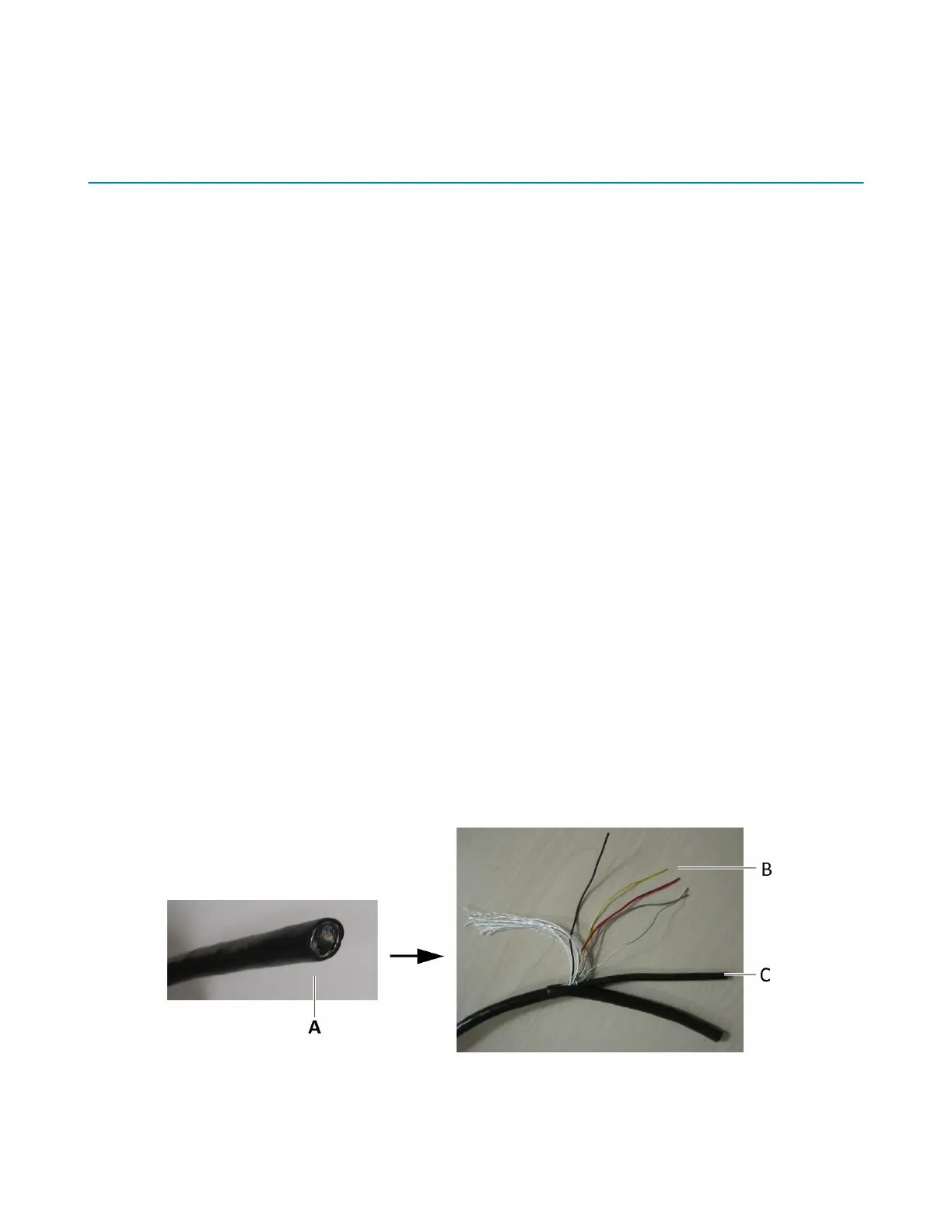
To expose the all-in-one cable wires:
1 Strip 20 cm (8 in.) of the all-in-one cable’s jacket to expose the wires inside.
• A: All-in-one cable
• B: Camera wires (SharpX wire shown)



 To Next Page