AutoVu SharpX mobile installation
tip.genetec.com | AutoVu Hardware Guide for SharpX Mobile Installation
EN.410.018-XS(6) | Last updated: October 6, 2016 68
Setting up the tripod
When aligning your camera, you must determine where to set up the tripod that holds the alignment
target.
Before you begin
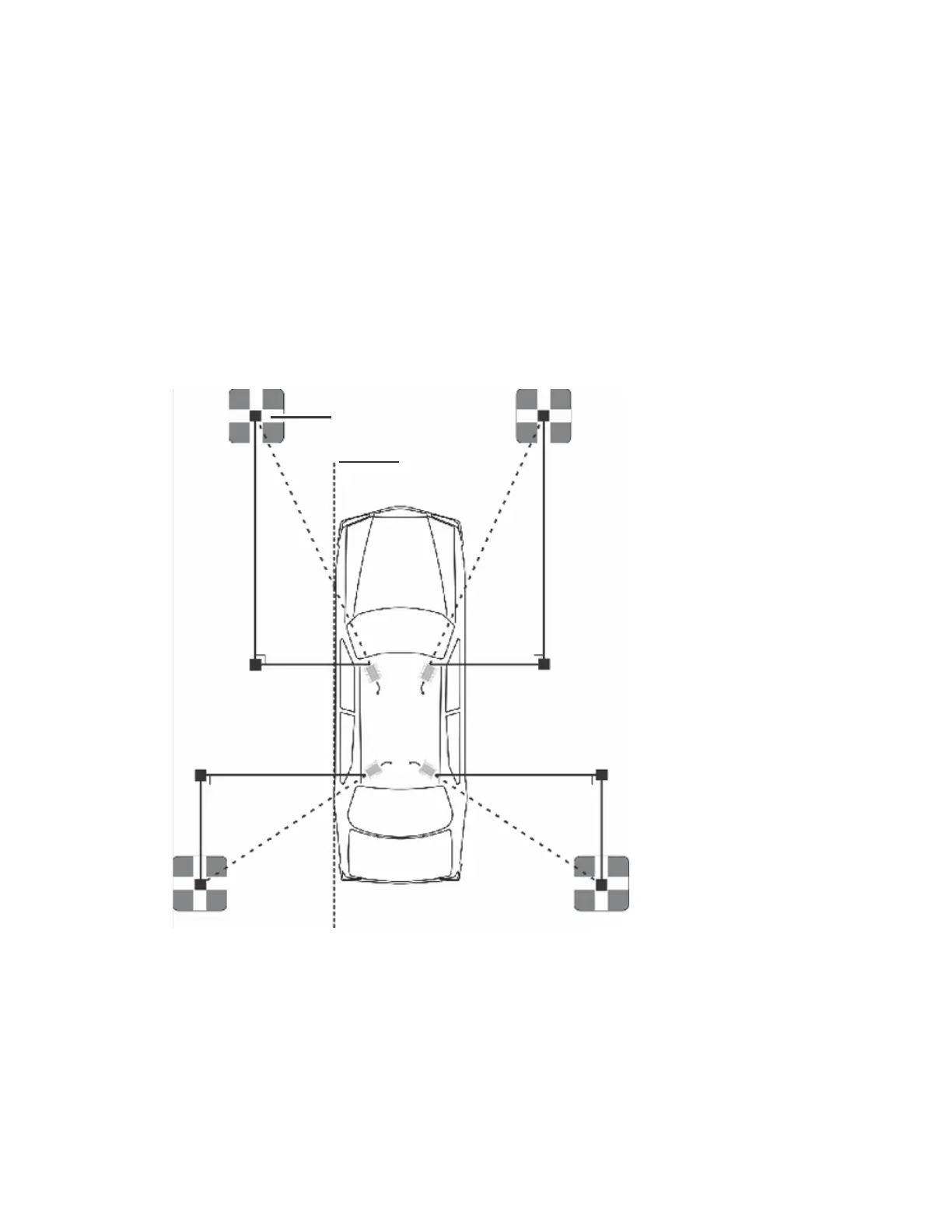
Use the alignment scenarios to find the X, Y, and D values that apply to your situation.
What you should know
Use the following illustration to help you measure X, Y, and D relative to your vehicle:
Target
Vehicle wheel
line
D D
Y
XX
Y
X1 X1
D1D1
Y1 Y1
TIP: Using the vehicle’s wheels (Vehicle wheel line) as a reference can help you ensure the X and Y
measurements are perpendicular and parallel as required.
NOTE: The values X, Y, and D refer to alignment distances only, not your camera's plate reading
distances.
To set up the tripod:
1 Secure the end of the measuring tape to the camera using one of the hook and loop clips.



 To Next Page