AutoVu SharpX mobile installation
tip.genetec.com | AutoVu Hardware Guide for SharpX Mobile Installation
EN.410.018-XS(6) | Last updated: October 6, 2016 2
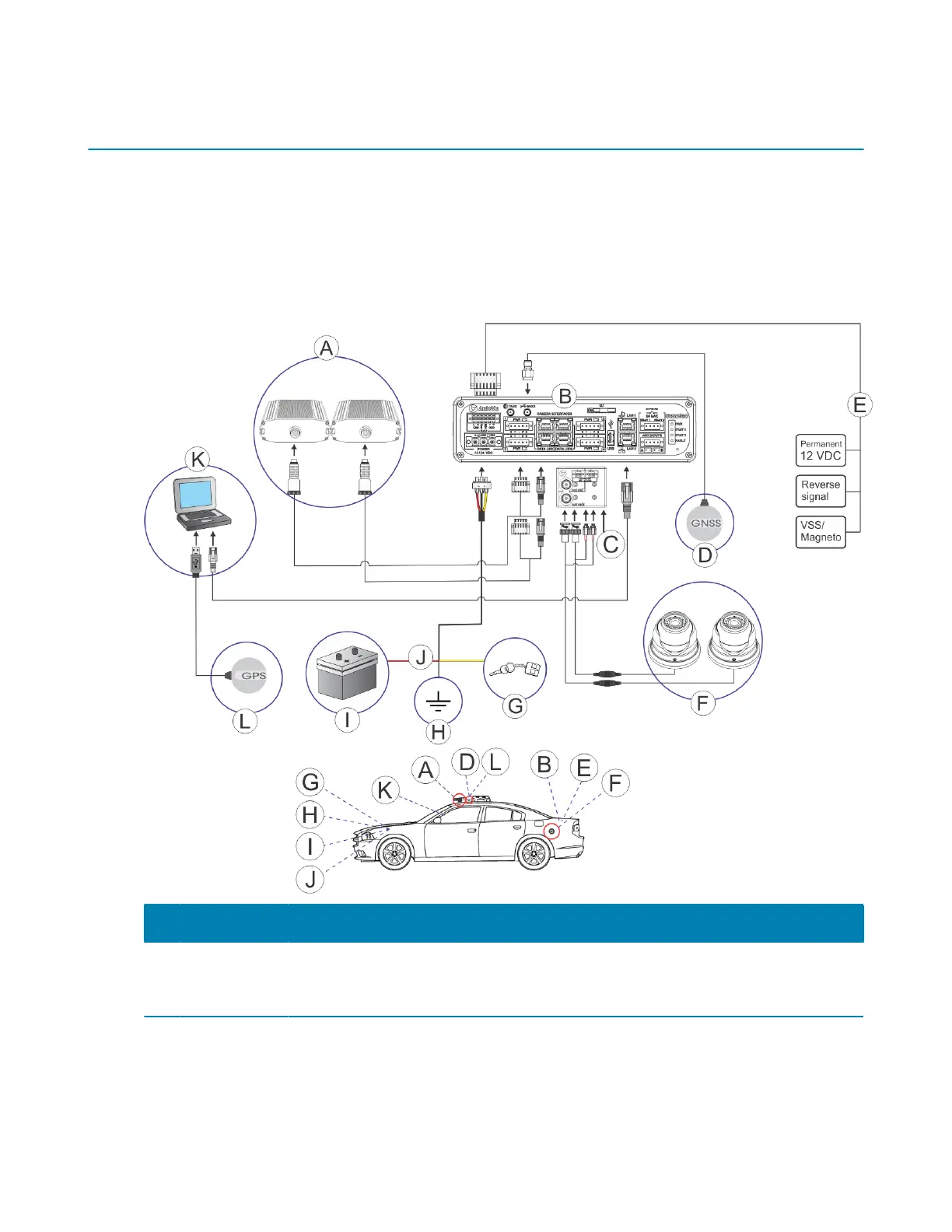
Hardware components for SharpX mobile installation
A SharpX mobile installation is comprised of many hardware components. Before installing these
components, it is recommended to familiarize yourself with the hardware components used in a
typical installation.
If you are installing a SharpX system where the LPR Processing Unit includes the AutoVu Navigation
Option, all of the components of the AutoVu system connect directly to the LPR Processing unit. If
your LPR Processing Unit does not include the AutoVu Navigation Option, see Hardware components
for SharpX mobile installation with external Navigator box on page 5.
Component What you should know
A SharpX
cameras
SharpX cameras can be attached to the vehicle using a hardmount or
magmout. For more information, see About mounting the SharpX camera for a
mobile installation on page 18.



 To Next Page