AutoVu SharpX mobile installation
tip.genetec.com | AutoVu Hardware Guide for SharpX Mobile Installation
EN.410.018-XS(6) | Last updated: October 6, 2016 61
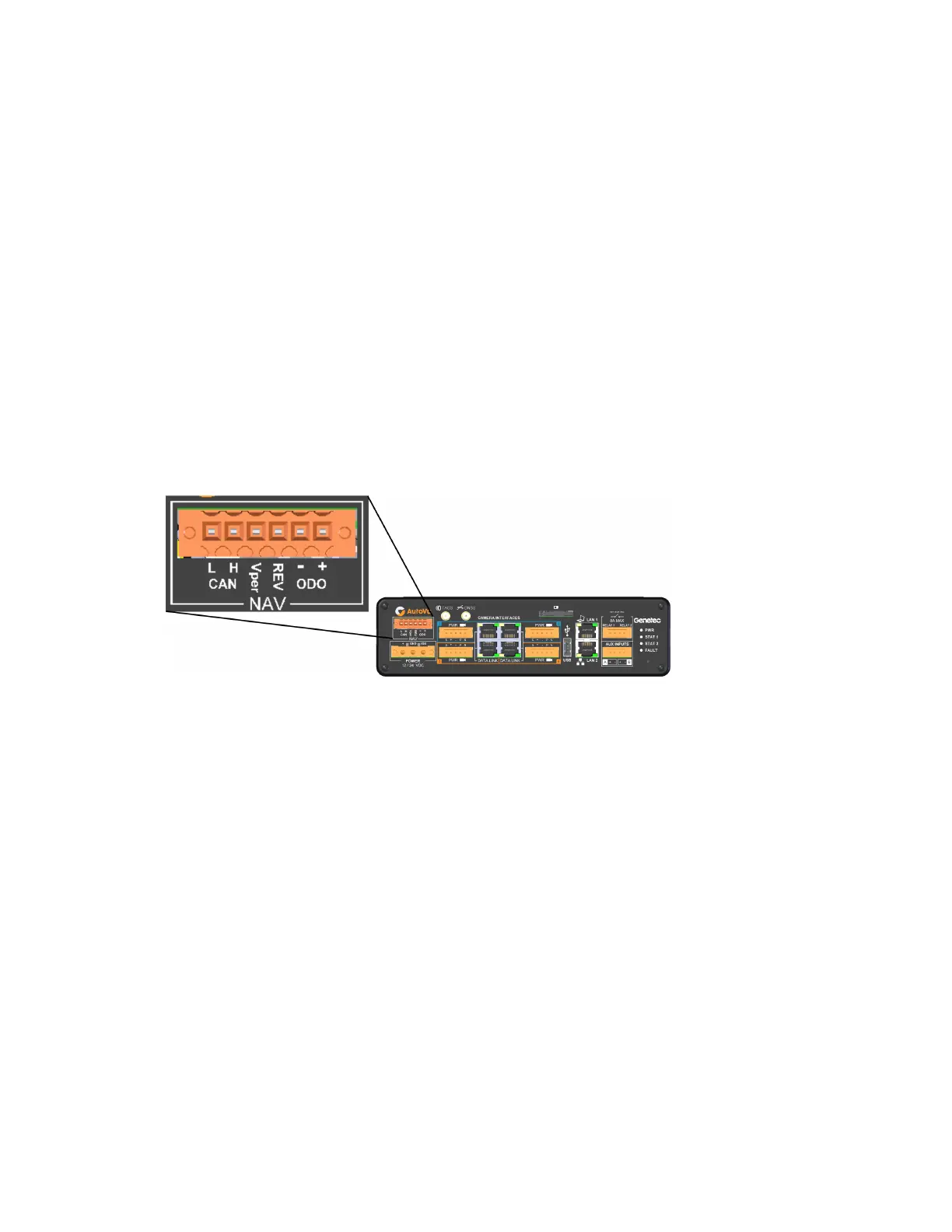
Installing the AutoVu Navigation Option on the LPR Processing Unit
To provide Patroller with more reliable geographic coordinates than a standard GPS device, you
can connect the vehicle's odometry to an LPR Processing Unit that includes the AutoVu Navigation
Option. Note that if the LPR Processing unit does not include the AutoVu Navigation Option, you
must install the external Navigator box to provide precise coordinates.
Before you begin
• Wires to connect the LPR Processing Unit to the vehicle's odometry signal, reverse signal, and for
the Vper connection are not included. You will need the following:
• Vper: 16 AWG stranded conductor copper wire
• REV: 24 AWG to 16 AWG stranded conductor copper wire
• ODO: 24 AWG to 16 AWG shielded, twisted pair (from VSS or Magneto)
To install the Navigator option:
• Connect the vehicle's odometry signal, reverse signal, and Vper to the LPR Processing Unit as
follows:
• CAN L and CAN H: Not supported. Do not connect.
• Vper (optional): The LPR Processing Unit includes an internal coin battery that maintains the
time and almanac memory of the GNSS receiver when the LPR Processing Unit is powered
off. The battery has an expected life of 5 years. Adding permanent 12V power to the Vper port
of the LPR Processing Unit greatly extends the battery life. Use an insulation displacement
connector (IDC) to connect a 16 AWG wire from the Vper port to the permanent 12V (+) power
input.
NOTE:
• If the coin battery is drained, the time required for the AutoVu Navigation system to get a
position fix at startup increases from 5 seconds to about 2 minutes.
• The Vper port draws a very small current (a few microamperes).
• REV: Reverse input. Connect to vehicle’s reverse signal (required for inertial navigation). You
can tap into the vehicle’s reverse lights to get this signal.
NOTE: The Reverse input supports active low/ground and active high/battery polarities.
• - ODO and + ODO: Pulse odometry. Connect the signal from the Magneto coil or VSS.
Related Topics
Installing the satellite navigation hardware for SharpX on page 54



 To Next Page