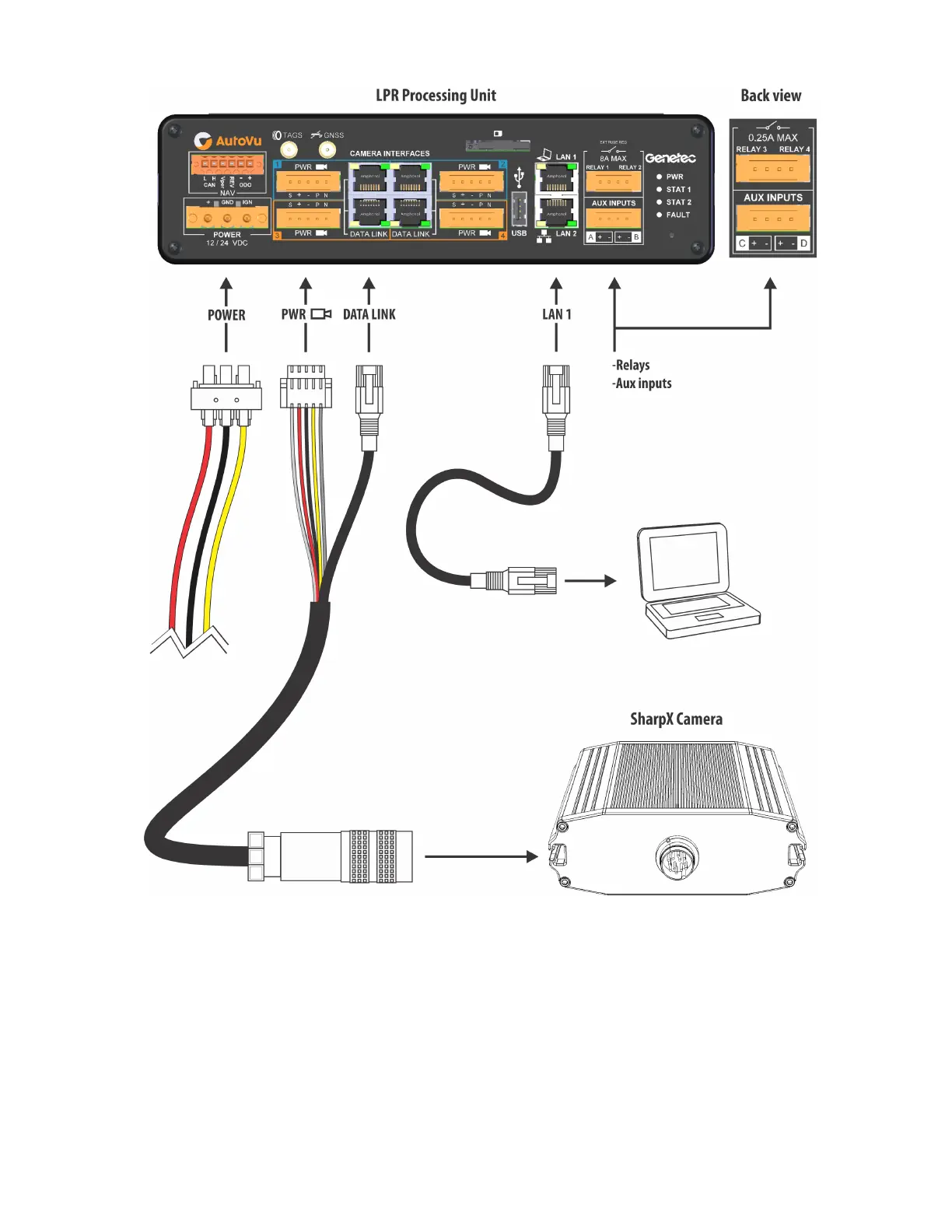
AutoVu SharpX mobile installation
tip.genetec.com | AutoVu Hardware Guide for SharpX Mobile Installation
EN.410.018-XS(6) | Last updated: October 6, 2016 34
1 Connect the power port to the LPR Processing Unit.
2 Connect the camera cable to the LPR Processing Unit.
3 Shorten and terminate the CAT5e cable.
The SharpX cable does not come with a pre-terminated CAT5e connection.
NOTE: SharpX cameras require the CAT5e T568B conductor arrangement.
4 Connect the camera unit’s CAT5e cable to the LPR Processing Unit.
5 Connect your network cable to the LAN 1 port on the LPR Processing Unit, and the other end to
your in-vehicle computer.



 To Next Page