Troubleshooting 8-5
z Press the Fn+F9 hot key to toggle through the display options or change
the Display Settings Properties in Windows.
DVD Drive Problems
The DVD drive cannot read a disc.
z Make sure that the disc is correctly seated in the tray, with the label
facing up.
z Make sure that the disc is not dirty. Clean the disc with a disc cleaning
kit, available in most computer stores.
z Make sure that the computer supports the disc or the files contained.
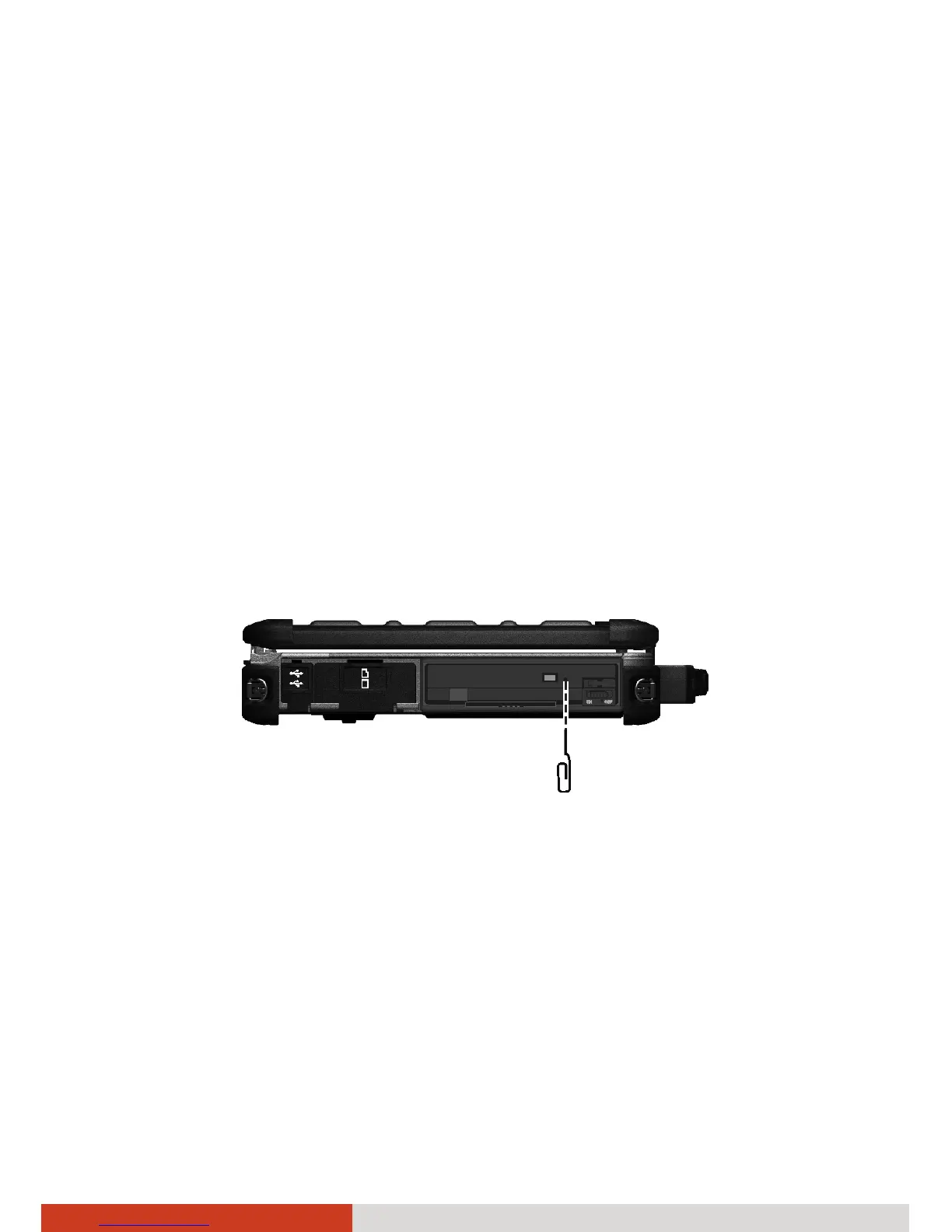
You cannot eject a disc.
z The disc is not properly seated in the drive. Manually release the disc by
inserting a small rod, such as a straightened paperclip, into the drive’s
manual eject hole and pushing firmly to release the tray
ExpressCard Problems
The ExpressCard does not work.
z Make sure that the ExpressCard is correctly seated.
z If the card requires an IRQ (Interrupt ReQuest), make sure that there is
one available.



 To Next Page