Operating Your Computer 1-7
Taking a Look at the Computer
NOTE: Depending on the model you purchased, the appearance of your
computer may not be exactly the same as those shown in this manual.
CAUTION: You need to open the protective covers to access the connectors
or devices inside. When not accessing a connector or device, make sure to
close the cover completely for water-, dust-, and fire-proof integrity of your
computer. (Engage the locking mechanism if existing.)
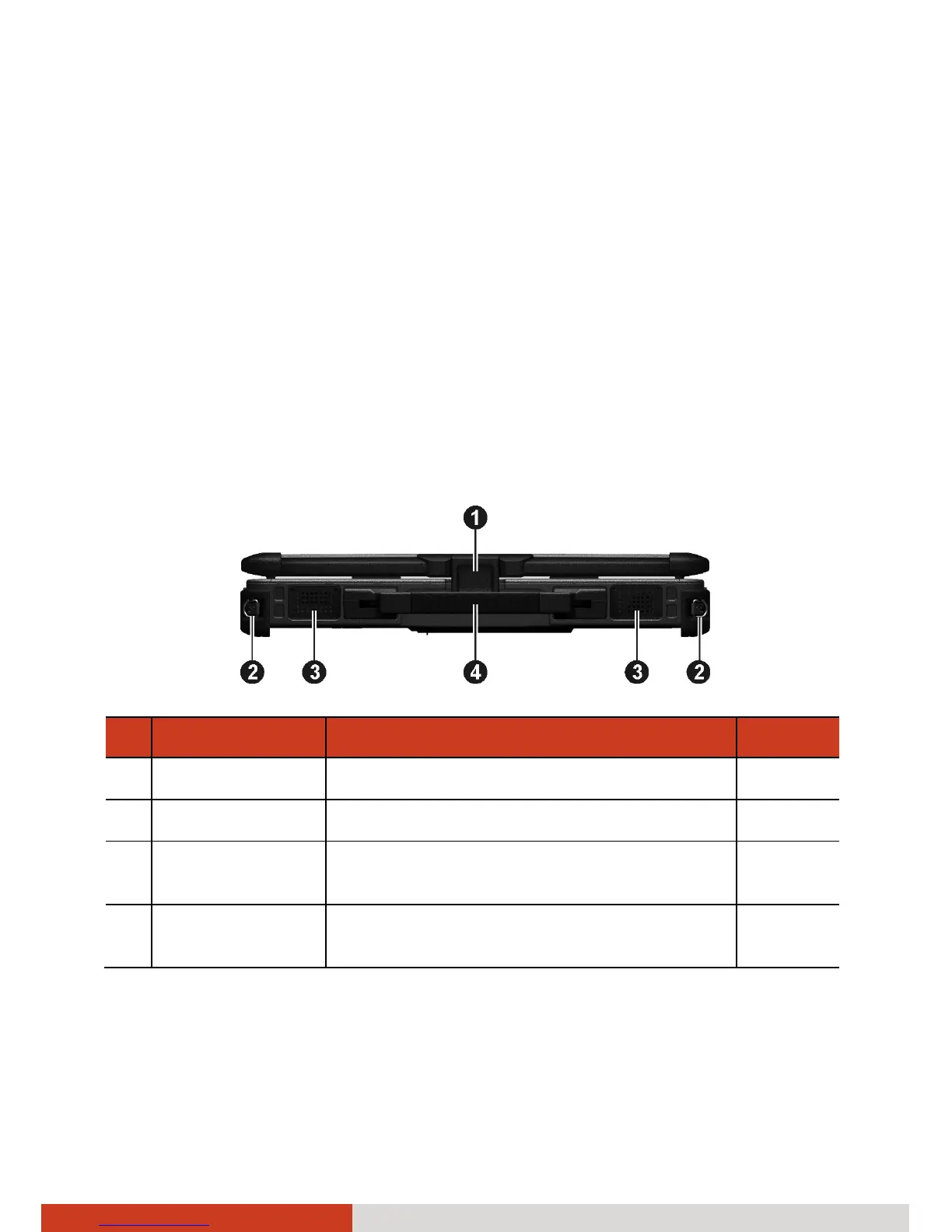
Front Components
Ref Component Description See Also
n
Top Cover Latch Locks the top cover. P. 1-5
o
Strap Holder Two buckles hold the shoulder strap.
p
Stereo Speaker Sends out sound and voice from the
computer.
q
Handle Provides a convenient way to carry the
computer.



 To Next Page