Operating Your Computer 1-9
Ref Component Description See Also
t
Serial
Connector
Connects a serial device. The left one is
COM1 and the right one is COM2.
P. 4-4
Can be configured as RS232 or RS422. P. 5-5
u
VGA Connector Connects an external display monitor. P. 4-2
v
Audio Output
Connector
Connects a set of headphones or
external speakers with amplifier.
P. 4-7
Microphone
Connector
Connects an external microphone. P. 4-7
RJ-45 Connector Connects the LAN cable. The left one is
LAN1 and the right one is LAN2.
P. 2-21
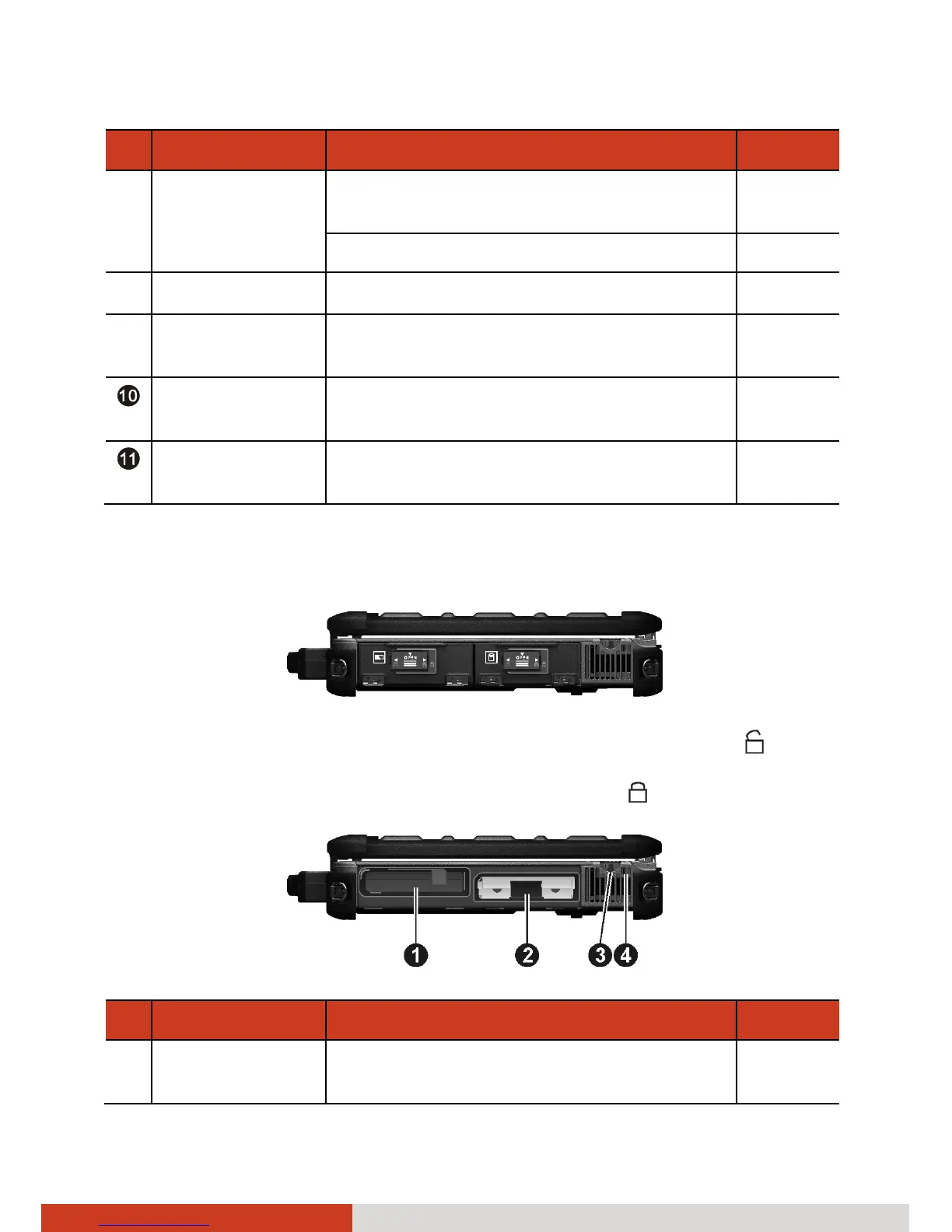
Right-Side Components
To access a device bay, slide the latch toward the right to unlock (
) and
then push down the latch to release the cover. When closing, engage the
latch and then slide the latch toward the left to lock (
).
Ref Component Description See Also
n
Battery Pack Supplies power to your computer when
external power is not connected.
P. 3-3



 To Next Page