1-8
Operating Your Computer
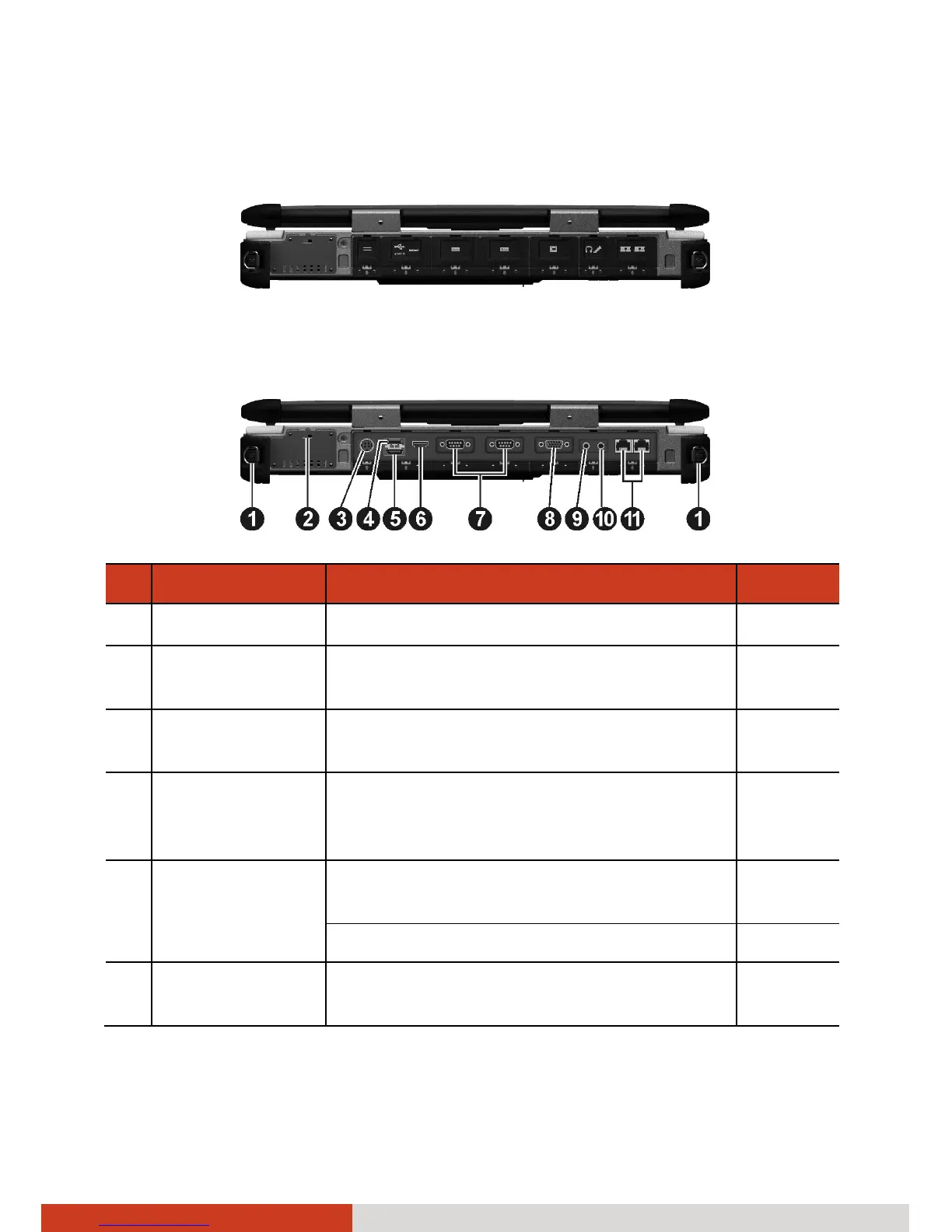
Rear Components
To access a connector, open its protective cover by pushing down the tab.
When closing, push the tab upward so it clicks into the locked position.
Ref Component Description See Also
n
Strap Holder Two buckles hold the shoulder strap.
o
Kensington
Lock
Locks the computer to a stationary
object for security.
P. 7-2
p
Power
Connector
Connects the AC adapter. P. 1-3
q
USB Port Connects a USB device, such as a USB
flash disk, printer, digital camera,
joystick, and more.
P. 4-5
r
eSATA/USB
Combo Port
Connects an eSATA device such as an
external hard drive or optical drive.
P. 4-6
Can also function as a USB port.
s
HDMI
Connector
Connects a HDMI (High-Definition
Multimedia Interface) monitor or TV set.
P. 4-2



 To Next Page