Operating Your Computer 2-31
Using the 3G Feature (Optional)
3G is the third generation of mobile phone standards and technology after
2G. Services include wide-area wireless voice telephony and broadband
wireless data, all in a mobile environment.
Unlike IEEE 802.11 networks, 3G networks are “wide area cellular telephone
networks” which evolved to incorporate high-speed internet access and
video telephony. IEEE 802.11 networks are short range, high-bandwidth
networks primarily developed for data.
NOTE: Your computer only supports data transmission; voice transmission is
not supported.
Installing a SIM Card
To use the 3G feature to connect to the Internet, you need to subscribe to
3G service and acquire a SIM card from the service provider. To install the
SIM card, follow these steps:
1. Turn off the computer and disconnect the AC adapter.
2. Carefully place the computer upside down.
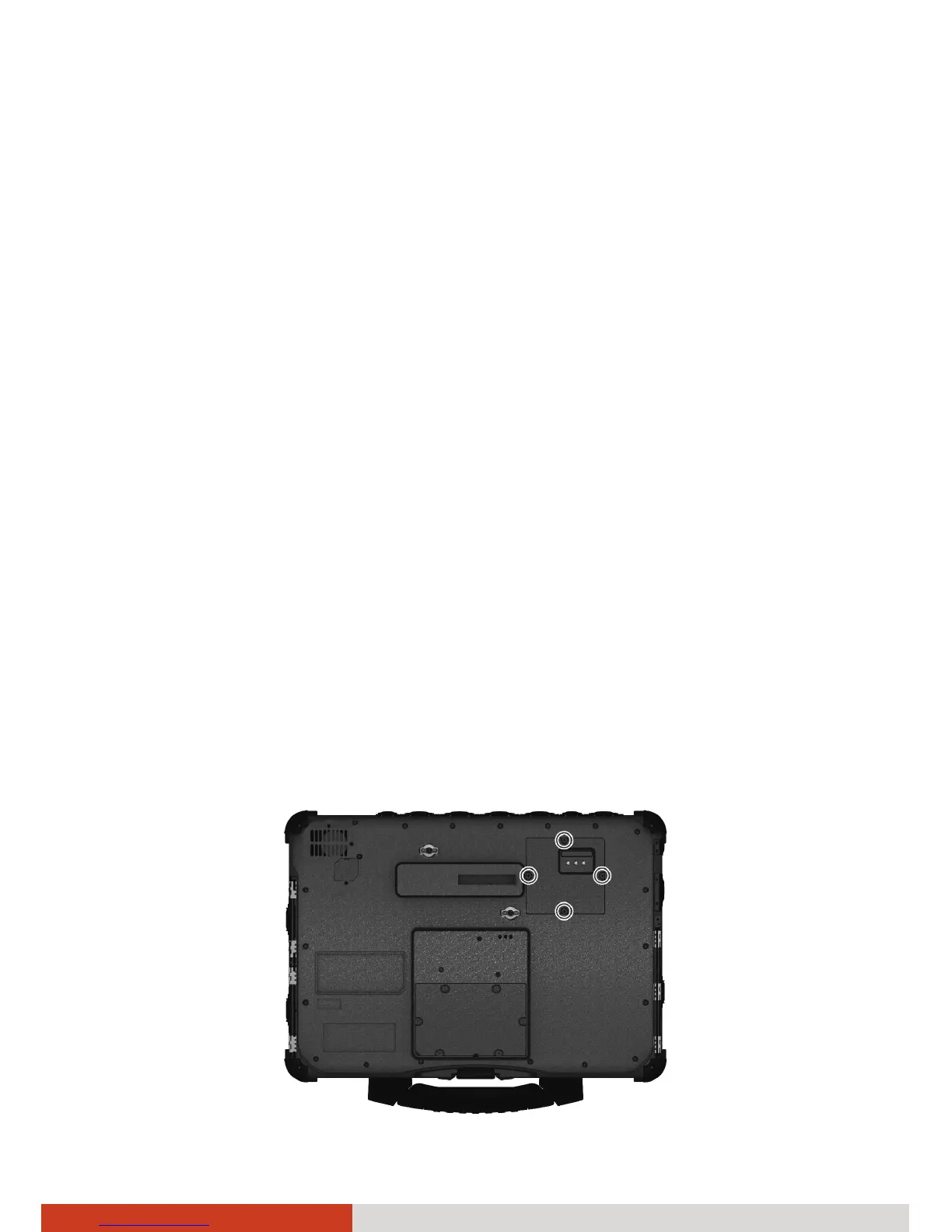
3. Unfasten four screws and flip open the cover. Be careful not to pull on
the cables connected to the cover.



 To Next Page