2-32
Operating Your Computer
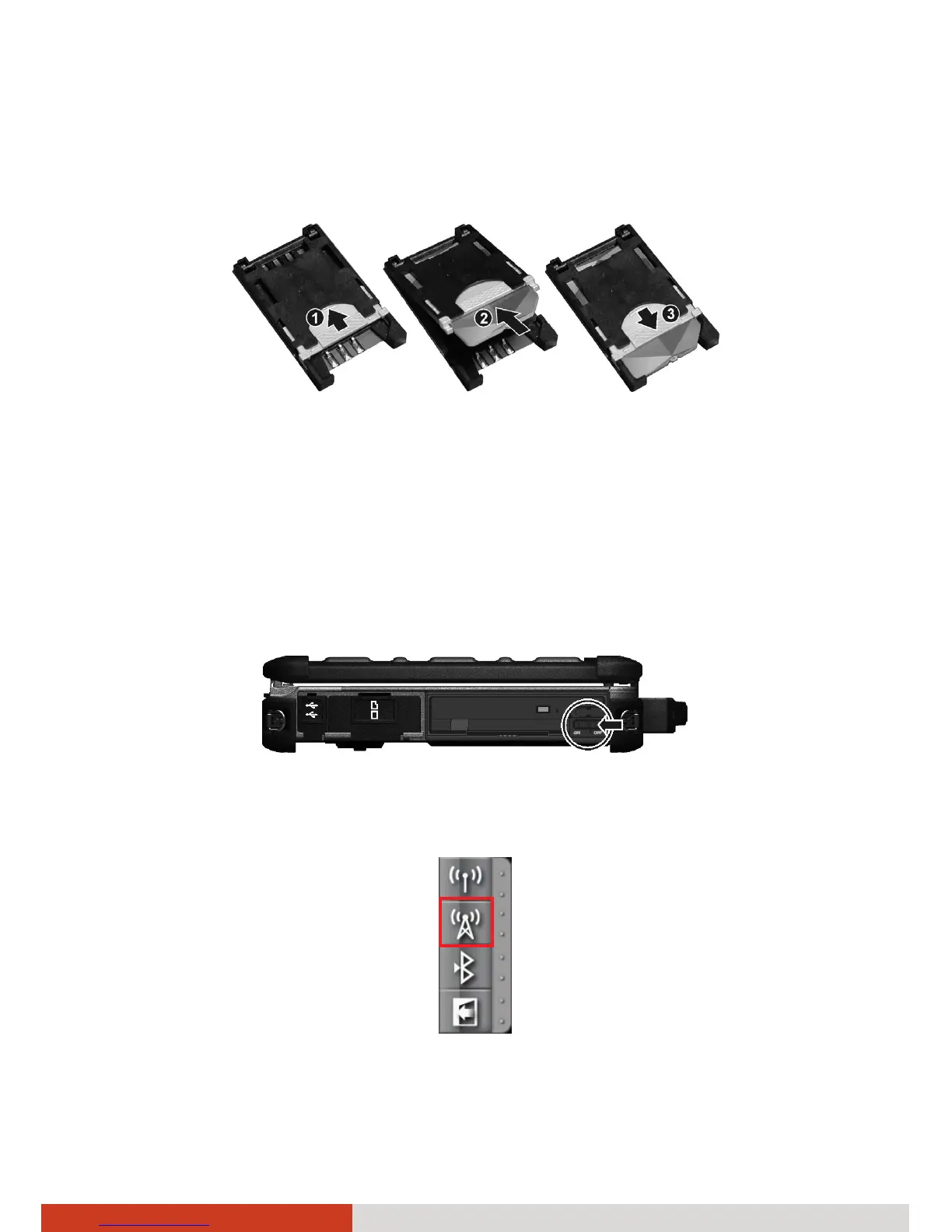
4. Locate the SIM card slot. Slide the locking tab inward to unlock (n). Lift
the slot up and, noting the orientation, insert the SIM card into the slot
(o). Slide the locking tab outward to secure the SIM card in place (p).
5. Close the cover and secure with four screws.
Turning On/Off the 3G Radio
To turn on the 3G radio:
1. Make sure that the RF switch is at the ON position. (Open the cover to
access the switch.)
2. To turn on the 3G radio, click the 3G button in the Quick Bar as shown
below (an X over the button means the radio is currently off.)



 To Next Page