2-16
Operating Your Computer
Button Description
Each ECO mode is a combination of power settings that results in
different power consumptions. (For information on configuring
the ECO modes, see “ECO Tab” in Chapter 6.)
P1 Toggles Blackout mode on or off.
In Blackout mode, the LCD backlight, keyboard/button
backlight, and LED indicators are all turned off; and the sound is
muted.
To bring the computer out of Blackout mode, press the same
button again or the power button.
You can re-define the function of the button. (See “Using
Button Manager” in Chapter 6 for information.)
P2
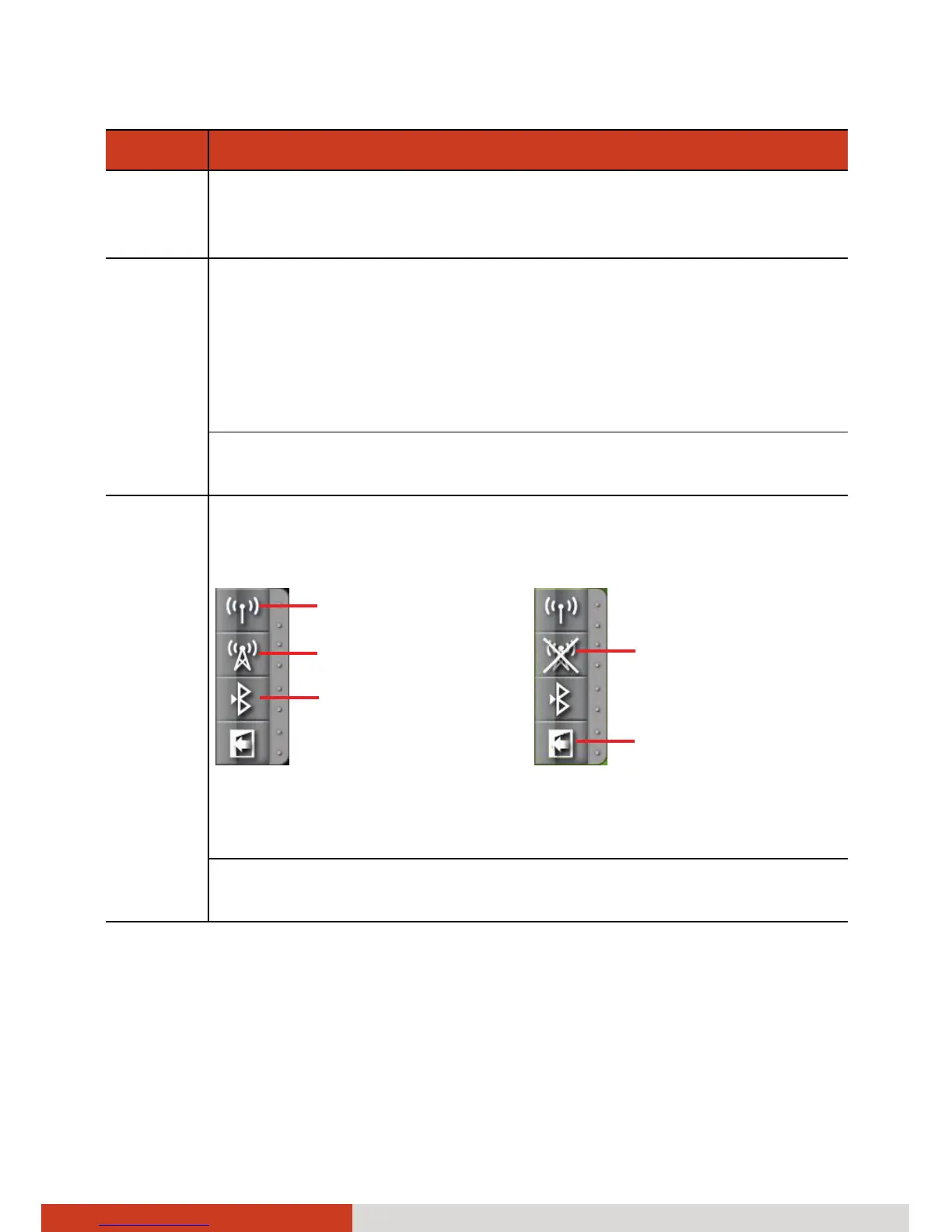
Brings up the Quick Bar for turning on or off the individual
wireless radio. Click a corresponding button in the Quick Bar to
turn on or off the radio.
NOTE: To use a wireless module, make sure the hardware RF
switch is on. (See “Left-Side Components” in Chapter 1 for
information.)
You can re-define the function of the button. (See “Using
Button Manager” in Chapter 6 for information.)
WLAN
WWAN 3G
Bluetooth



 To Next Page