GKB 4CH/8CH VFire Server
82
8.1 Search By Time
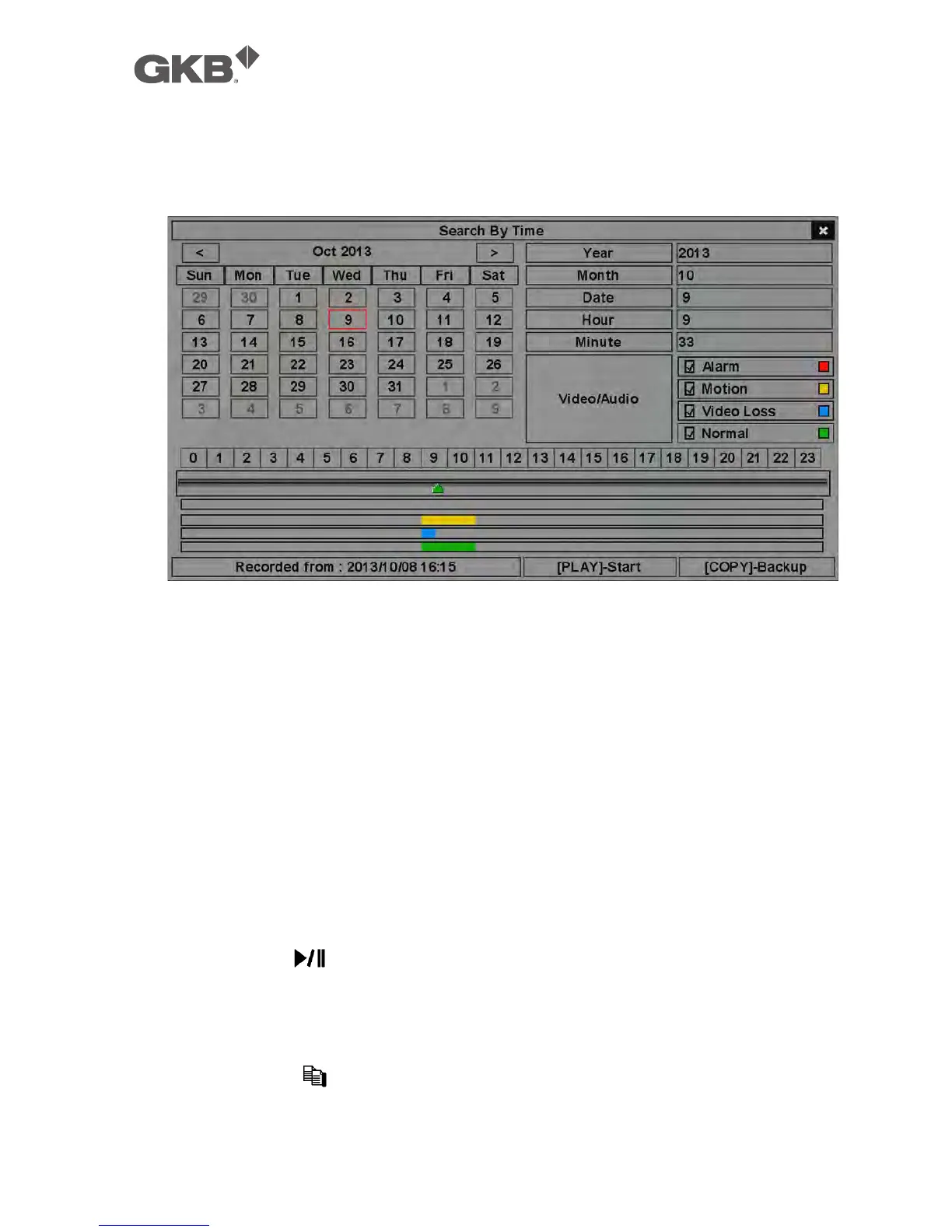
The screen for Search By Time is shown as below:
The Status field will show the ‘Recorded from’ time based on the selected
Video/Audio before searching - alarm partition if any of Alarm, Motion, or Video
Loss, is checked, and normal partition if Normal is checked. Above the status
field is the 24H time slider and alarm/motion/video loss/normal recording status
(from top to bottom).
The general operations are as below:
n ▲▼◄► (Mouse: Left click)
Press these buttons to select the items.
n ESC (Mouse: Right Click)
Press this button to escape from this screen, and return to split-window
display.
n Play Button ( ) (Mouse: Left click)
Press this button to start playing the recorded video/audio with the selected
search time and video/audio type. If there’s no camera in playback mode, all
the cameras in the current split window will be set to playback mode.
n Copy Button ( ) (Mouse: Left click)
Press this button to backup (copy) the selected type of recorded video/audio



 To Next Page