GKB 4CH/8CH VFire Server
61
6.7 Password Setup
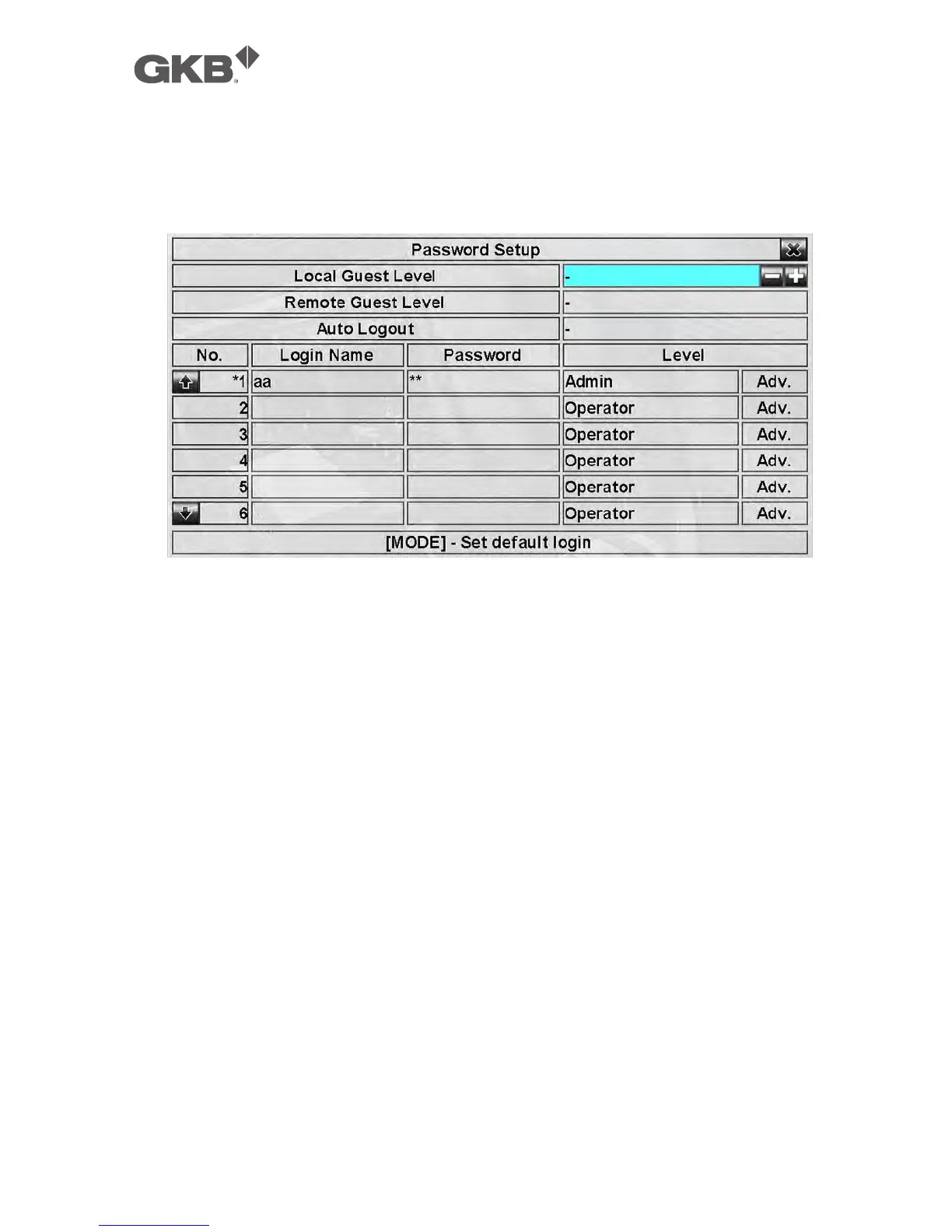
In Setup Menu display, press ▲▼◄► to change the highlighted option to
Password, and then press ENTER to call up Password Setup as shown.
The Password Setup allows the administrator to add new users, delete existing
ones, and/or modify the user’s name, password, and/or level.
There are three default password levels in the system, including Administrator
(highest), Supervisor, and Operator (lowest). The Operator can operate live video
display, the Supervisor live video display, image playback and archive, and the
Administrator everything. Beside the default password levels, the user can also
set “Customized” user level as described in the following paragraphs. The
system allows up to 18 user accounts.
There is one factory-preset login name/password aa/11 at Administrator level.
The user can use it to login the system for the first time.
The general operations are as below:
n ▲▼◄► (Mouse: Left click)
Press these buttons to select the items. The display will scroll up/down if the
selected item is not shown on the screen.
n MODE => Select/Deselect as default (Mouse: Left click)
Press this button to select this user as the default one at login, or deselect if this
user is the default login user. An asterisk (*) will be shown preceding the
number for the default login user. And this login name/password will be the



 To Next Page