FC9000-UM-251-9370 7-29
7 DISASSEMBLY AND REASSEMBLY
7.2.12 Replacing the X-motor
How to detach the X-motor
(1) Detach the right side cover (Refer to subsection 7.1.1.).
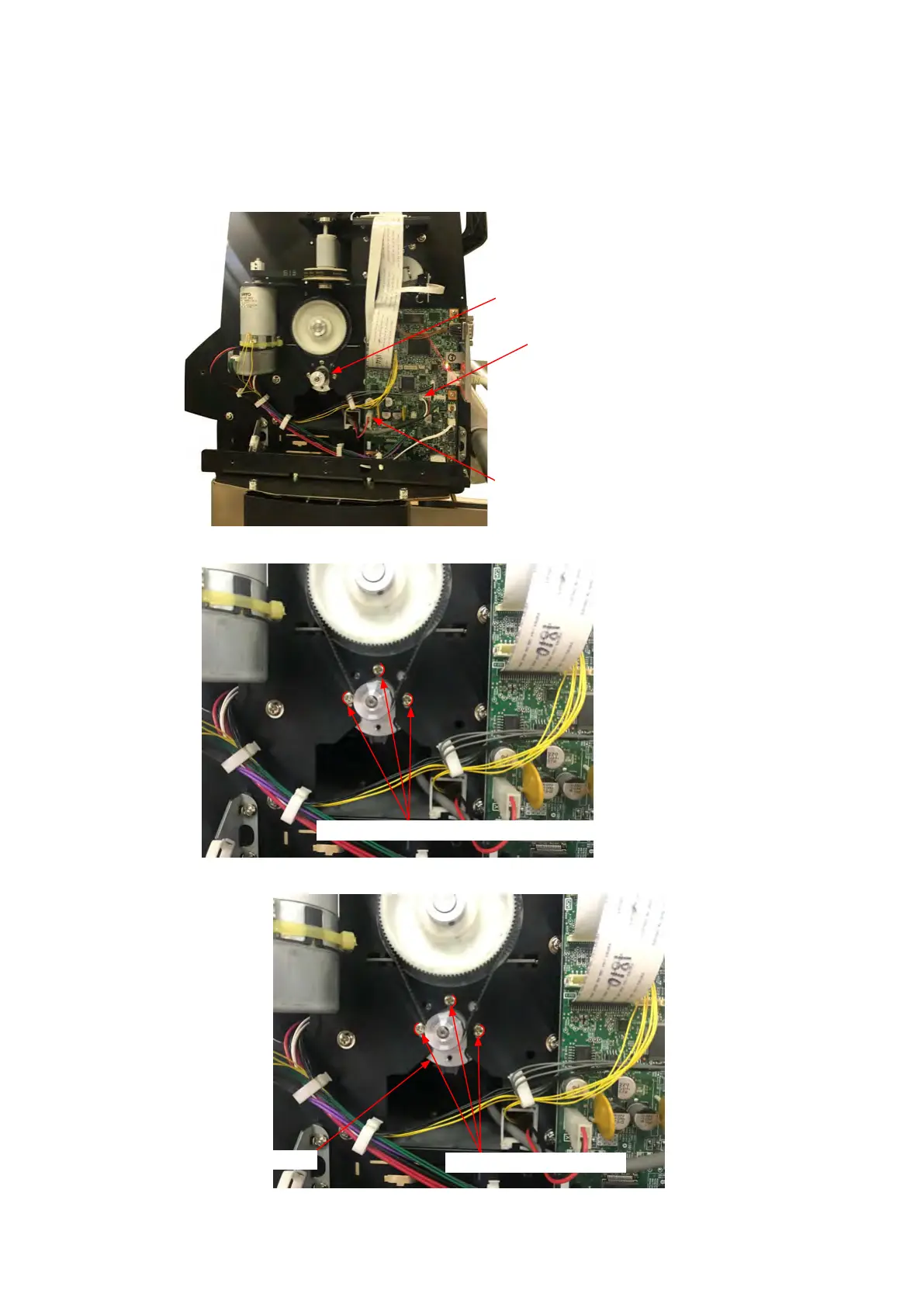
(2) Disconnect the X motor power cable from connecter J1010 on the main board.
X Motor
J1004: X motor encoder cable
J1010: X motor power cable
(3) Mark the position of screws which are holding the X motor as shown in the picture below.
Mark the position of screws which are holding the X motor.
(4) Remove the three M3L6 binding head screws holding the X-motor, then detach the X-motor.
X motor
M3L6 binding head screw










 To Next Page