53
M_LS900 XP IQ Energy_EN_B
Operating instructions for the machine
Temperature alarm function
When a temperature alarm is triggered, the error code and the temperature are displayed on-screen
simultaneously.Tostoptheaudiblealarmsignal,pressoneofthecontrollerkeys.Thealarmremainsdisplayed
until its cause has been eliminated.
Error Meaning
E1 Maximum ambient temperature exceeded
E2 Maximum water temperature exceeded
E3 Water temperature below the minimum
E4 Malfunction of the ambient temperature sensor
E5 Malfunction of the water temperature sensor
Flow alarm function
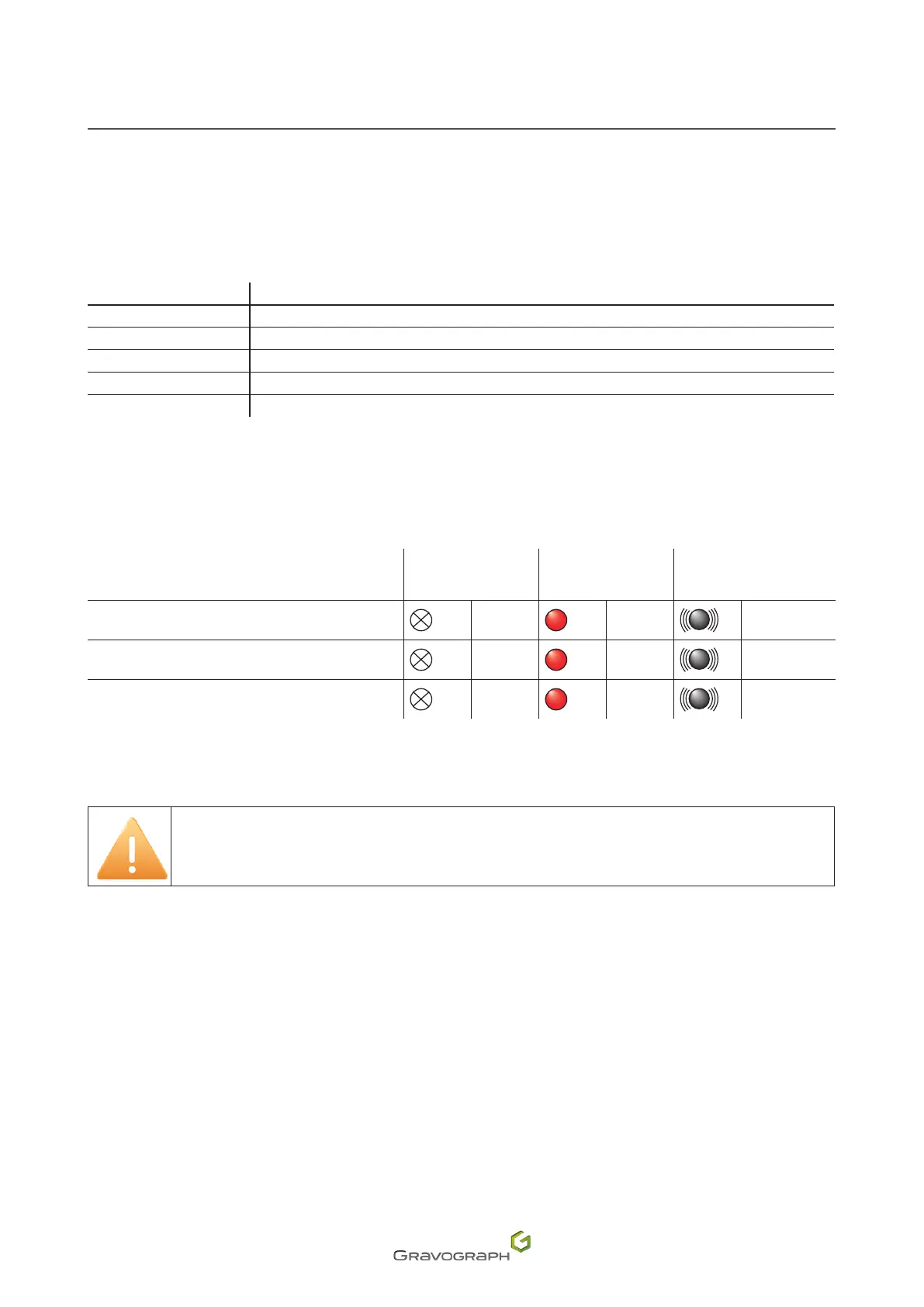
When an alarm is triggered, the red indicator light is illuminated and an audible signal is sounded. The green
indicator light goes out.
Indicator(s)
Status
Normalow
indicator light
(Green)
Flow alarm indicator
light (Red)
Audible alert
Cooling water circulation loop obstructed
O On
Yes
Insucientwateralarm
O On
Yes
Malfunction of the water circuit pump
O On
Yes
General parameters
The parameters of the industrial chiller supplied with the ENERGY machines are preset
(Initial setup). It is not necessary to change these parameters.
Pressthe(SET)buttoninnormalmode.Theredindicatorlightashes.Thisindicatesthatthecontrollerisin
parameter setting mode.
• In constant temperature control mode, the screen displays the value of the set temperature (Parameter
F0).
• Inintelligentcontrolmode,thescreendisplaysthetemperaturedierencebetweenthatofthewaterand
that of the ambient air (Parameter F1).
Usethearrowkeystochangetheparameters.
After modifying the values, press the (RST) button to save and exit. The new parameters become active.
Otherwise, press the (SET) button to exit setting mode without saving the new parameters.
If no button is pressed within 20 second(s), the controller automatically exits parameter setting mode
withoutsavingthemodiedparameters.


 To Next Page