English _19
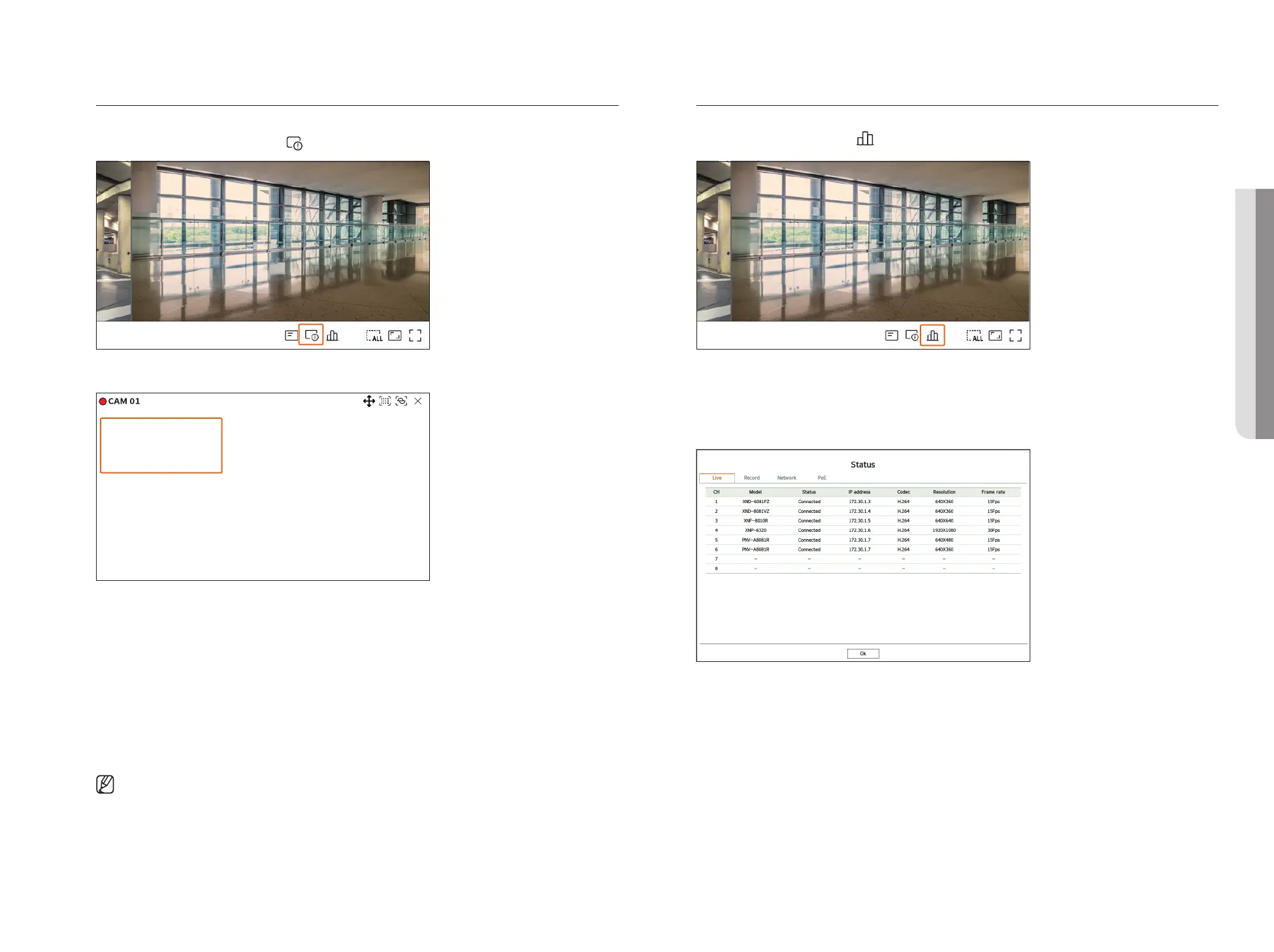
Channel Information Display
You can check the information of the video being recorded with each camera.
To check the channel information, click <
> at the bottom of the screen.
The information of the current video is displayed on the live video which is being monitored.
800x448 (H.264)
S/I/D 25/24/24
XNV-6081Z(S)
●
800x448 : Displays the resolution of the video.
●
H.264 : Displays the video codec.
●
S/I/D 25/24/24 : Displays the frame rate (FPS) of the video. (S : Settings, I : Video input, D : Video display)
●
XNV-6081Z : Displays the camera model name.
●
CH1 : For multi-channel cameras, the channel number is be displayed. The channel number may not be
displayed depending on the camera.
●
S : Displays the protocol used when registering the camera.
– S and V represent Wisenet protocol while O represents ONVIF.
– When connected by RTSP protocol, only RTSP is displayed without the product name.
■
ARB is only visible when an ARB situation occurs.
Check the Camera Status
You can check the status of all cameras connected to the recorder.
To check the camera status, click <
> at the bottom of the screen.
Live Status
Select <Live> in the <Status> menu to check the transmitted data from a network camera connected to each
channel.
●
Model : Displays the model name of camera connected to each channel.
●
Status : Shows the connection status of camera set to each channel.
●
IP address : Displays the IP address of a camera set to each channel.
●
Codec : Displays the live profile codec information for a camera set to each channel.
●
Resolution : Displays the live profile resolution of a camera set to each channel.
●
Frame rate : Displays the live profile transmission rate for a camera set to each channel.
• LIVE



 To Next Page